

Getting started
If you haven’t already, log in to begin exploring Console first-hand.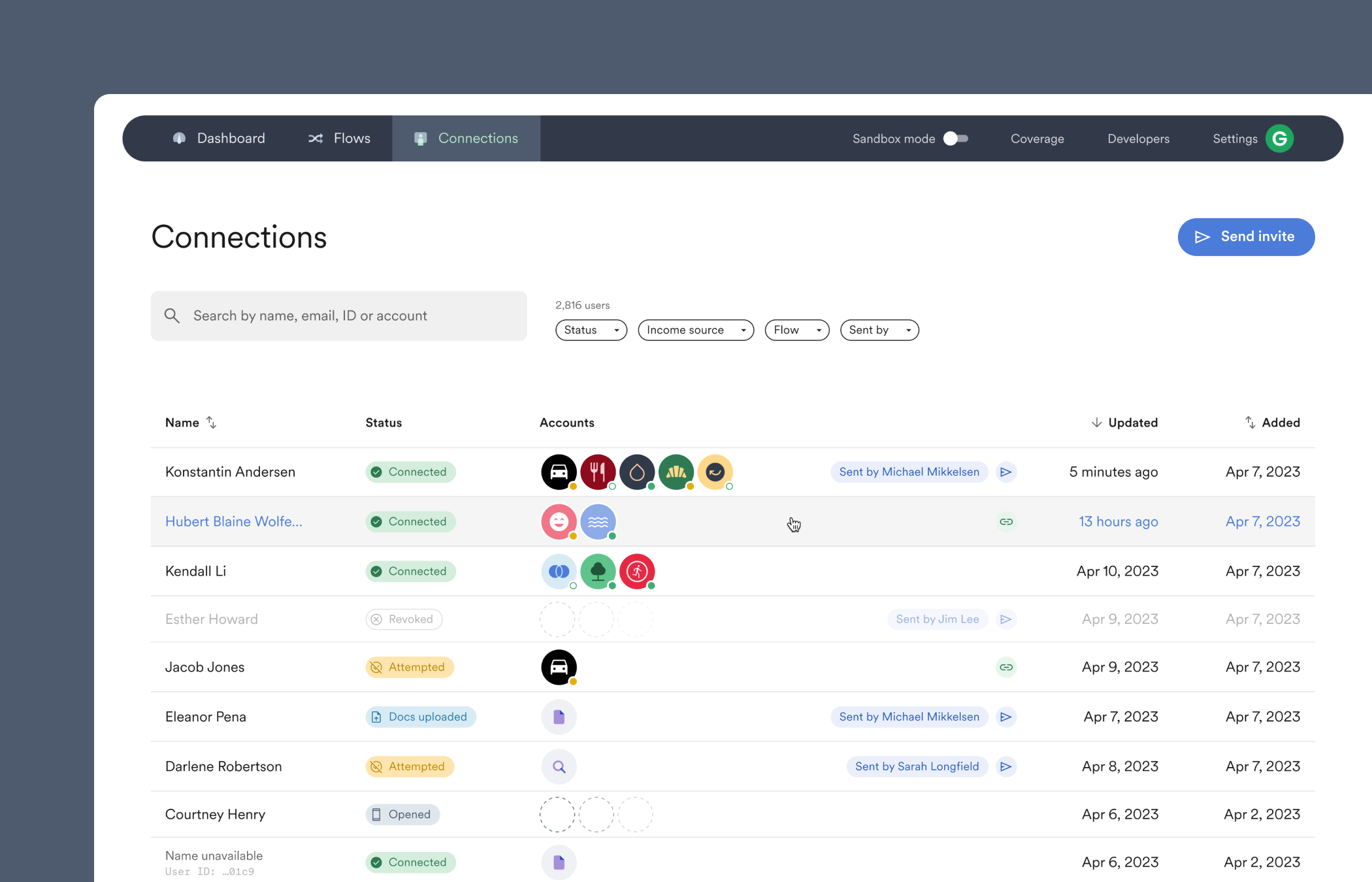
- Get started connecting accounts.
- Select a Connection to view data and generate reports.
- Invite someone, yourself, or a test user to connect an account through Link.
- Use the Dashboard to monitor accounts and view other metrics.
- Find developer tools, including API keys.
Test mode
When the “Sandbox mode” toggle at the top of Console is enabled, all of Console switches into a testing environment. You can customize Link’s payroll connection experience in Flows and test it on sample users, see the sample accounts appear in the Connections tab, and select a sample user to view their payroll data or generate a report. Or, head over to Settings to test out different email and text invite templates. After testing, disable the “Sandbox mode” toggle to begin connecting real accounts.Sections of Console
Dashboard
- See which employers and payroll platforms are the most selected.
- Compare how many account connections have happened across different time periods.
- Check which Link customizations have the highest connection success rate, and where users drop off.
Flows
- Customize and preview account connections in Link.
- Adjust Link to enable document uploading or bypass search to directly connect a user to a specific payroll login.
Connections
- View successful and attempted account connections.
- Invite and re-send invites, or check the status of a previously sent invite.
- Monitor accounts to make sure they continue to be continuously scanned for new data.
- Select a connected account to view payroll data, payroll documents, and generate reports.
Coverage
- Explore Argyle’s extensive list of supported payroll connections.
- Filter and sort Items by their type, health status, mapping status, or whether they support ongoing refresh.
- Select a specific Item to see exactly which data fields are supported.
Developers
- Obtain and create API keys.
- Subscribe to and manage automatic webhook notifications.
- Integrate third party business systems.
Settings
- Manage membership roles, billing, and access permissions.
- Enable or disable organization-level features and user invitation settings.
Get started
- Zoom out to learn more about different parts of Console and Argyle.
Contact support
- Select the ? to reach out if you need assistance.