How to copy the collection
- Click the button above.
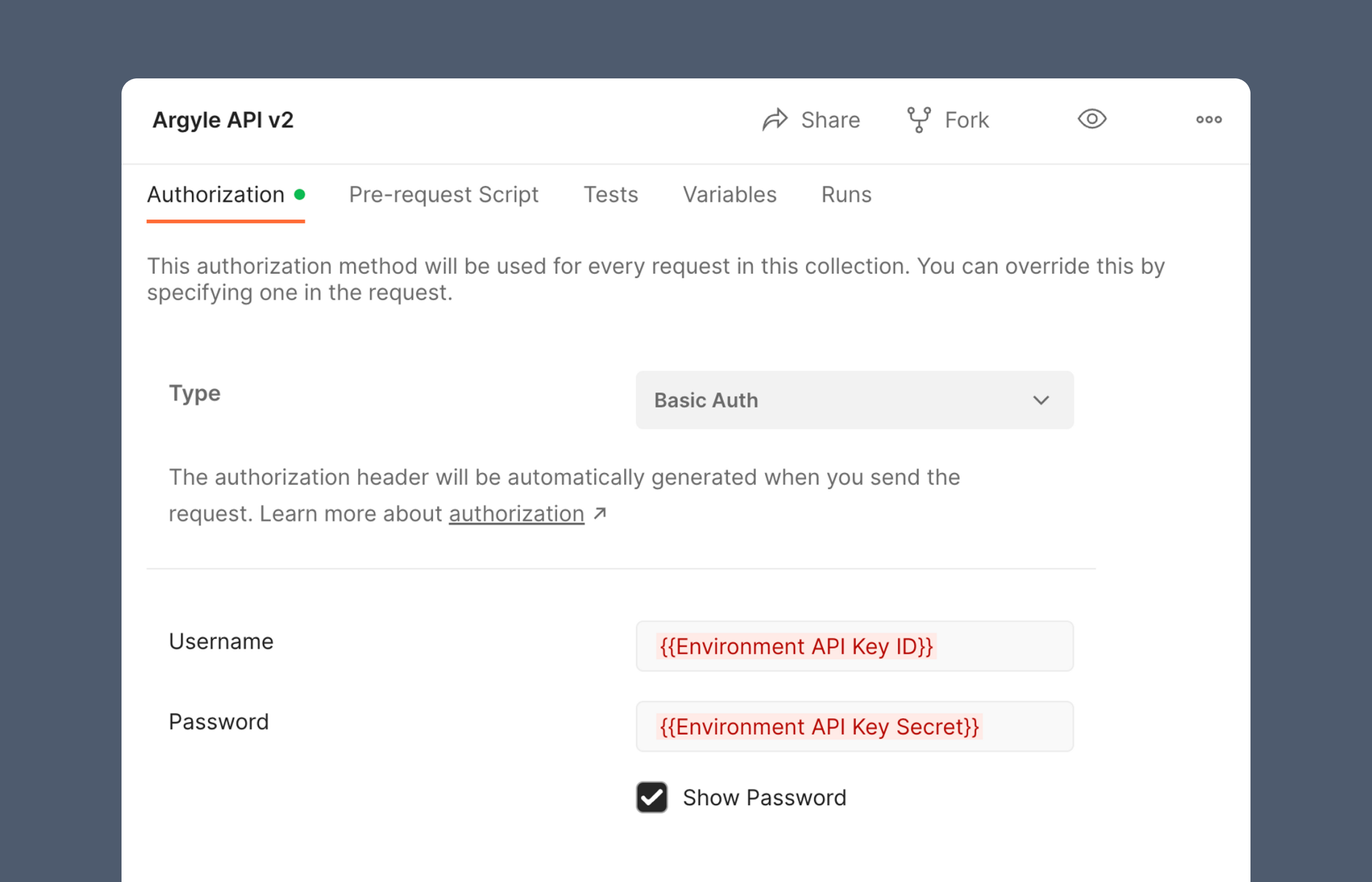
- Create or retrieve your Argyle API keys from Console.
- Replace the username field on Postman’s authorization page with your
Sandbox API Key ID. - Replace the password field on Postman’s authorization page with your
Sandbox API key SECRET.
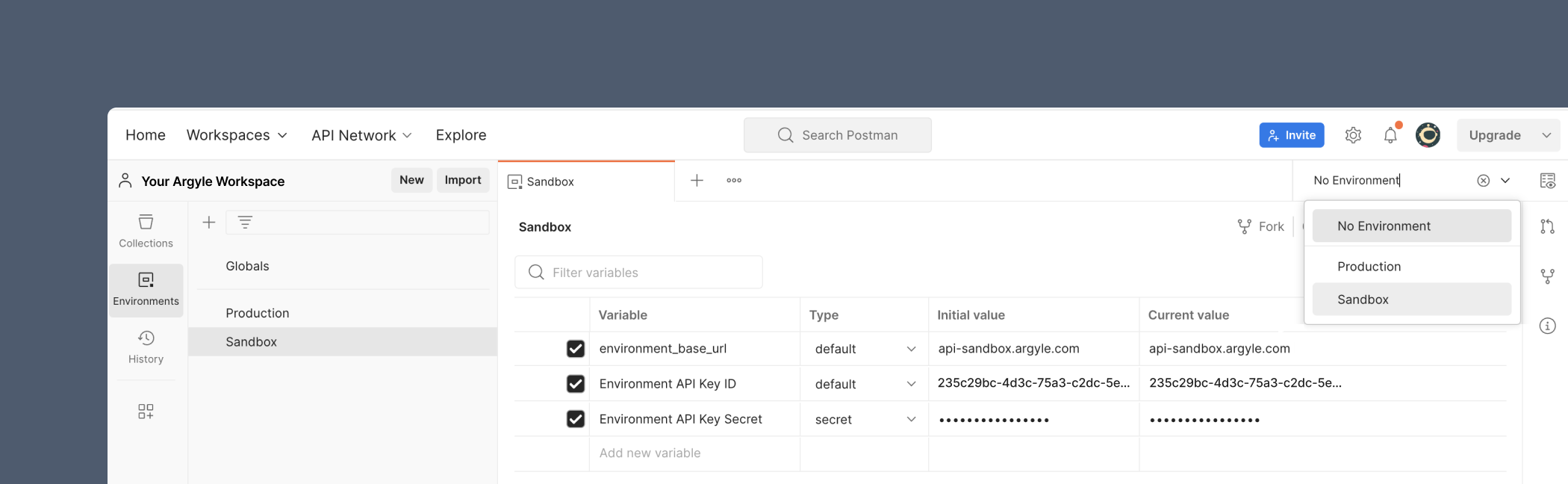
Setting environment variables
We recommend creating a Sandbox and Production environment via Postman’s sidebar, where you can store{{variable values}} such as your API keys or base URLs. This lets you quickly switch between Sandbox and Production when making API calls using the dropdown in the upper right.
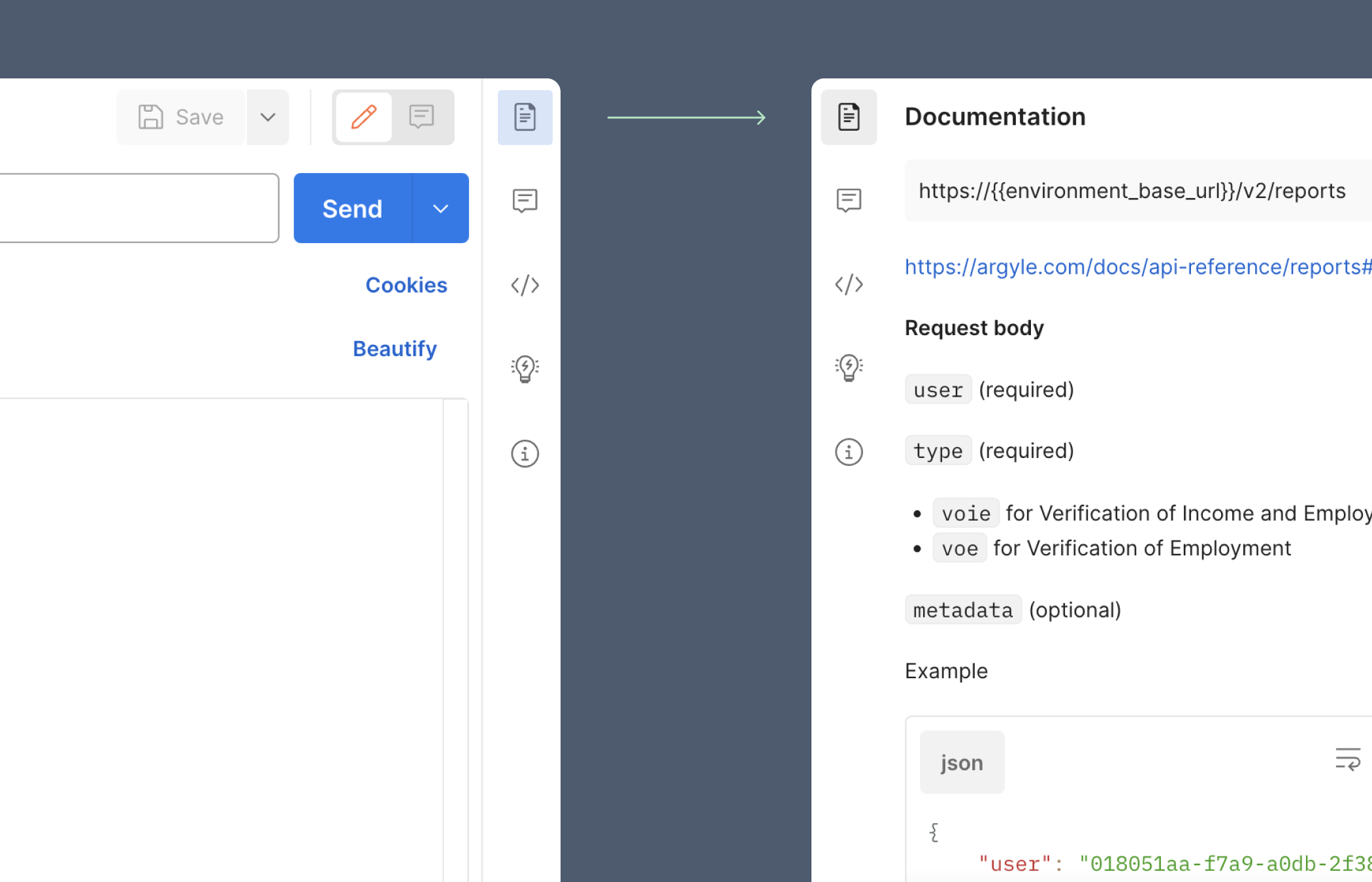
Documentation in Postman
Clicking on the Documentation icon in the upper-right corner will display additional details for each endpoint.