

Overview
Employment History is a new payroll connection experience in Link:- Users are asked to connect their payroll accounts until a threshold length of employment history has been met.
- The employment history threshold is configurable from 1 month up to 10 years and 11 months.
- After each connection Argyle checks to see if the employment history threshold has been met. If not, the user is prompted to connect additional accounts.
To enable the Employment History feature, reach out to your Argyle customer success manager.
Link connection experiences
No employment history check
Standard Link connection experience (Employment History feature is not enabled):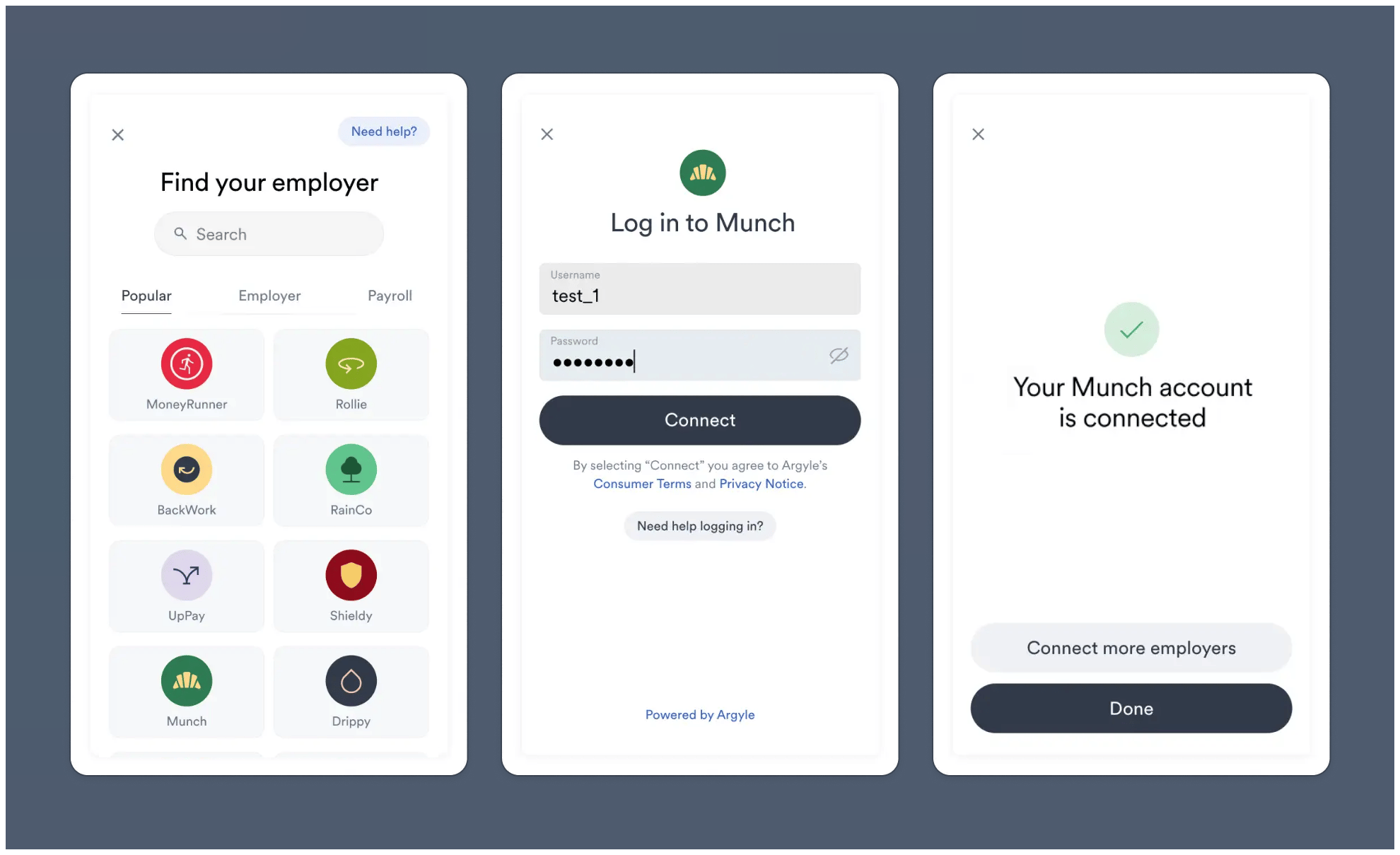
Employment history sufficient
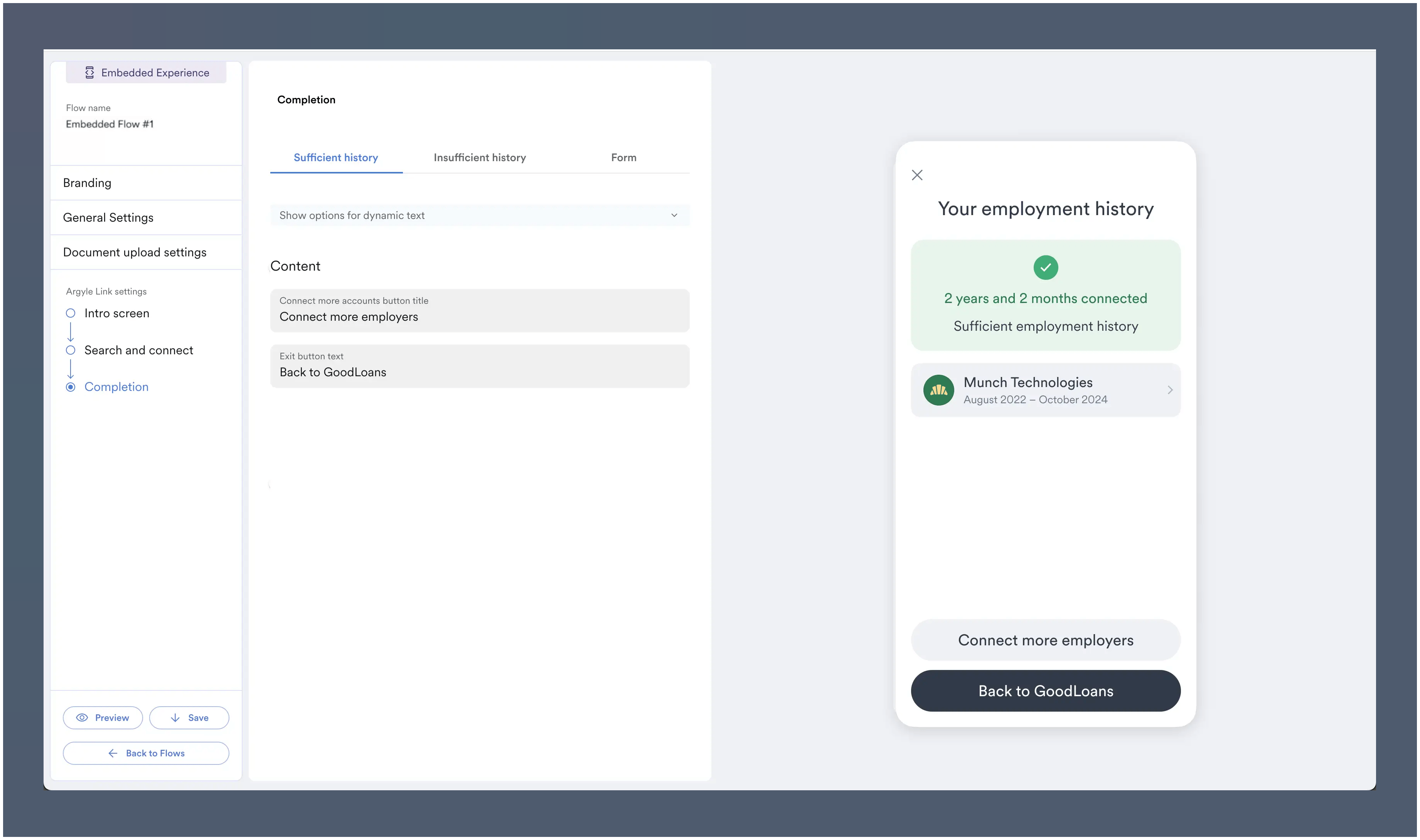
Employment History feature is enabled and connected account meets minimum history threshold: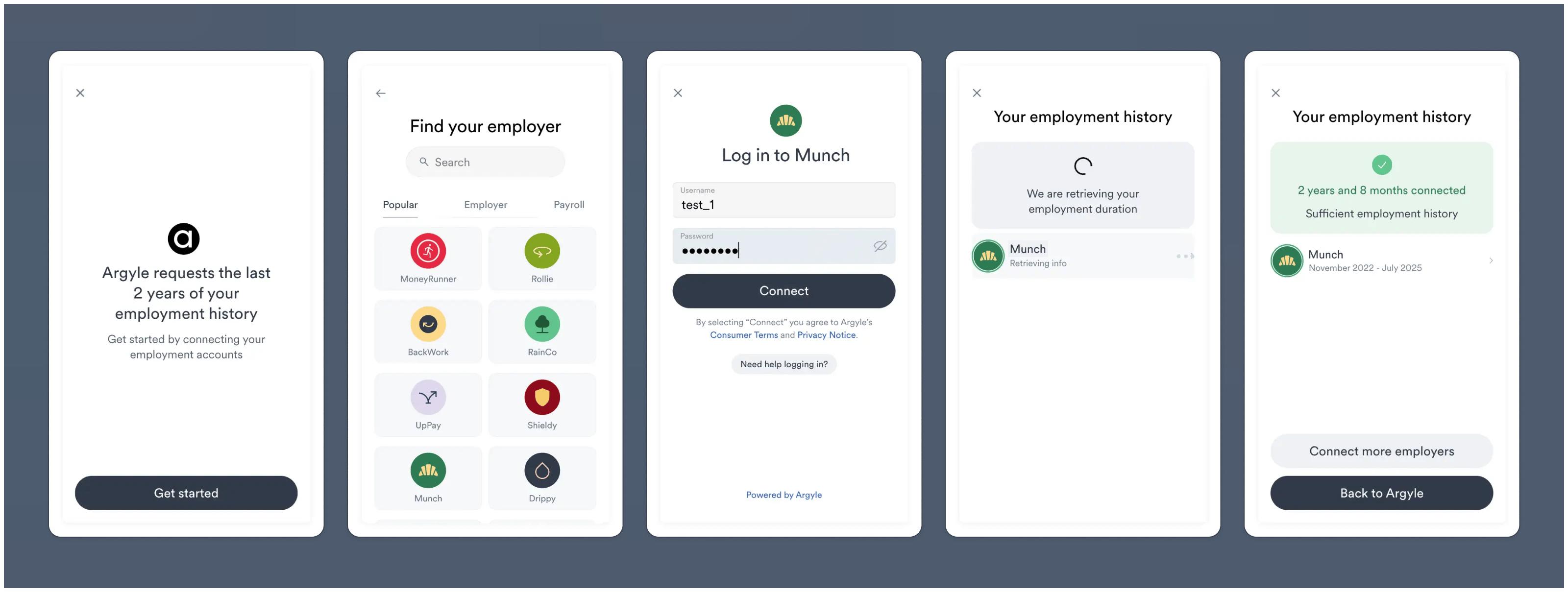
Employment history insufficient
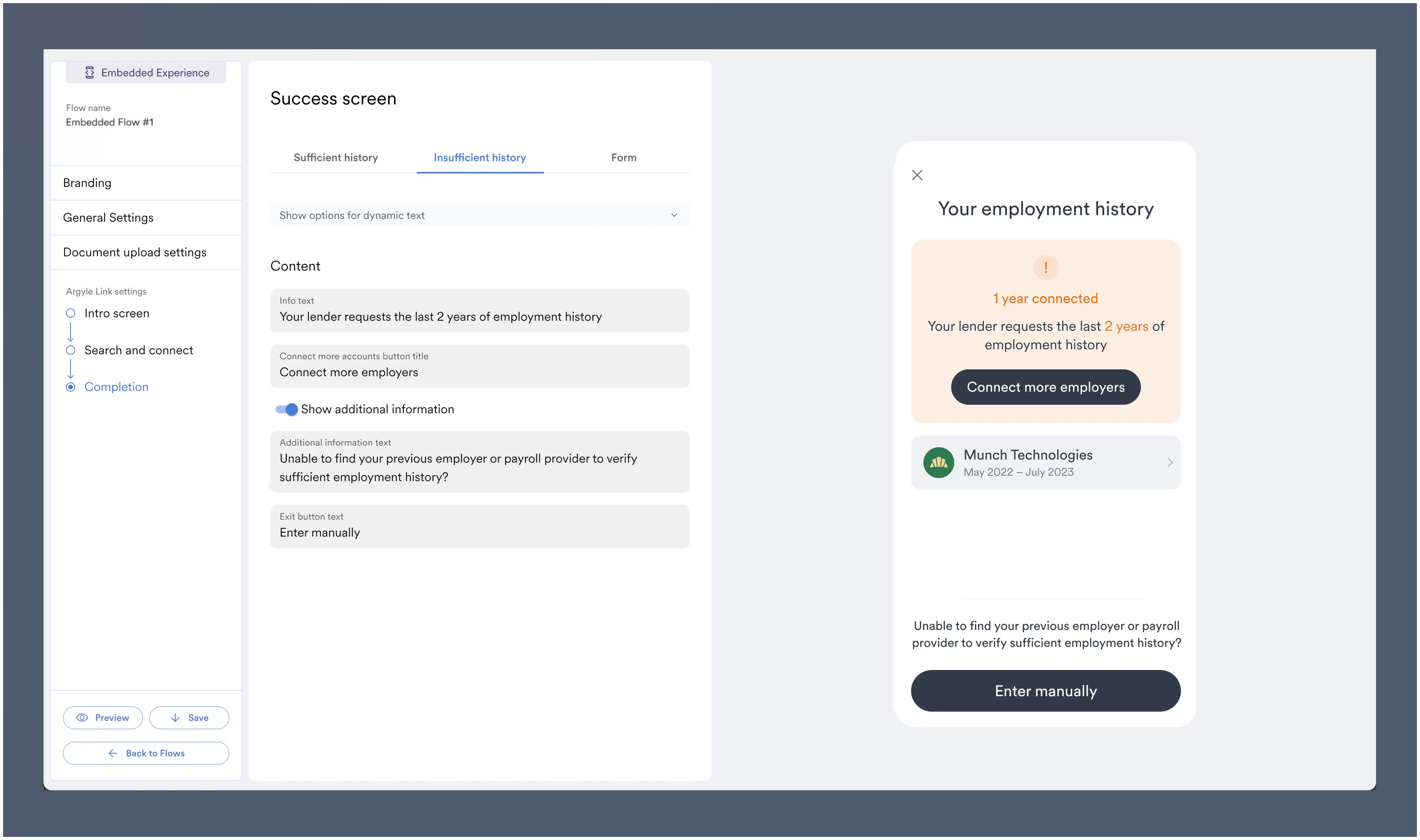
Employment feature is enabled and connected account does not meet minimum history threshold: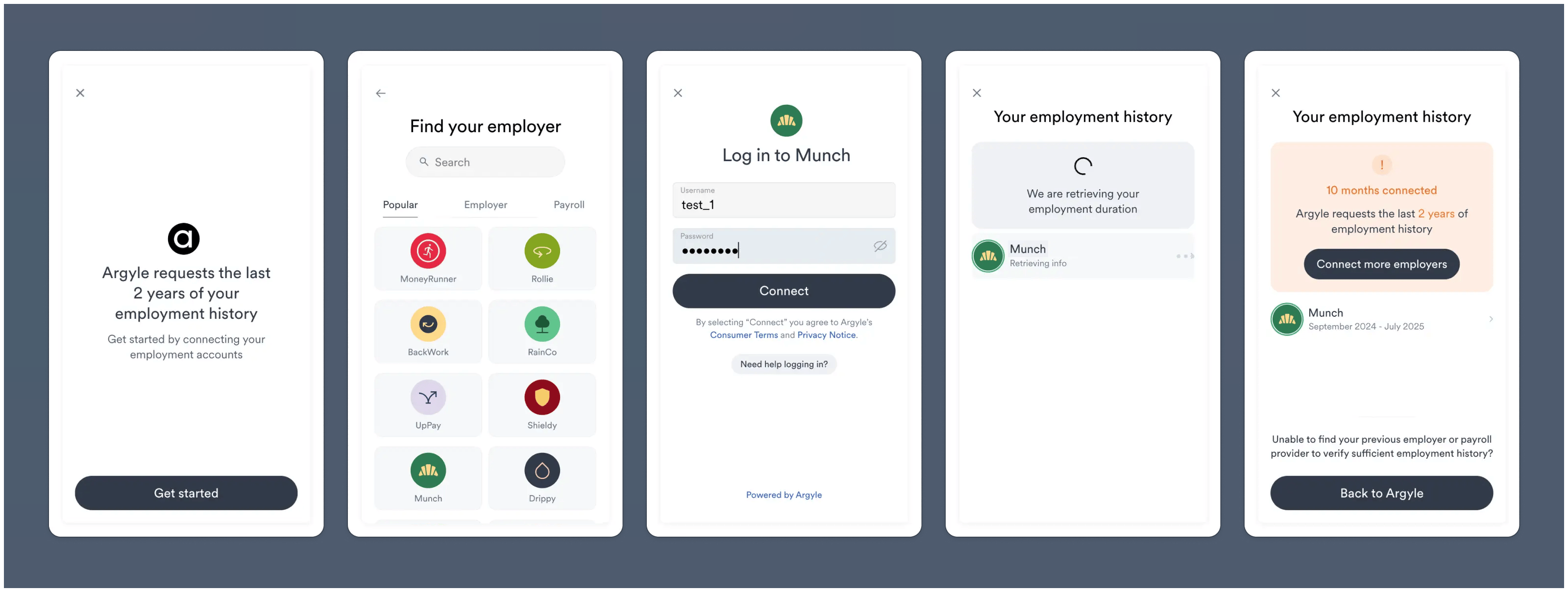
Console setup
- Navigate to the Link Flows section of Console and create a New Flow.
The Employment History feature can be enabled for both all Flow types.
-
In General Settings tab, enable the
Employment history minimumtoggle. - Adjust the sliders to your desired minimum employment history length.
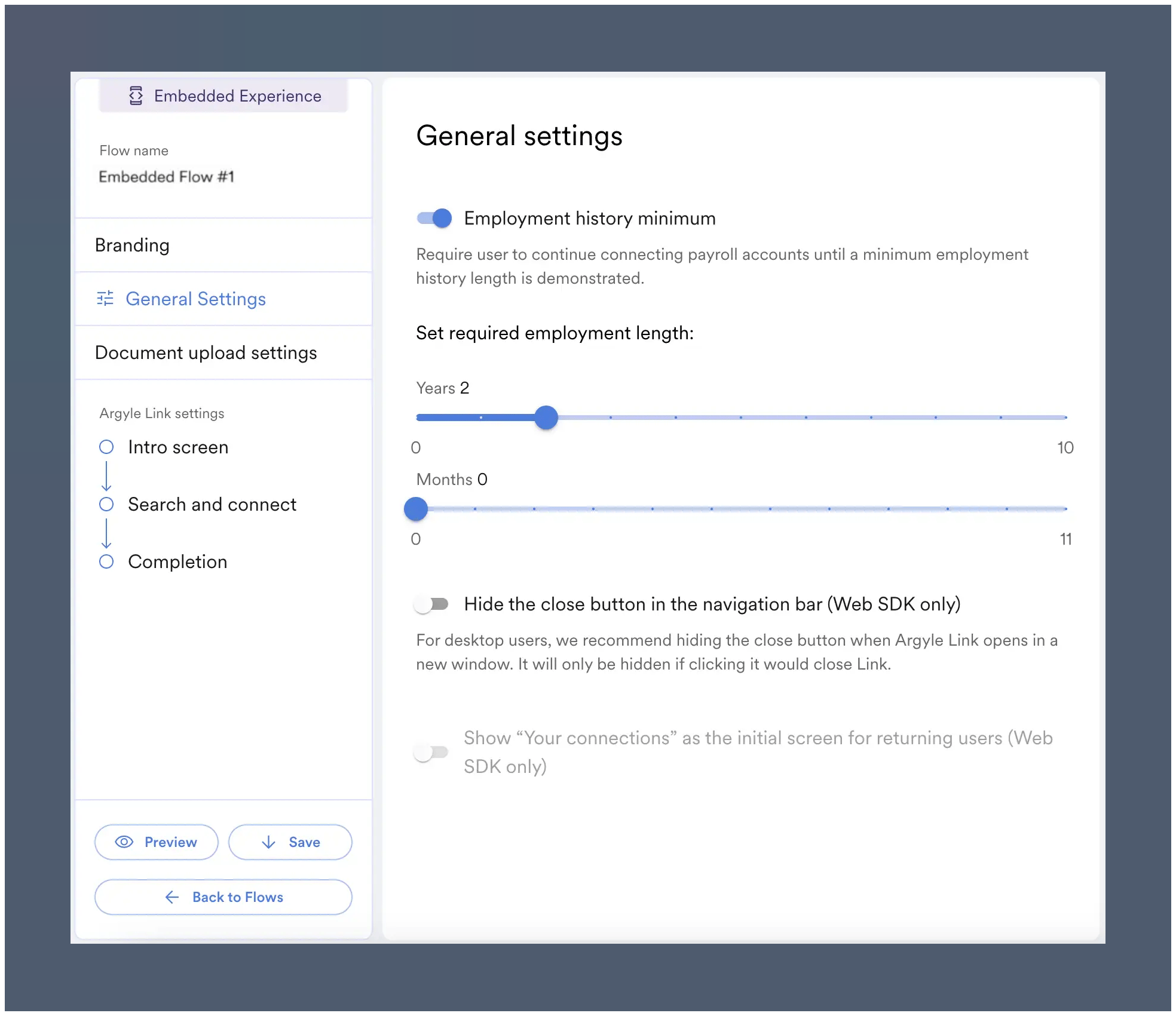
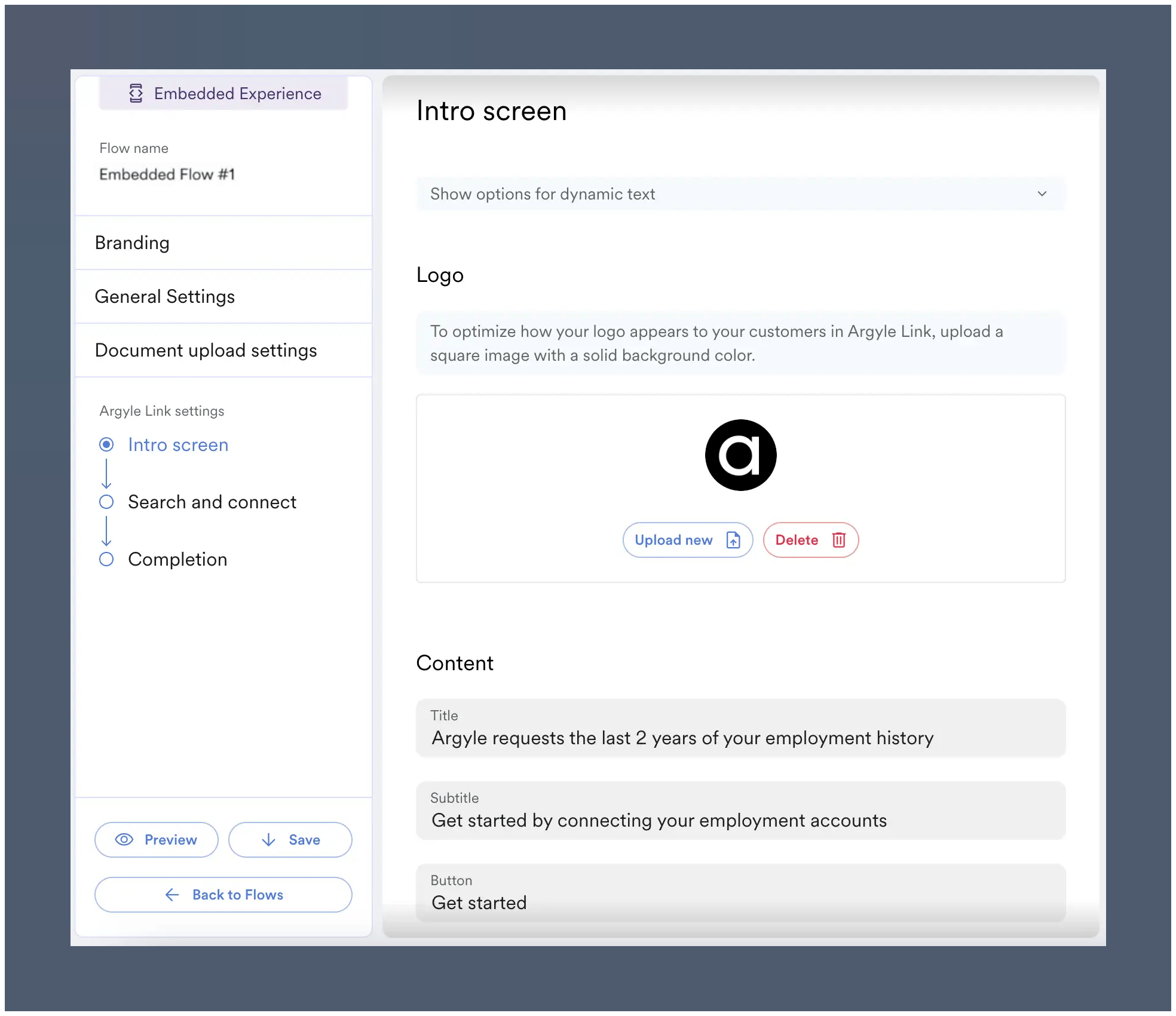
- (Optional) When Employment History is enabled, a unique intro screen is enabled by default. This screen can be customized within the Intro screen side tab.
- (Optional) The screen shown when sufficient employment history is reached can be customized from the Completion side tab.
- (Optional) The screen shown for insufficent employment history can also be adjusted from the same Completion side tab.
Reach out to your Argyle Success Manager for any setup assistance.
Embedded routing
For embedded implementations, theonClose Link callback can be used to route users depending on whether the employment history threshold was met:
- When
onClosereturns"userSubmissionComplete": truethis indicates the employment history threshold has been met. The user can be routed forward in your experience. - When
onClosereturns"userSubmissionComplete": falsethis indicates the employment history threshold was not met. The user can be routed to a fallback experience.
Limitations
- Deposit switching is not supported when combined with Flows that have Employment History enabled.
- It can take up to ~30 seconds after each connection for employment history from the account to be evaluated.
Testing
In Argyle Sandbox:- Create a Flow with Employment History enabled.
- Initiate a Link connection experience with the saved Flow.
- To test sufficient employment history:
- Use
test_1as the username - Use
passgoodas the password
- To test insufficient employment history:
- Use
test_1as the username - Use the following password:
- To test slow data retrieval time (extended waiting period):
- Use
test_1as the username - Use the following password: