

Overview
Argyle’s 3-in-1 Verification Suite provides a single workflow within Encompass® for multiple verification methods, reducing manual fallbacks and shortening loan timelines.- Order Income & Employment and Asset verifications independently for multiple borrowers.
- Receive Day 1 Certainty® and AIM eligibility determinations.
- Order closing Employment verifications using refreshed data.
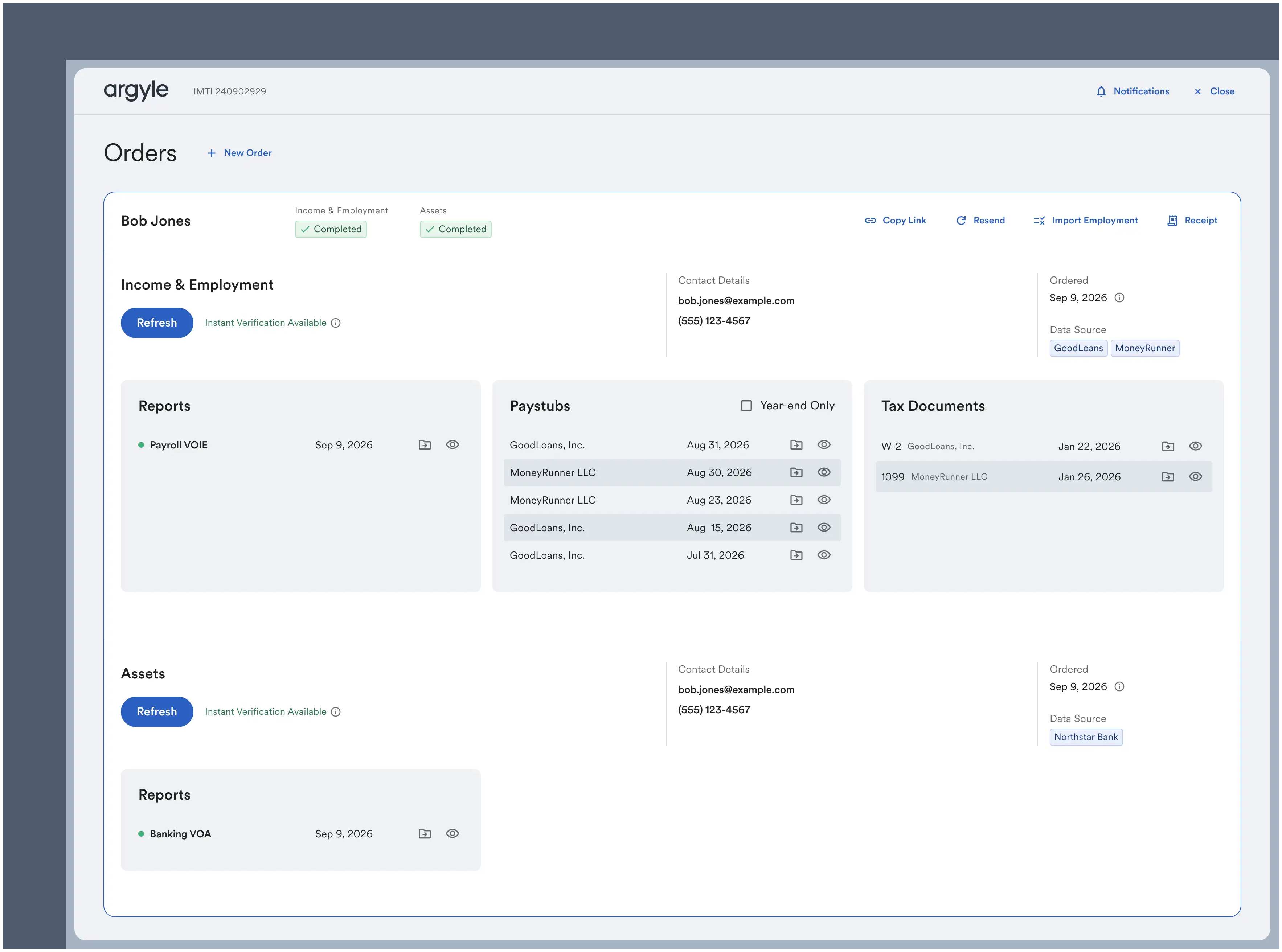
Loan officer workflow
Required loan file details
- Select a loan in Encompass®.
-
Provide the following required details:
Encompass section Verification requirements 1003 URLA Part 1Borrower details:
Payroll:First Name,Last Name,Email, andPhone Number
Banking:First Name,Last Name,SSN,Birth Date,Address,Email, andPhone Number
Documents:First Name,Last Name, andSSN1003 URLA Part 2Employer details:
Payroll:Employer Name(s)*if known
Documents:Employer Name(s),Start Date(s),End Date(s)
Select Argyle’s verification service
- Under Services:
- [Web] Select All Services and then Order Service. In the pop-up, click Verifications under Categories.
- [SmartClient] Select Order Verifications.
- In the pop-up, select Argyle under Providers. Then click Next/Submit.
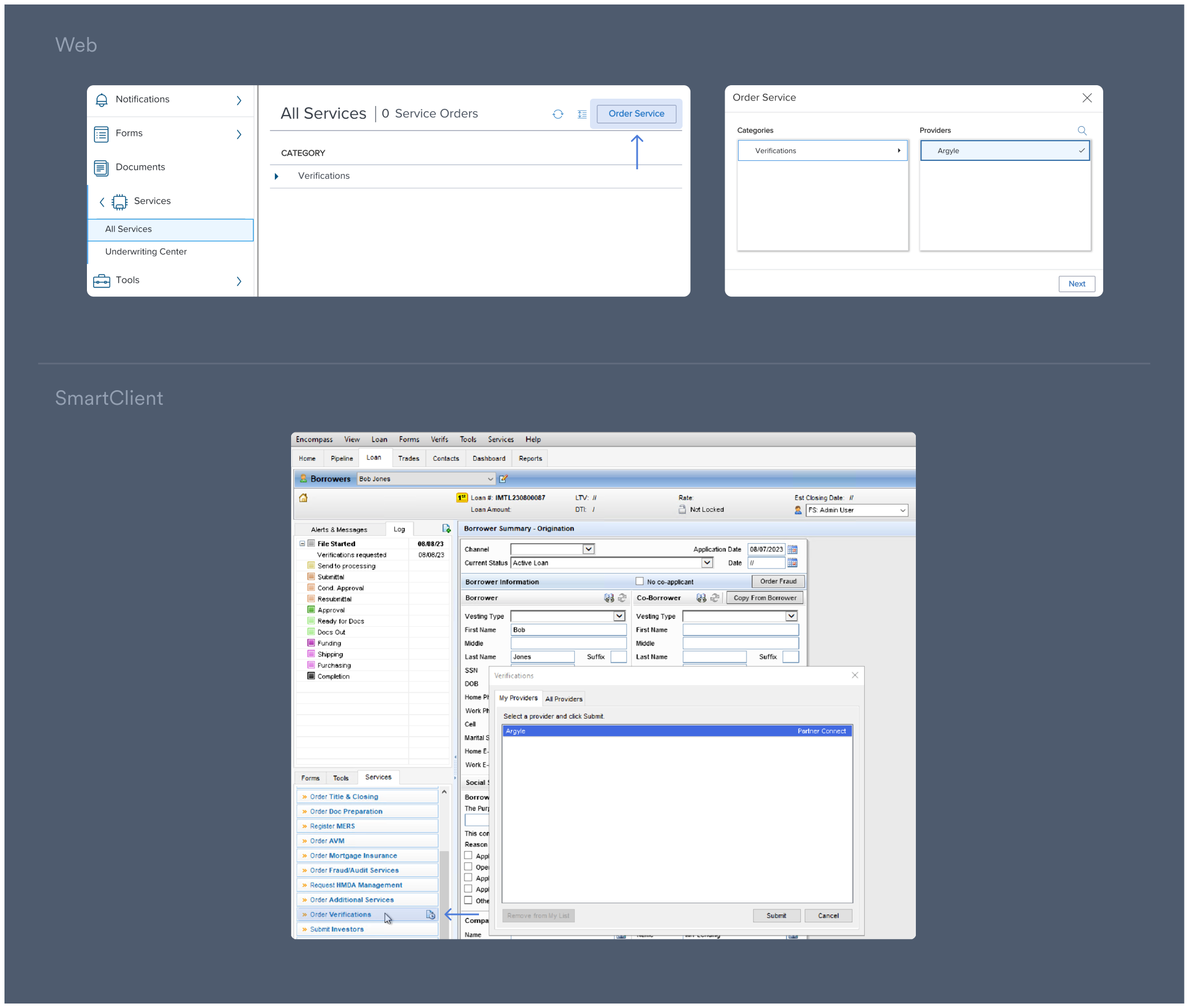
Ordering verifications
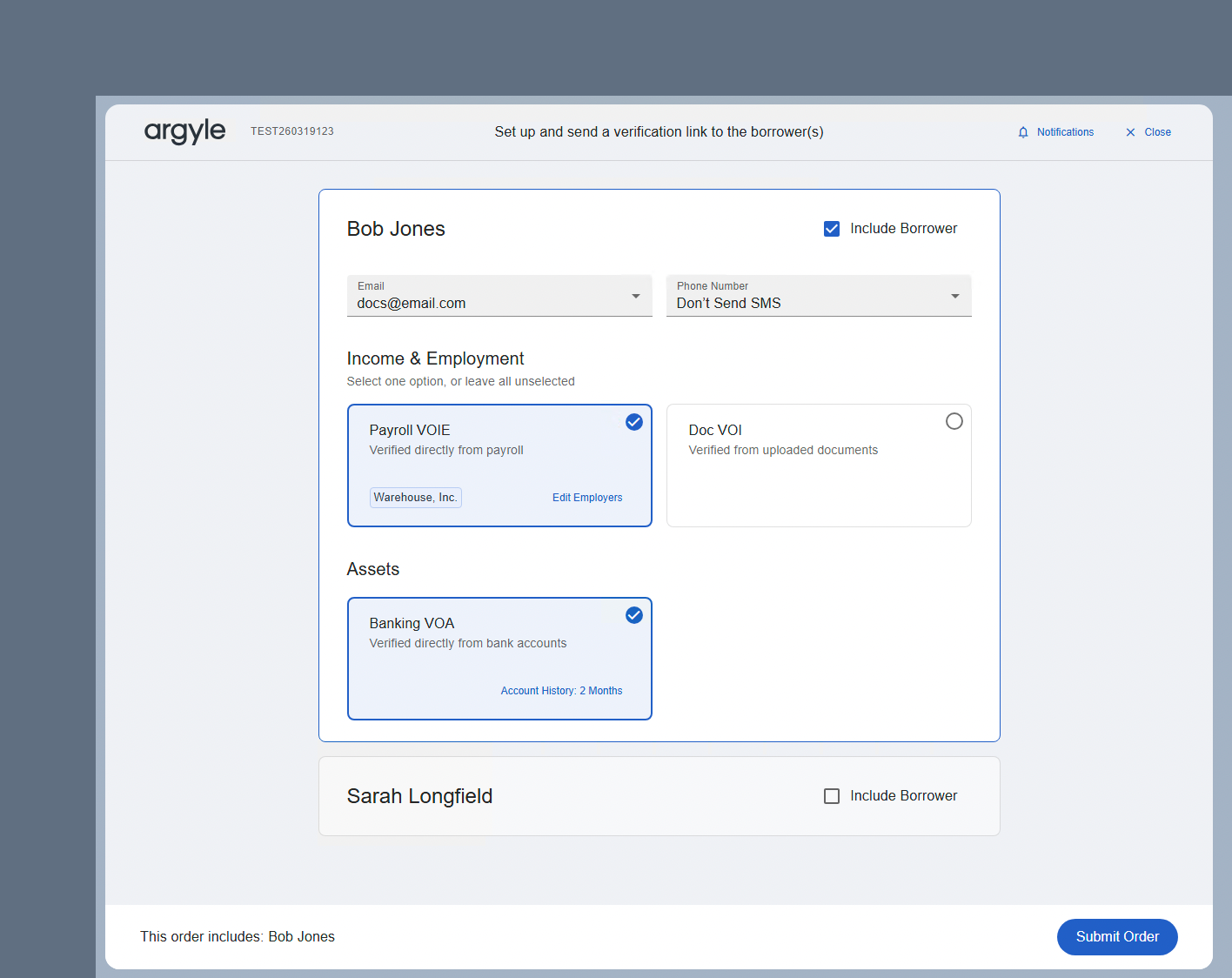
- Select the borrower(s) and verification methods you want to order.
-
Review borrower contact details for payroll and banking verifications.
Including both
EmailandSMSgenerally provides the best response rate. -
(Optional) Select Notifications in the upper-right of the Argyle window to choose which team members should receive updates on verification orders.
You can add or remove team members from notifications at any stage of the ordering process. Suggested team members are populated from contacts attached to the loan file. Standalone email addresses can also be entered.
-
For payroll verifications, adjust employments via
Edit Employers.Argyle automatically attempts to match employers from the Encompass® loan file. -
For asset verifications, adjust the desired
Account Historylength. -
For document verifications, selecting
Add Documentswill provide a list of required documents based on the borrower’s current and previous employments. SelectOpen eFolderto upload documents from the eFolder or local drive.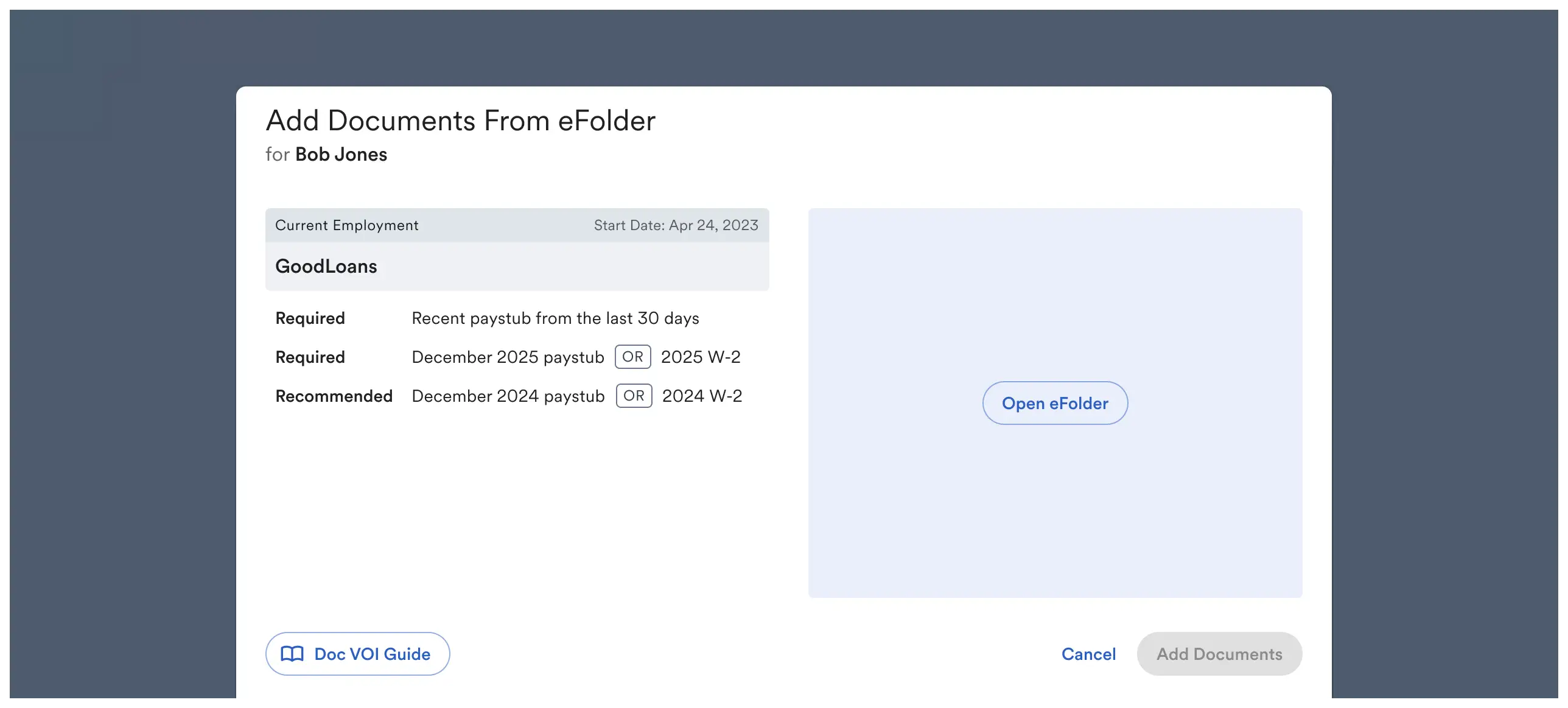
Track order progress
-
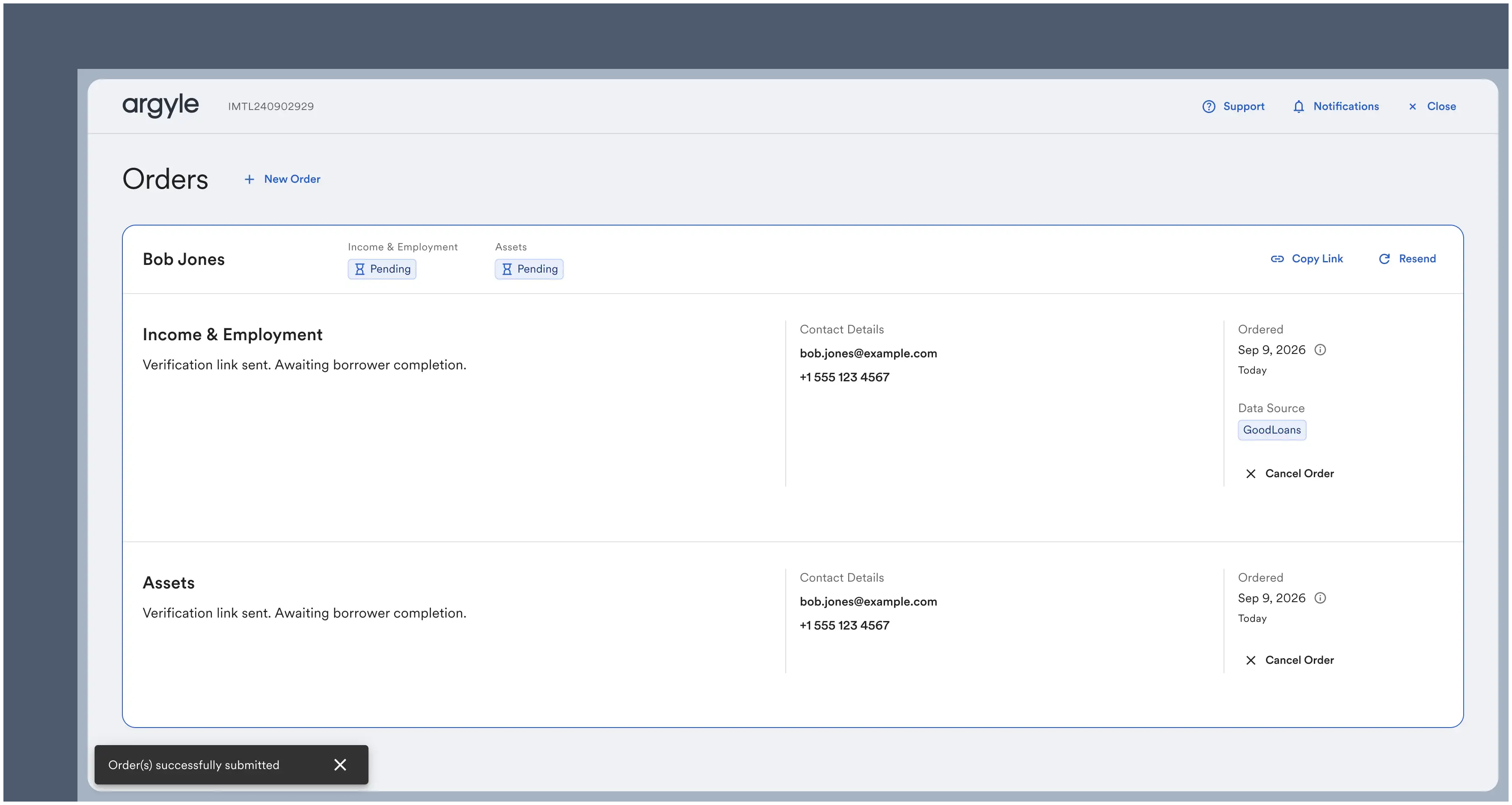
Submitted verifications are shown on the Orders screen and proceed independently.
-
The order status will be shown in the top left next to the borrower name.
Order status details
- Pending: Awaiting borrower action.
- In Progress: Connected data is syncing, a refreshed verification is being generated, or uploaded documents are being processed.
- Action Required: The borrower needs to take additional action before the order can be completed. Additional details and next steps will be displayed.
- Cancelled: The verification order was manually cancelled within Encompass®. Argyle may also cancel orders due to processing timeouts or unresolvable issues.
- Completed: The verification was successful. Reports and documents have been routed according to your document-mapping configuration.
-
For payroll and asset verifications, the borrower(s) will be sent an email and/or text invitation asking them to connect their respective payroll and financial institutions.
To resend an invitation, select Resend or select Copy Link to generate a URL that can be shared with the borrower.
- For document verifications, the borrower will not be contacted. Submitted documents will begin processing immediately, with a typical processing time of 10 minutes.
View reports and documents
-
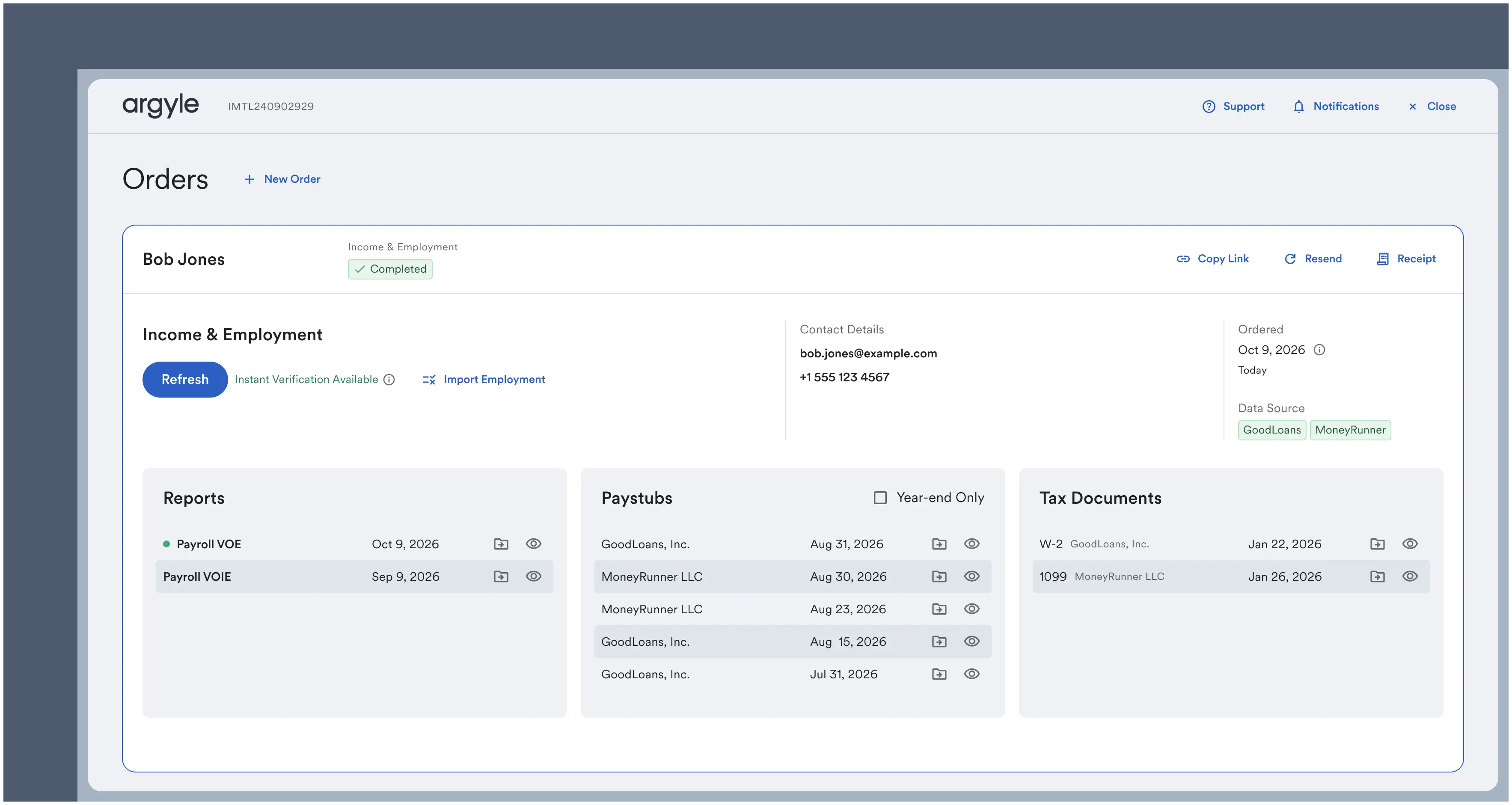
Once an order reaches Completed status:
- The Reports section will contain verification reports.
- The Paystubs and Tax Documents section will contain uploaded and retrieved payroll documents.
Reports and documents can also be viewed in the Connections section of Console. Each borrower has an external identifier that matches their Loan # in Encompass®. -
Automatic delivery to eFolder.
- Verification reports are automatically pushed to eFolder.
- For VOIE orders, the last 30 days of paystubs and the two most recent W-2s are also automatically pushed. Additional retrieved payroll documents can be pushed to eFolder as needed.
Argyle continues retrieving new payroll data and documents while payroll connections remain active. Newly available payroll documents will appear in Argyle’s Encompass® interface and can be previewed or pushed to eFolder as needed.
Order closing verifications
-
When Instant Verification Available is shown in green, an up-to-date report can be ordered by selecting Refresh that does not require additional borrower action.
-
When Re-engage if Needed is shown in orange, there are two verification options after selecting Refresh:
- Request Updated Data will resend a connection invitation to the borrower.
- Use Available Data will generate a report immediately with the most available data, and does not require additional borrower action.
 According to the GSE’s, reports based on data last updated 35 days ago or less are sufficient for rep & warrant consideration.
Borrower experience
This borrower flow applies to payroll and banking verifications. No borrower action is required for document verifications.
-
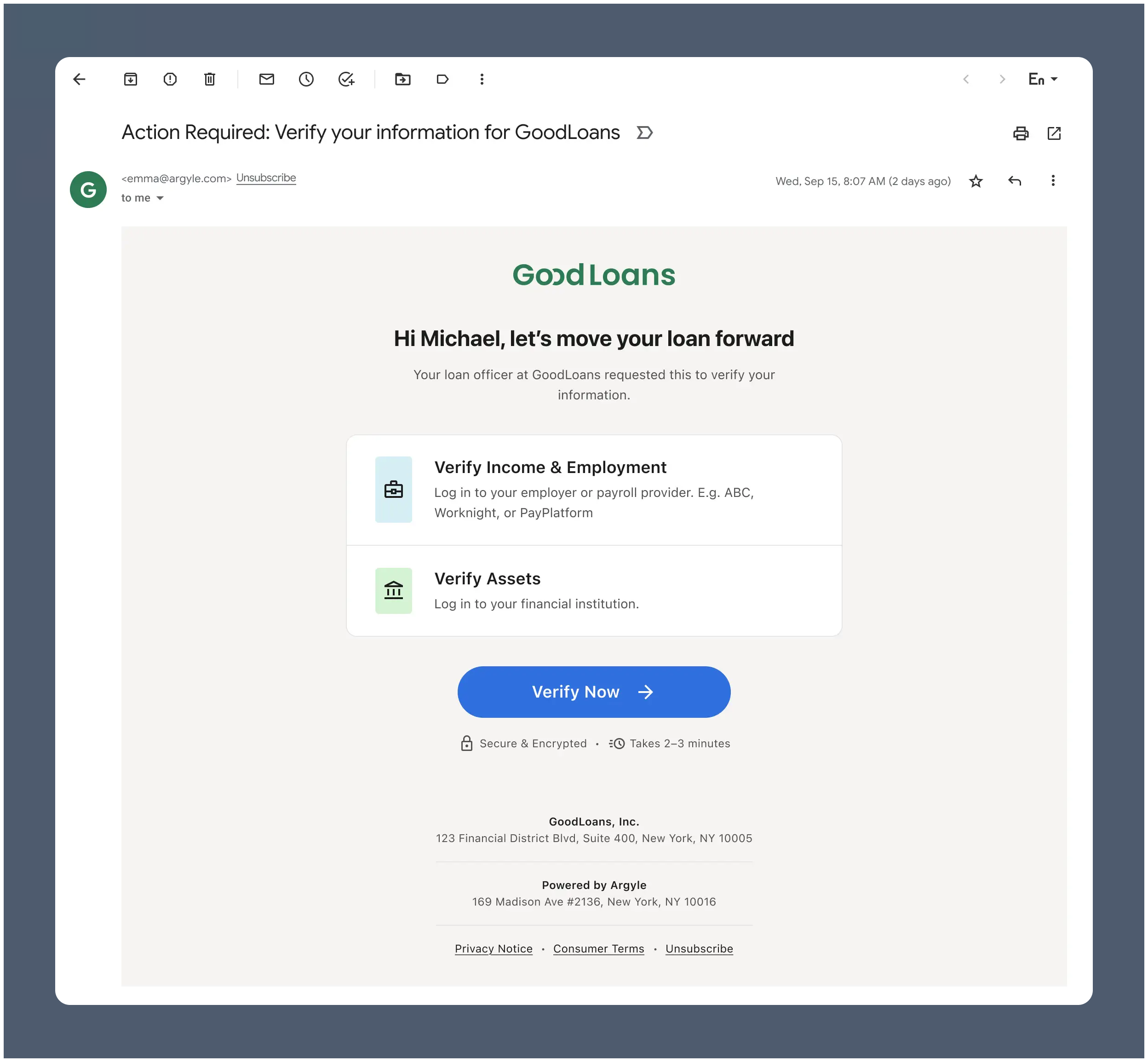
After order submission, each borrower receives a single Argyle invitation by email and/or text.
-
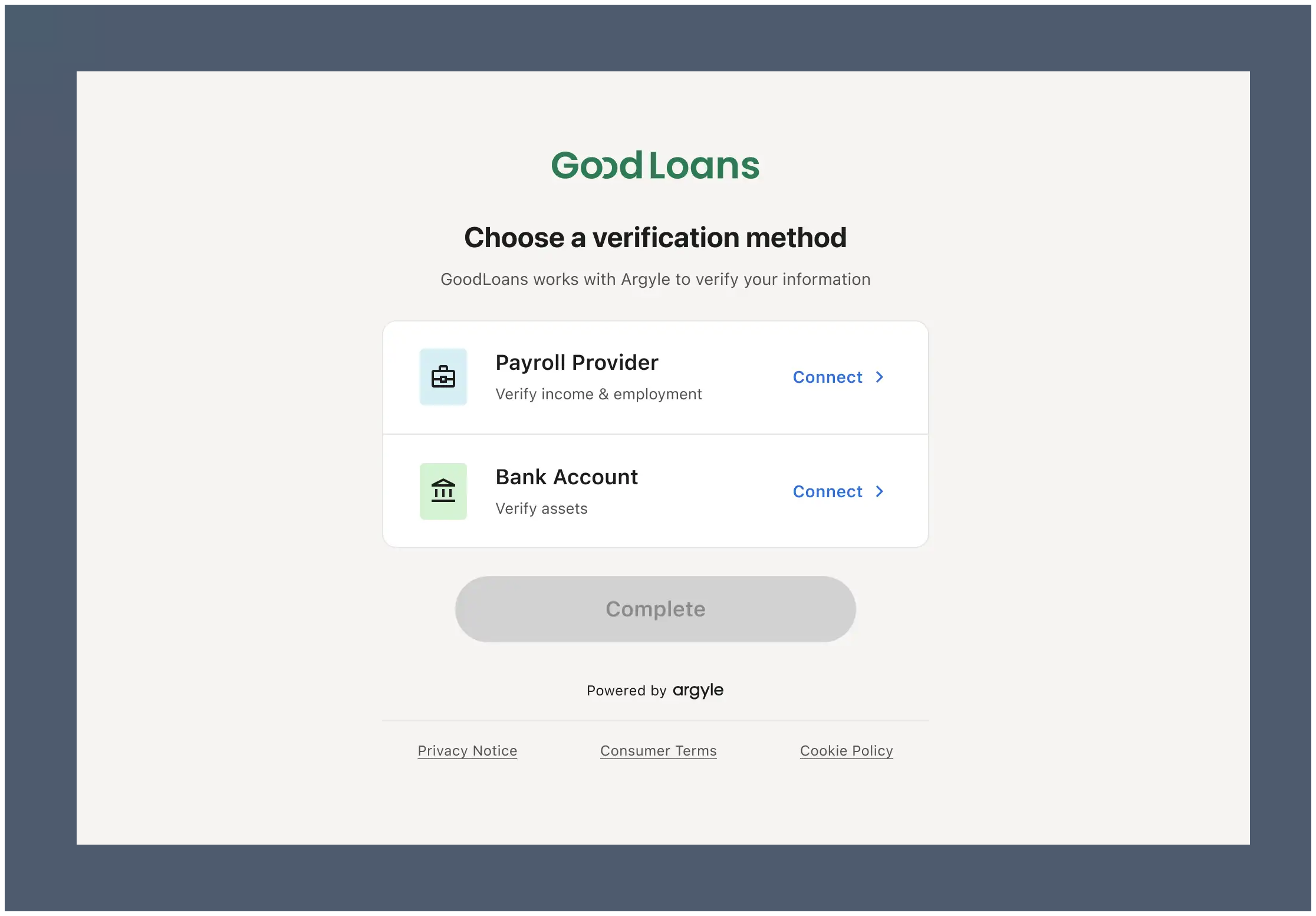
Selecting Verify Now opens a landing page that lists the requested verification methods.
-
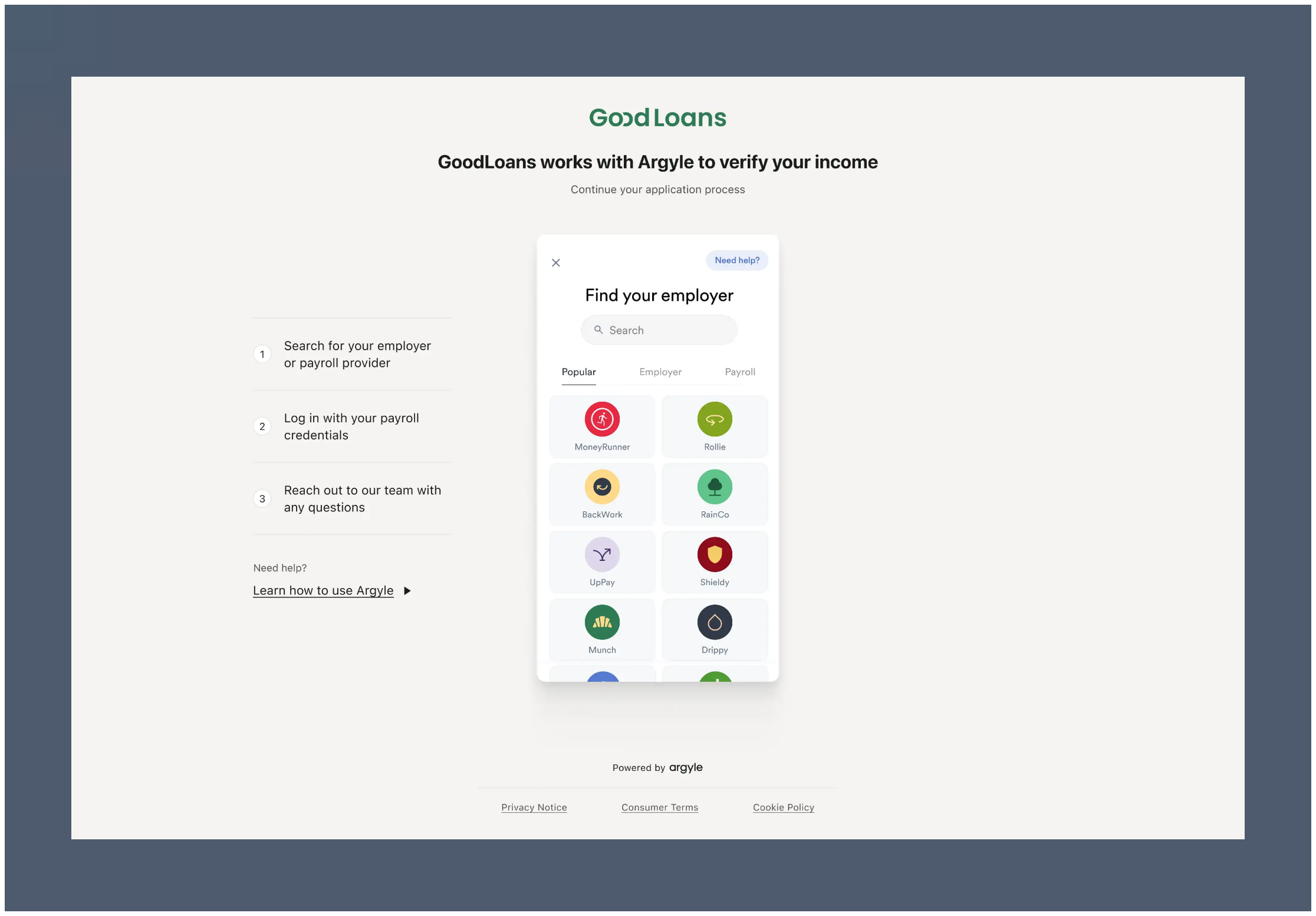
Selecting Payroll Provider takes the borrower to Argyle’s payroll connection experience.
-
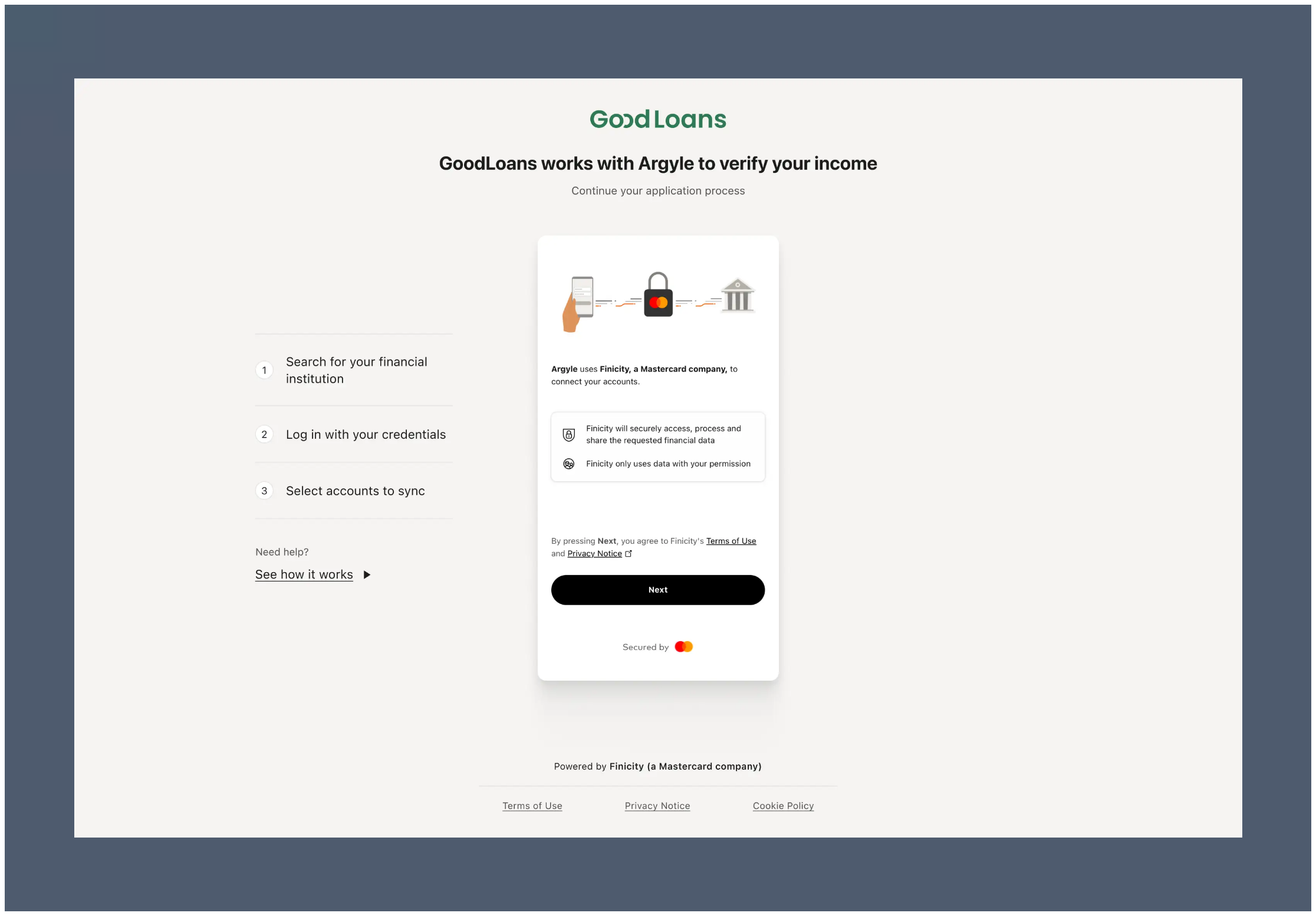
Selecting Bank Account takes the borrower to Mastercard’s financial account connection experience.
-
Borrowers can complete payroll and asset connections in either order and return later if needed.
- After each successful connection, the borrower returns to the same landing page until all requested verification methods are completed.
- If a refreshed verification later requires borrower action, a new invitation is sent and the borrower returns to the same landing page to reconnect the method that needs updated data.
Day 1 Certainty® and AIM
Argyle’s income & employment and asset verification reports provide lenders an automated way to achieve Day 1 Certainty® through Fannie Mae’s Desktop Underwriter® (DU®) validation service and assessment of borrower income and assets through Freddie Mac’s asset and income modeler (AIM).Reach out to your Customer Success Manager to enable Argyle’s Day 1 Certainty® and AIM functionality.
- Select Import Employment for a Completed order.
- Resolve any conflicts between the employer name in the loan file and the employer name Argyle used during verification processing.
Resolving employer name mismatches helps maximize Day 1 Certainty® and AIM rep & warrant relief.
Receipts
- Select Receipt for an individual borrower to generate a receipt and push it to eFolder.
- Receipts are available for each individual borrower after orders are Completed and indicate the fees associated with the verification order.
To enable Receipt functionality, reach out to your Argyle Customer Success Manager.
Testing
Payroll test profiles
- Select
Argyle Sandboxfor Sandbox testing orArgylefor Production testing. - Enter your testing email or phone number and order a payroll report.
- After receiving the invitation, use Argyle’s sample user credentials to connect to:
- Sandbox: any employer or payroll provider
- Production:
PlatformtronicorEmployertronic
| Homer Loanseeker | Suzi Builder | Andy Freddie | |
|---|---|---|---|
| homer_loanseeker@argyle.com | suzi_builder@argyle.com | andy_freddie@argyle.com | |
| Username | homer_loanseeker | suzi_builder | andy_freddie |
| Password | passgood | passgood | passgood |
| Verification code | 9081 | 9084 | 9088 |
| Phone number | (800) 900-0101 | (800) 900-0104 | (800) 900-0108 |
| Driver’s license # | D1230101 | D1230104 | D1230108 |
| Returns | 1 active employment | 2 active employments | 1 active and 1 terminated employment |
Banking test profiles
When you’re ready to begin testing, contact your Argyle Customer Success Manager to enable banking permissions.
- Sandbox: connect to
FinBank Profiles AorFinBank Profiles B - Production: connect to
FinBank BillableorFinBank Oauth Billable
| Username | Password | Account types | Supported products |
|---|---|---|---|
| profile_02 | profile_02 | Savings, IRA, 401k, Credit Card | voa, voi, voai |
| profile_03 | profile_03 | Checking, Personal Investment, 401K, Roth, Savings (Joint Account owners) | voa, voi, voai |
| profile_04 | profile_04 | Checking, 403B, 529, Rollover, Mortgage | voa, voi, voai |
| profile_05 | profile_05 | Checking, Investment, Stocks, UGMA, UTMA (Joint Account owners) | voa, voi, voai |
| profile_06 | profile_06 | Checking, Retirement, KEOGH, 457, Credit Card | voa, voi, voai |
| profile_07 | profile_07 | Checking, Stocks, CD, Investment Tax-Deferred, Employee Stock | voa, voi, voai |
| profile_08 | profile_08 | Checking, Primary Savings, Money Market, 401A, Line of credit | voa, voi, voai |
| profile_09 | profile_09 | Checking, Savings, Checking failed report. Errors include 102, 103, 185. | voa, voi, voai (failed report) |
| Sue Wealthy | River Paycheck | Alex Student | |
|---|---|---|---|
| Username | sue_wealthy | river_paycheck | alex_student |
| Password | profile_700 | profile_703 | profile_704 |
| Description | Sue is working as a Product Manager with a good steady income, a mortgage, and multiple investment accounts. She has a loan account and leases a car. Sue travels a few times a year. She has typical expenses like groceries, clothes, entertainment, gym membership, car expenses, and she has a pet. | River works in construction. He rents an apartment and has typical expenses like groceries, clothes, entertainment, household and car expenses. He has some savings but no investments, no loans and no credit cards. In some months, River’s expenses exceed his income. | Alex is working full-time with a good salary but she is still paying off her student loan. She makes regular monthly repayments, but she still has over $30,000 to pay off. Alex has typical expenses like groceries, clothes, entertainment, household, and car expenses. She has limited savings and she has started an investment account. |
Doc VOI test documents
- Use the sample documents below for Doc VOI verifications.
- For all scenarios below, enter
Warehouse Services Incin 1003 URLA Part 2 as the current employer with a start date of02/01/2023, and leave the end date blank.
Do not adjust file names.
- Sandbox
- Production
GSE-eligible monthly income
GSE-eligible monthly income
Upload the following documents:
Not GSE-eligible monthly income
Not GSE-eligible monthly income
Upload the following documents:
Requires more data
Requires more data
Upload only the following document:
For further assistance, please reach out to [email protected] or your Customer Success Manager.