Overview
Argyle has partnered with Unit to bring payroll connectivity to banking. Banks integrated with Unit can use Argyle to verify income data and employment status for underwriting, and update the direct deposit settings of payroll connections so loan repayments can be sent via ACH transfers. It’s a powerful combination:- Create new bank accounts with Unit.
- Verify income for lending purposes with Argyle.
- Redirect income so direct deposits are sent via ACH to the new bank accounts.
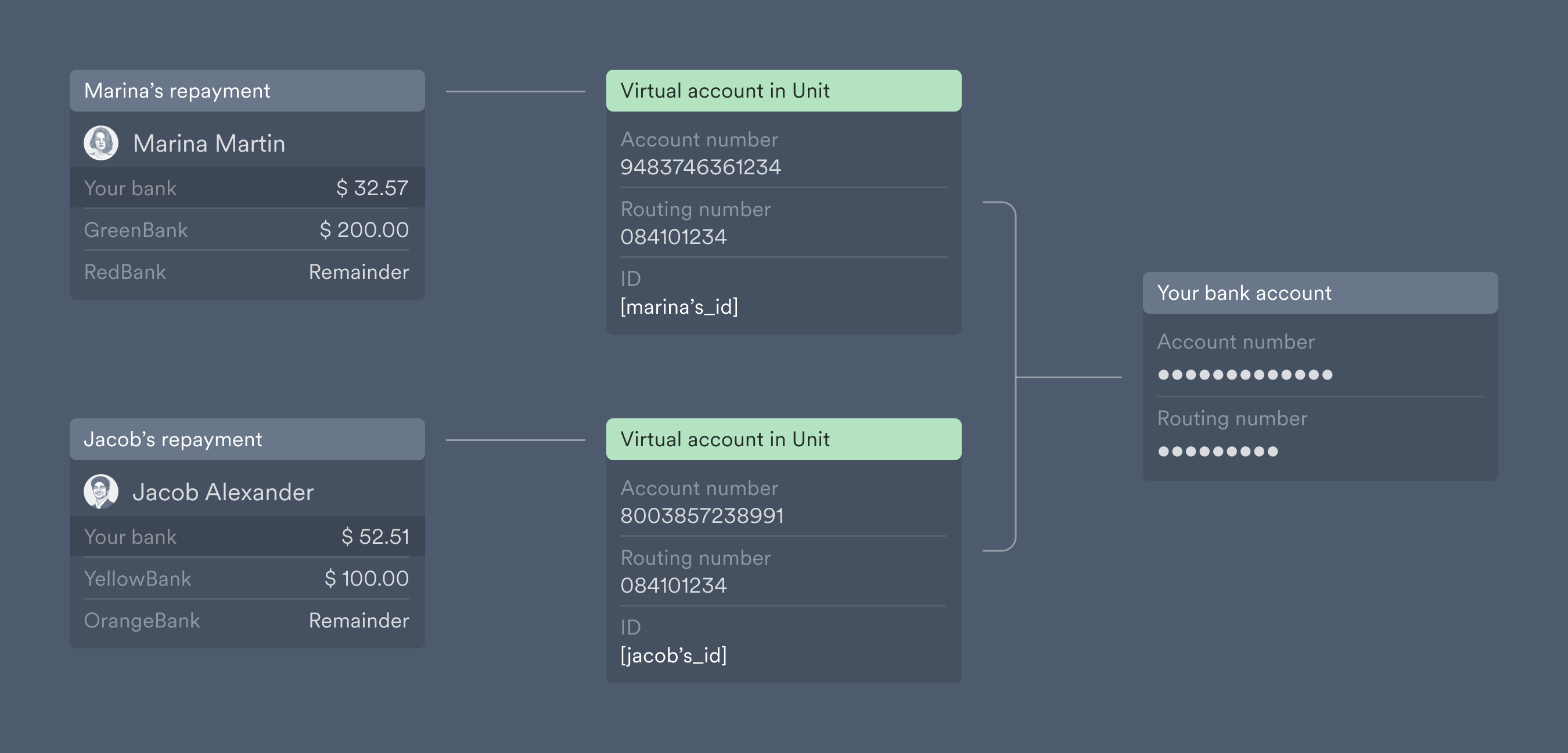
- [Optional] Manage all payments using virtual bank accounts, and route all payments to your company’s bank account with Unit.
- Stay informed via Argyle if the loan applicant makes any changes to their direct deposit settings, or if their income changes after loan approval.
Verifying income
Begin by having loan applicants connect their payroll accounts through Argyle’s Link portal, which can be embedded within your website or application, or sent through an email or text invite.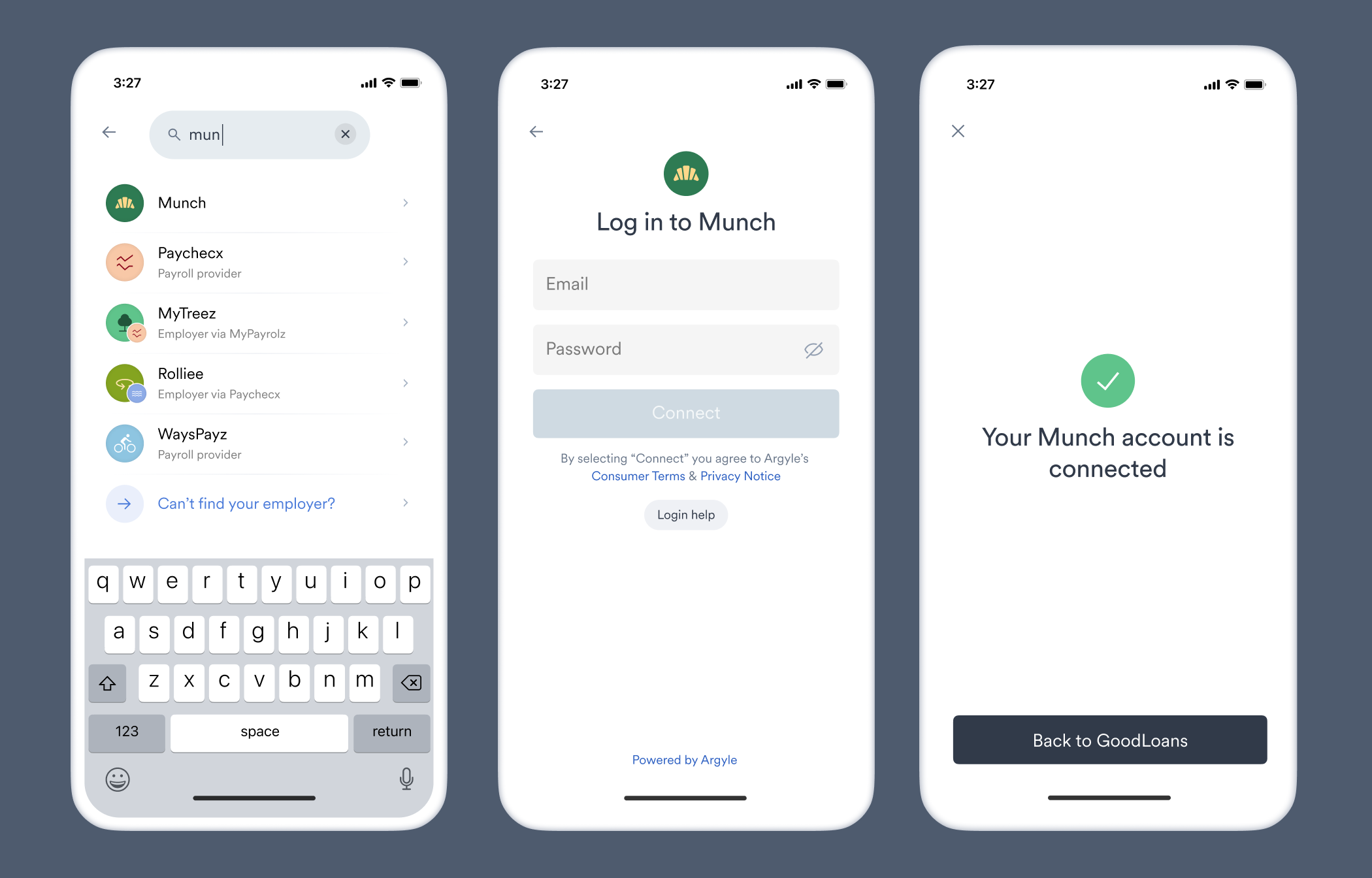
Automated lending decisions
Once the loan applicant’s payroll accounts are connected, paystubs, payroll documents such as 1099’s and W-2’s, and other information is retrieved and organized into Argyle’s data sets and made accessible online via Console or Argyle’s API.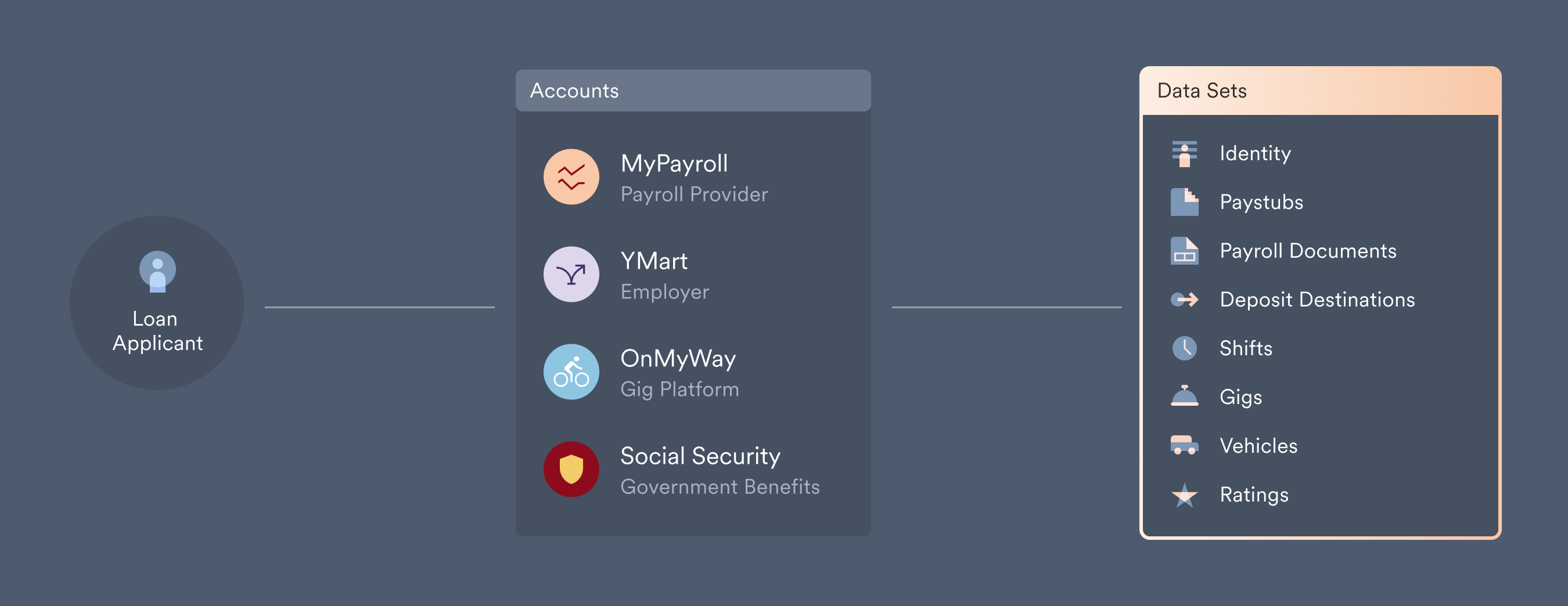
Loan repayments
ACH direct deposit transfers
Once a payroll account is connected through Link, access to the loan applicant’s direct deposit settings will also become available. You can view where paychecks are currently being sent within the deposit destinations data set. After loan approval, adjust the borrower’s direct deposit settings so exact loan repayments are sent to your bank account, and have the borrower return to Link to confirm the deposit switch.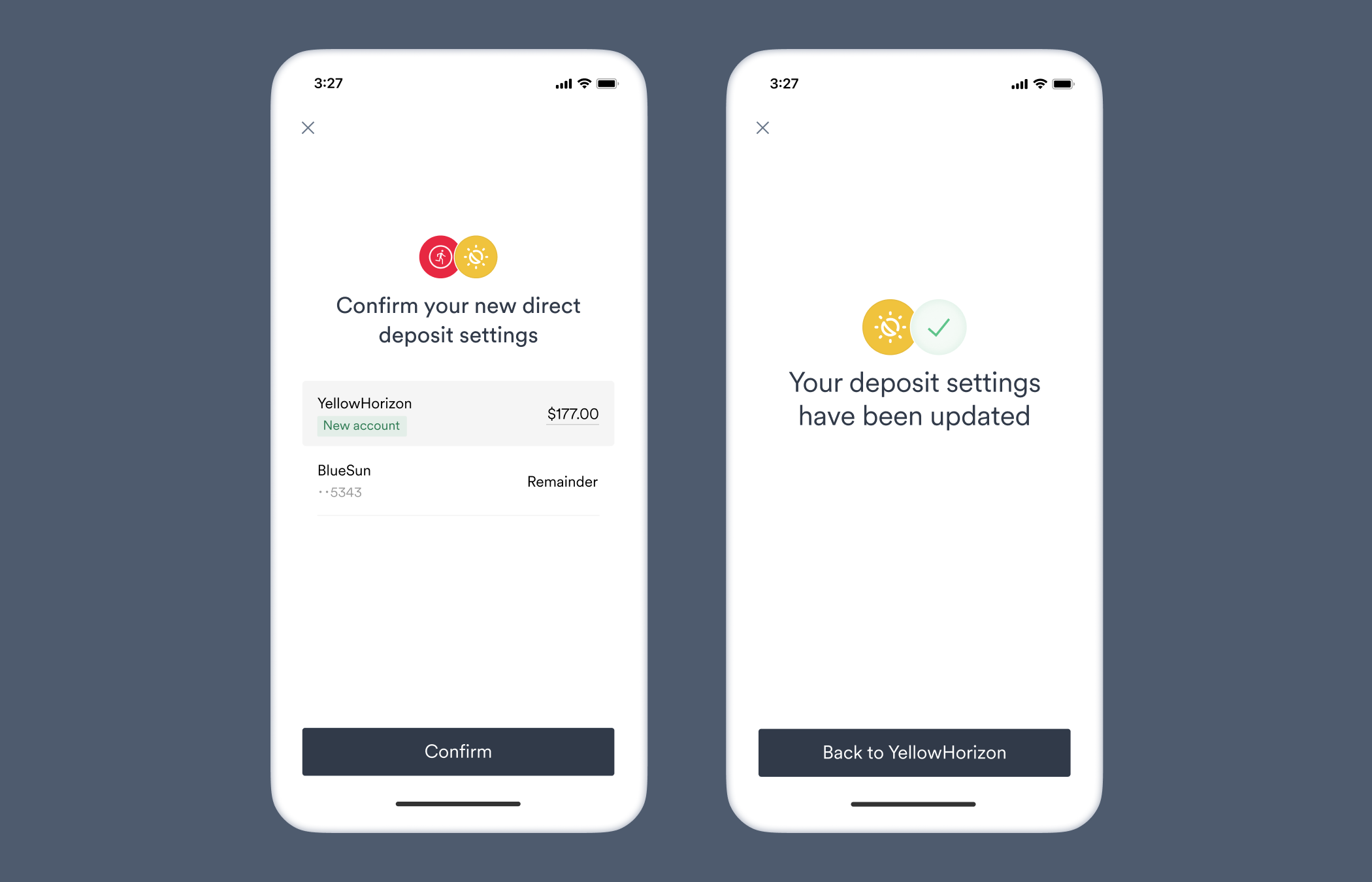
Payment reconciliation
With constant visibility through Argyle into the borrower’s direct deposit settings, and Unit’s ability to create virtual accounts, you can manage and reconcile repayments across a large number of borrowers for your use case.