

Overview
Receive Freddie Mac monthly income calculations from uploaded paystubs and W2s.- Upload paystubs and W-2s when borrower cannot connect via Argyle with a direct payroll login
- Generate an Argyle Doc VOI report with rep & warrant determination for income and employment
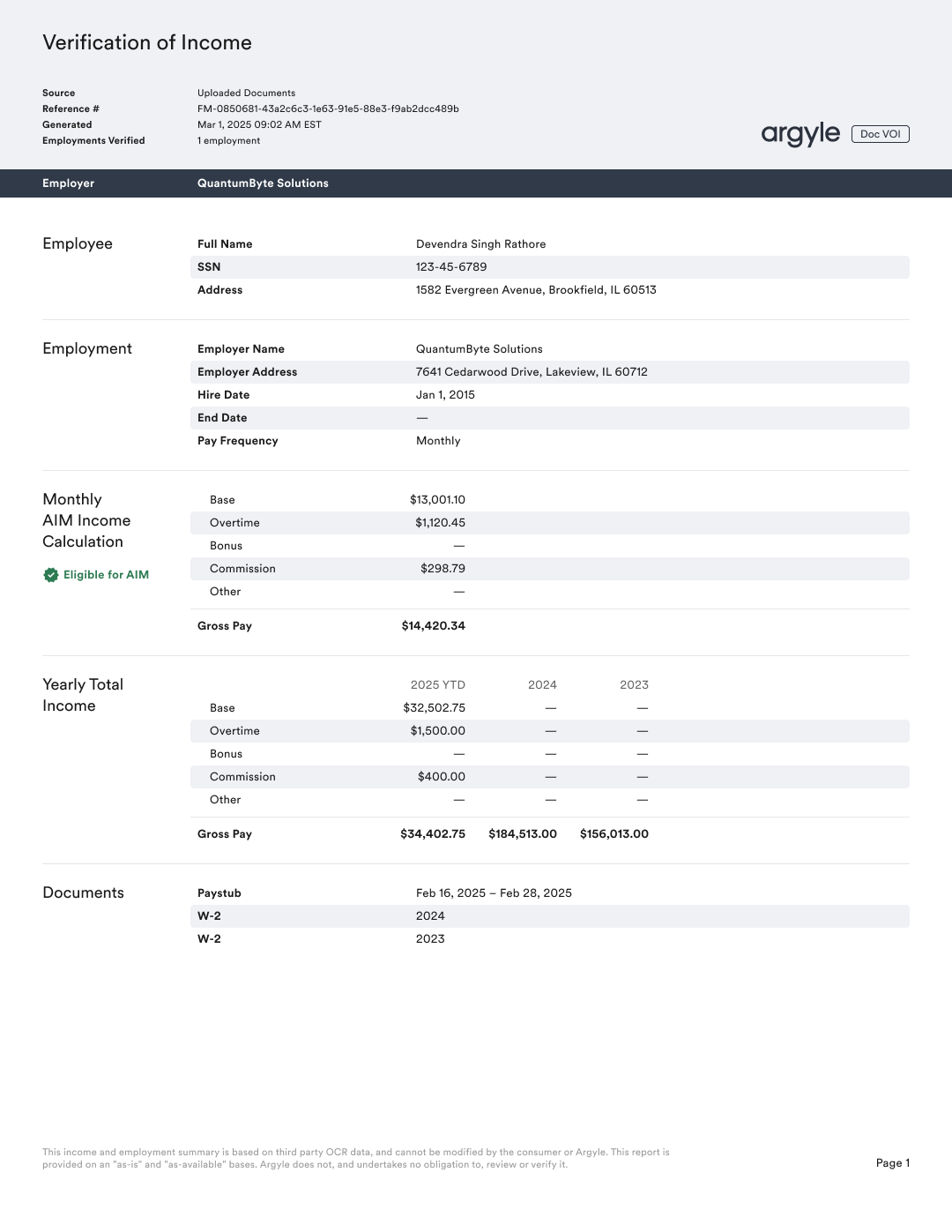
Supported report types
Workflow
Argyle’s Postman collection contains examples of the document upload and verification endpoints mentioned below.Subscribe to webhook
- Subscribe to the verifications.updated webhook.
When subscribing, it is recommended to set
include_resource to true to receive the full verification object in the webhook payload, which includes the verification’s status state.Request a verification
- Order a verification through the
/verificationsAPI endpoint.
- Borrower details: first name, last name, and ssn
- Employment details: employer name(s), employment status, hire date, and termination date (for previous employments)
One year and one month of previous employment history is required.
- After ordering a verification through this legacy workflow, an Argyle user will be created automatically. The
userid will be returned in the API response.
For current Doc VOI implementations, use the Doc VOI Guide. The current flow supports ordering a new Doc VOI verification for an existing user when refreshing a report with additional documents.
Upload documents
- Upload documents for the
userthrough the/user-uploadsAPI endpoint.
Most recent paystub and previous year W-2s or December paystubs for each employment are typically required.
— Contact your Argyle customer success manager for more information.
— Contact your Argyle customer success manager for more information.
Retrieve Doc VOI report
- When a
verifications.updatedwebhook is received and the statusstateisCOMPLETED, a Doc VOI report can be retrieved via:
Testing
Sandbox
Successful verification with GSE-eligible monthly income
Successful verification with GSE-eligible monthly income
-
Order a verification and use the following for the
employmentsarray: - Upload the following documents:
Do not adjust file names.
Successful verification with monthly income that is not GSE-eligible
Successful verification with monthly income that is not GSE-eligible
-
Order a verification and use the following for the
employmentsarray: - Upload the following documents:
Do not adjust file names.
Verification that enters the PAUSED state (more data required)
Verification that enters the PAUSED state (more data required)
-
Order a verification and use the following for the
employmentsarray: - Upload only the following documents:
Do not adjust the file name.
Production
Production testing can be done with real documents. If needed, the below test documents can also be used.
Successful verification with GSE-eligible monthly income
Successful verification with GSE-eligible monthly income
-
Order a verification and use the following for the
employmentsarray: - Upload the following documents:
Do not adjust file names.
Successful verification with monthly income that is not GSE-eligible
Successful verification with monthly income that is not GSE-eligible
-
Order a verification and use the following for the
employmentsarray: - Upload the following documents:
Do not adjust file names.
Verification that enters the PAUSED state (more data required)
Verification that enters the PAUSED state (more data required)
-
Order a verification and use the following for the
employmentsarray: - Upload only the following documents:
Do not adjust the file name.
FAQs
File types & max file size accepted for uploaded documents?
File types & max file size accepted for uploaded documents?
- PDF, JPEG, PNG, HEIC file types accepted
- 16MB max file size
If correct document are uploaded, will monthly calculations and GSE eligibility always be given?
If correct document are uploaded, will monthly calculations and GSE eligibility always be given?
- No, additional criteria may not be met.— For example, calculations and rep & warrant relief is not given when there is excessive fluctuation in income over time.
How long is income rep & warrant relief given?
How long is income rep & warrant relief given?
- 120 days
How long is employment rep & warrant relief given?
How long is employment rep & warrant relief given?
- Variable.
- Exact amount is 14 days from the pay date of the most recent paystub.— For example, if today is July 31, 2025 and the most recent paystub uploaded had a pay date of July 21, 2025, only 4 days of employment rep & warrant relief would be given.