> ## Documentation Index
> Fetch the complete documentation index at: https://docs.argyle.com/llms.txt
> Use this file to discover all available pages before exploring further.
# Wholesale Mortgage
> Send broker-branded borrower invites through the Verifications API.
Wholesale lenders can use the Verifications API to send borrower invites that display the mortgage broker's name and contact details. Borrowers use Argyle to share their income, employment, and asset information with the lender.
The lender's application manages the broker's ordering workflow. For ordering through Encompass, see [TPO Connect](/integrations/pos-los/encompass/tpo-connect).
## Before you begin
* Follow the [Quickstart](/verifications/quickstart) for authentication and verification setup.
* The wholesale lender's Argyle account must be configured for the Mortgage industry. Contact your Customer Success Manager if you need help with this setting.
* Associate users and verifications with the lender. Broker details customize the borrower experience; brokers do not need separate Argyle accounts or API keys.
## Add broker details to the borrower
When you [create a user](/api-reference/users/create-a-user), include `external_metadata.broker`. For an existing borrower, [update the user](/api-reference/users/update-a-user) before creating the invite.
```json theme={}
{
"first_name": "John",
"last_name": "Smith",
"email": "john.smith@example.com",
"external_metadata": {
"broker": {
"name": "Jane Diaz",
"email": "jane.diaz@example.com",
"phone_number": "+14165551234",
"nmls": "1234567"
}
}
}
```
When adding a broker, `name` is required. `email`, `phone_number`, and `nmls` are optional. Use E.164 international format for the phone number. Missing contact details are omitted from the borrower-facing contact card.
Keep using the same borrower user ID for subsequent verifications. Broker details are stored on the user, so they do not need to be supplied with each verification or invite.
Include the additional [user details required by the verification type](/verifications/quickstart#create-or-reuse-a-user), such as an address for banking verifications.
## Order verifications and send an invite
1. [Order a verification](/api-reference/verifications/order-a-verification) for each required payroll or banking report.
2. To receive progress emails, set `configuration.notified_recipients` on each verification. Include the broker and any lender recipients who need updates. If this field is omitted, no verification progress emails are sent.
3. [Create a session](/api-reference/verifications/create-a-session) with `type: invite`, the borrower user ID, and the borrower's email address, phone number, or both.
```json theme={}
{
"user": "018051aa-f7a9-a0db-2f38-6cfa325e9d69",
"type": "invite",
"configuration": {
"email": "john.smith@example.com",
"reply_to": "jane.diaz@example.com"
}
}
```
The user must have at least one active payroll or banking verification. One invite can include multiple active verifications for the same borrower.
`configuration.reply_to` controls where replies to the borrower invite go. It is separate from `configuration.notified_recipients` on the verification, which controls progress notifications. Adding broker contact details does not subscribe the broker or lender to those notifications.
For document-based income verification, follow the [Doc VOI workflow](/verifications/verification-types/document-voi). Doc VOI orders do not use an invite session.
## Choose the invite flow
For Mortgage accounts, broker details determine whether the invite uses a wholesale or retail flow. Omit `configuration.flow_id` to use the matching default, or provide a custom flow created for that experience.
| Broker details on the user | Provided flow | Flow used |
| -------------------------- | ------------- | ----------------------- |
| Present | None | Default wholesale flow |
| Present | Wholesale | Provided wholesale flow |
| Present | Retail | Default wholesale flow |
| Absent | None | Default retail flow |
| Absent | Retail | Provided retail flow |
| Absent | Wholesale | Default retail flow |
Use separate custom flows for retail and wholesale. To customize wholesale messaging, ask your Customer Success Manager to enable wholesale flow creation, then create a [Mortgage Wholesale email/SMS template](/console/flows/email-sms-templates#wholesale-mortgage-templates). A custom flow is not required to use the default wholesale experience.
## Borrower experience
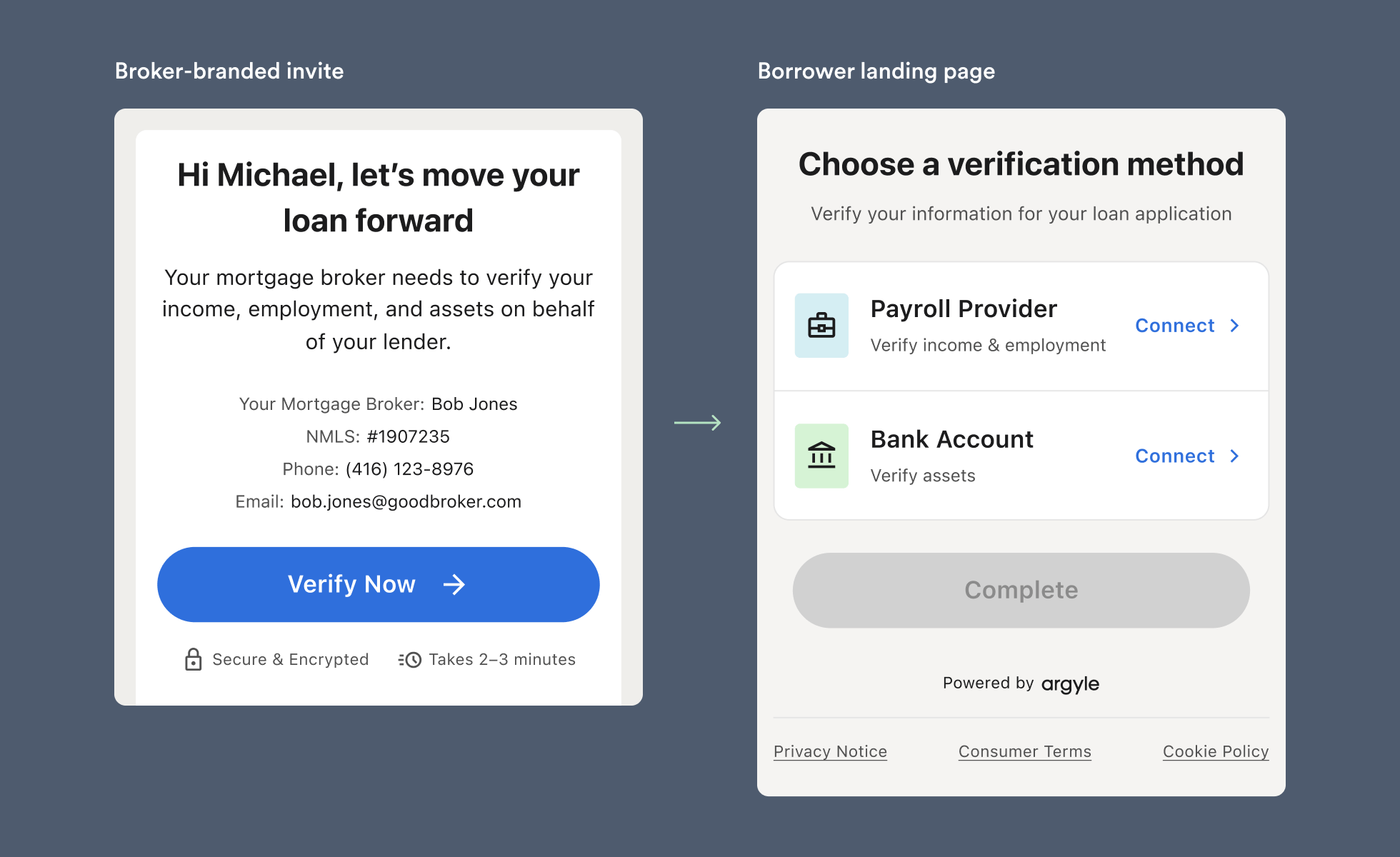 * The invite email, SMS, and landing page identify the broker. The email sender name is `[Broker_name] via Argyle`.
* The email and landing page show the broker's available contact details.
* The lender remains named in the email footer and consent and data-sharing screens. Argyle Link and the banking connection experience may also display lender branding.
* Subsequent invites for the same borrower retain the broker context, including when re-verification requires borrower action.
Wholesale emails use the lender's [custom sender domain](/console/management/custom-sender-domain), when configured, or `notifications@argyle.com`.
* The invite email, SMS, and landing page identify the broker. The email sender name is `[Broker_name] via Argyle`.
* The email and landing page show the broker's available contact details.
* The lender remains named in the email footer and consent and data-sharing screens. Argyle Link and the banking connection experience may also display lender branding.
* Subsequent invites for the same borrower retain the broker context, including when re-verification requires borrower action.
Wholesale emails use the lender's [custom sender domain](/console/management/custom-sender-domain), when configured, or `notifications@argyle.com`.