> ## Documentation Index
> Fetch the complete documentation index at: https://docs.argyle.com/llms.txt
> Use this file to discover all available pages before exploring further.
# Ongoing Refresh
> Real-time updates, as soon as new payroll data is available.
## Continuous access
Argyle continuously retrieves any new data that is added to a user's payroll account, giving you continuous real-time data updates as soon as new information such as paystubs or payroll documents becomes available.
* Similarly to how bank account connections with third party apps need to be refreshed periodically, some payroll systems require users to re-authenticate their connections from time to time. Argyle makes [reconnections](/workflows/reconnecting-accounts) a simple one-click process that does not require re-entering login credentials.
* Argyle's platform keeps every payroll connection alive for as long as the associated payroll system allows. Once a user connects a payroll account, the connection stays alive indefinitely whenever possible.
## Ongoing refresh support
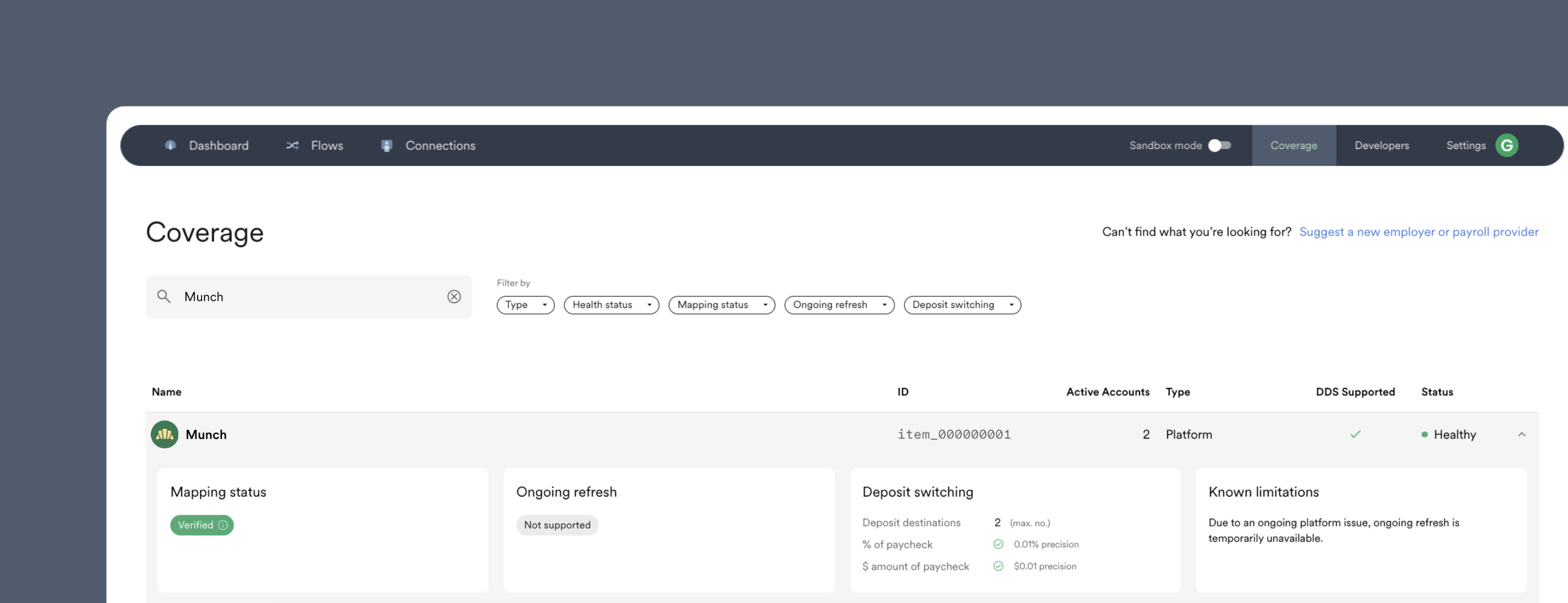
To check if a specific employer or payroll system supports ongoing refresh, check the Item's `known_limitations` using the [Items endpoint](/api-reference/items#object-known_limitations), or visit Console's Coverage tab:
 ## Refresh frequency
Argyle varies how often an account's data is refreshed depending on the frequency and in what order new data is added to the underlying payroll system. This allows Argyle to adhere as closely as possible to providing an accurate live data feed of the user's payroll data.
Typically an account's data is refreshed once a day. The exact frequency, rounded up to the nearest hour, can be found:
* In Console, by navigating to the Coverage page and selecting an individual Item.
* Via the API, by checking the [`refresh_frequency`](/api-reference/items#object-features-data_retrieval-refresh_frequency) field after [retrieving an Item](/api-reference/items#retrieve) by its ID.
## Monitoring for new data
Argyle uses webhooks to notify you automatically when new data becomes available. We recommend subscribing to the [`accounts.updated`](/api-reference/accounts-webhooks/updated) webhook, which is sent after each data refresh.
## Simulating a data refresh
You can simulate in the Sandbox testing environment new data being added to a payroll account after a data refresh. Visit our [Sandbox Testing Guide](/overview/sandbox-testing#simulate-a-data-refresh) for more information.
## Refresh frequency
Argyle varies how often an account's data is refreshed depending on the frequency and in what order new data is added to the underlying payroll system. This allows Argyle to adhere as closely as possible to providing an accurate live data feed of the user's payroll data.
Typically an account's data is refreshed once a day. The exact frequency, rounded up to the nearest hour, can be found:
* In Console, by navigating to the Coverage page and selecting an individual Item.
* Via the API, by checking the [`refresh_frequency`](/api-reference/items#object-features-data_retrieval-refresh_frequency) field after [retrieving an Item](/api-reference/items#retrieve) by its ID.
## Monitoring for new data
Argyle uses webhooks to notify you automatically when new data becomes available. We recommend subscribing to the [`accounts.updated`](/api-reference/accounts-webhooks/updated) webhook, which is sent after each data refresh.
## Simulating a data refresh
You can simulate in the Sandbox testing environment new data being added to a payroll account after a data refresh. Visit our [Sandbox Testing Guide](/overview/sandbox-testing#simulate-a-data-refresh) for more information.