> ## Documentation Index
> Fetch the complete documentation index at: https://docs.argyle.com/llms.txt
> Use this file to discover all available pages before exploring further.
# How Argyle Works
> Payroll connections unlock a lot of possibilities.
## Introduction
The first thing someone does when they get a new job is log in to their payroll account. Every time they plan a sick day, adjust their shift schedule, or monitor their pay and commissions, they need to log in again.
With the same login credentials, Argyle connects to the account to retrieve data and documents.
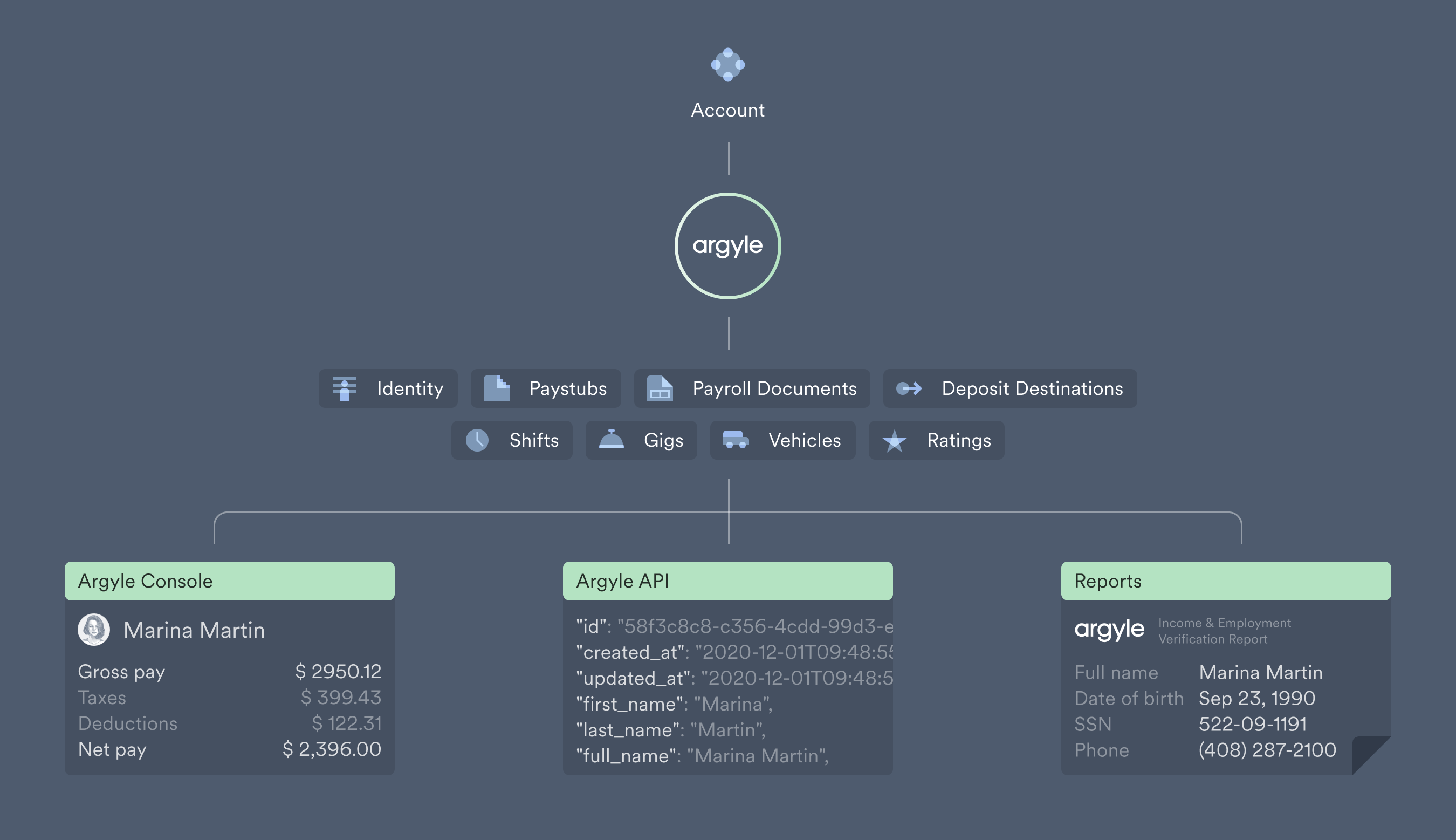
The income and employment data from the account is categorized into different [data sets](/overview/data-structure/data-sets) like identities, paystubs, and payroll documents, and made available online through Console, retrievable via our API, or restructured into PDF reports to streamline income and employment verifications.
 ## Connecting accounts
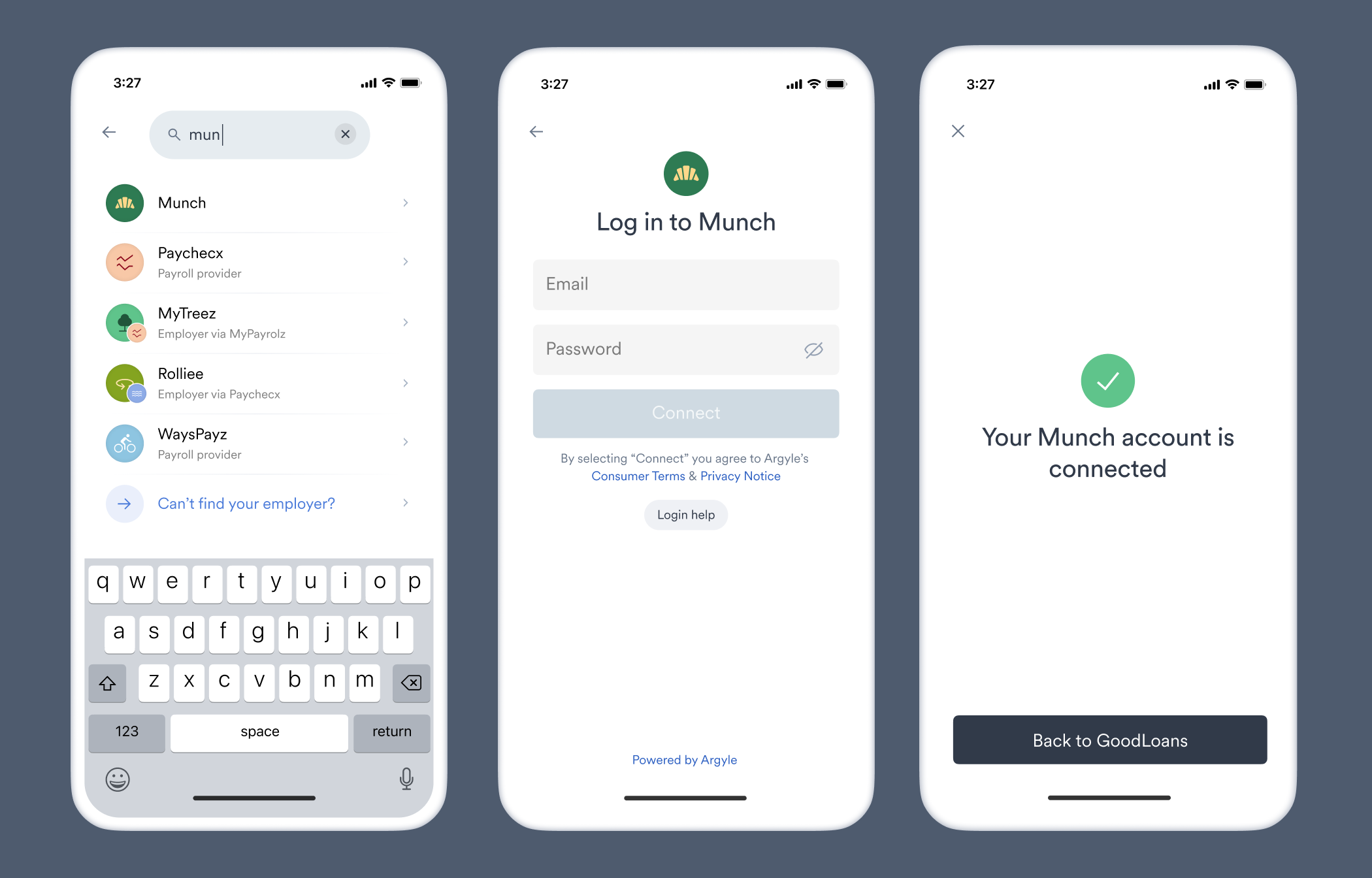
Login credential are submitted through Link, a [customizable](/console/flows/embedded-experiences) search interface where connecting all historical sources of income, whether from an employer, government entity, or third party payroll service, is as simple and fast as possible.
Link can be [embedded](/link/initialization) in your website or application, sent through an email or text [invite](/console/flows/email-sms-templates#sending-invites), or shared via a [URL hyperlink](/console/flows/shareable-urls).
## Connecting accounts
Login credential are submitted through Link, a [customizable](/console/flows/embedded-experiences) search interface where connecting all historical sources of income, whether from an employer, government entity, or third party payroll service, is as simple and fast as possible.
Link can be [embedded](/link/initialization) in your website or application, sent through an email or text [invite](/console/flows/email-sms-templates#sending-invites), or shared via a [URL hyperlink](/console/flows/shareable-urls).
 ## Uploading documents
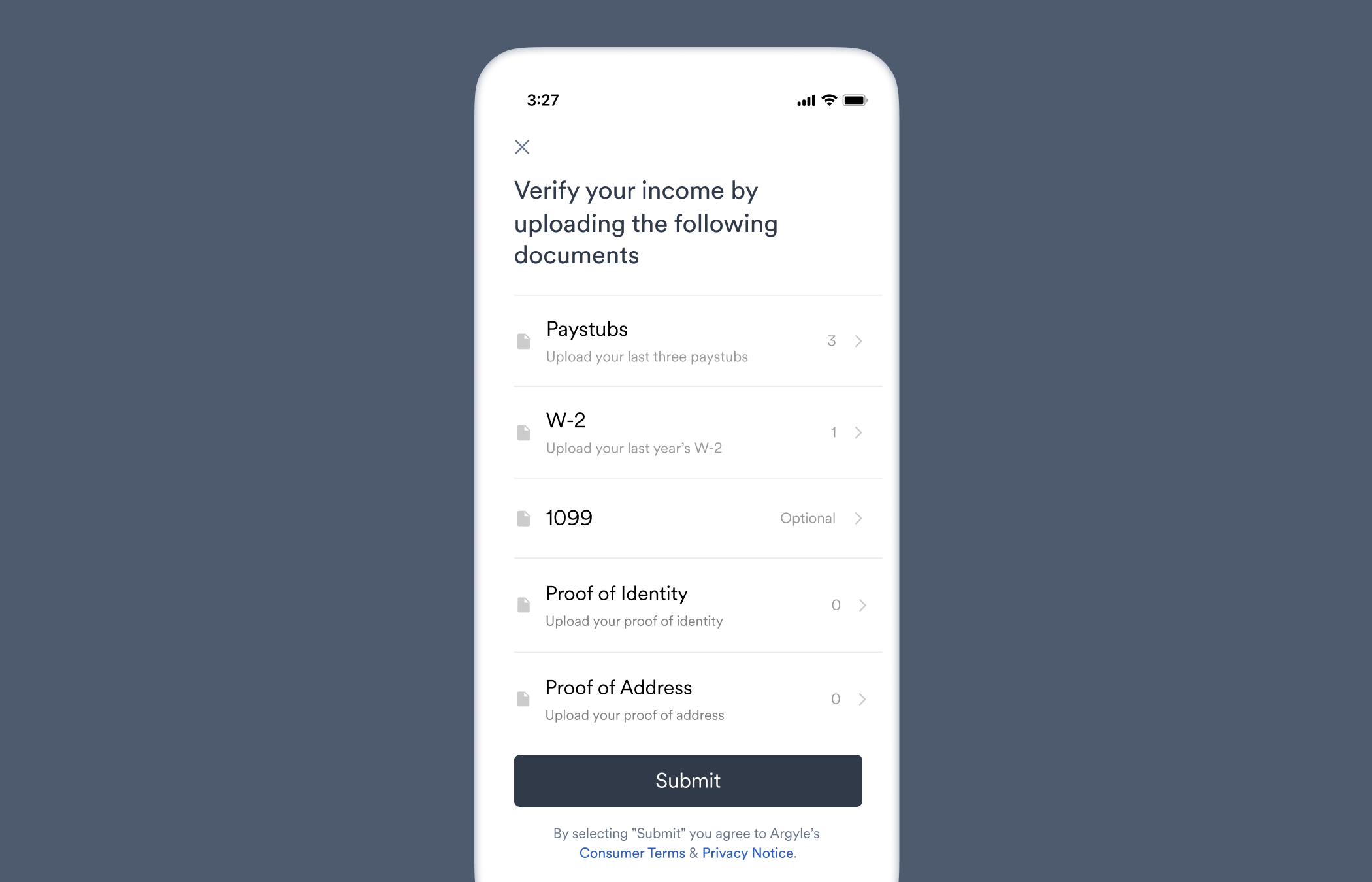
Link supports [directly uploading documents](/workflows/document-processing), including W-2s, 1099s, paystubs, proof of identity, proof of address, and a miscellaneous (re-namable) category of documents as well, for times when a key document is missing from a connected account. Documents can be uploaded in PDF or image format, or captured from a photo.
## Uploading documents
Link supports [directly uploading documents](/workflows/document-processing), including W-2s, 1099s, paystubs, proof of identity, proof of address, and a miscellaneous (re-namable) category of documents as well, for times when a key document is missing from a connected account. Documents can be uploaded in PDF or image format, or captured from a photo.
 ## Retrieving data and documents
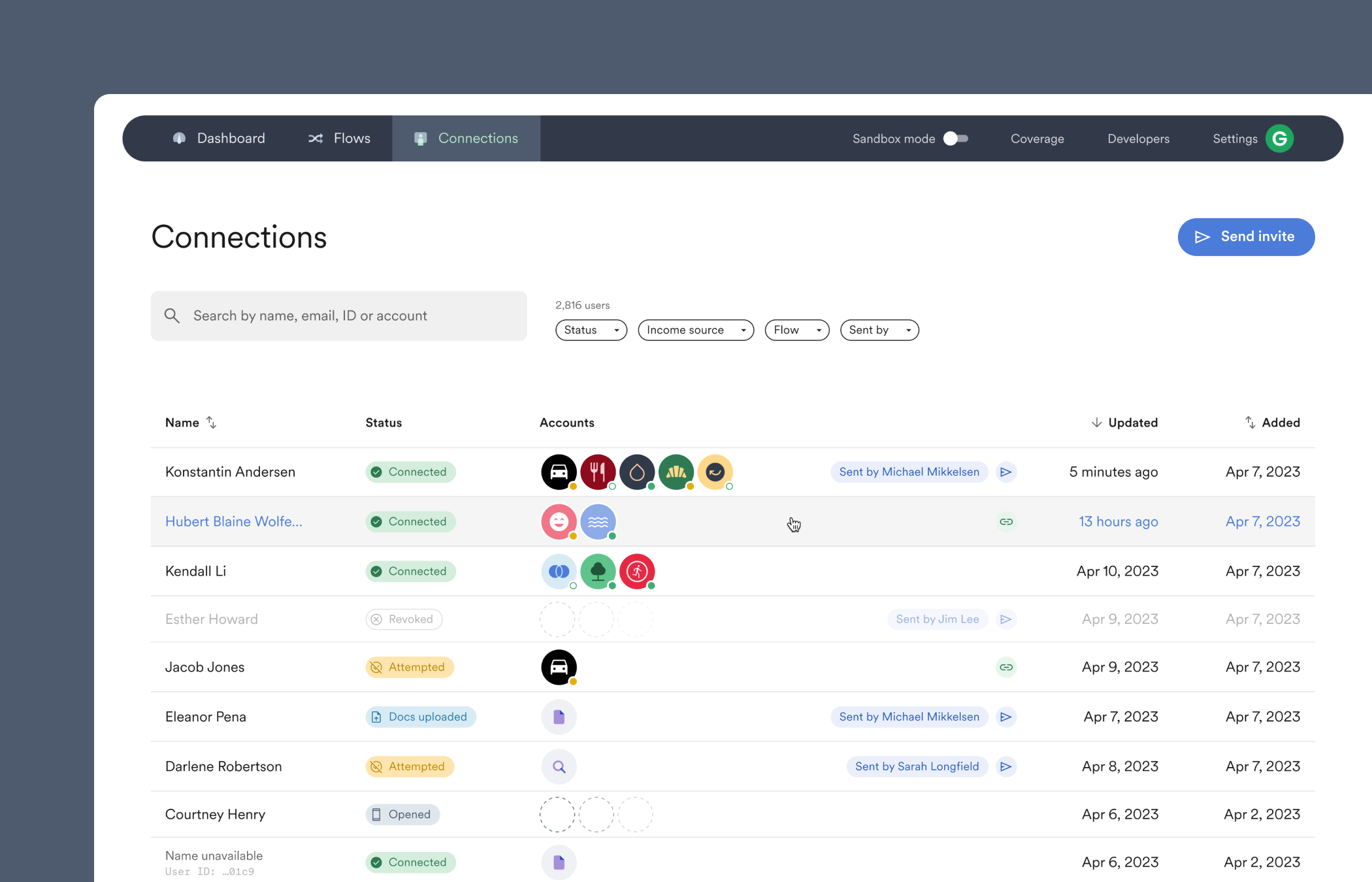
The first step for all implementations is to get started in Console, your hub for learning, implementing, and operating Argyle.
From there we'll walk you through it all:
* Connecting accounts
* Viewing payroll data and documents
* Previewing the Link connection experience
* Inviting the rest of your team and managing their access permissions
## Retrieving data and documents
The first step for all implementations is to get started in Console, your hub for learning, implementing, and operating Argyle.
From there we'll walk you through it all:
* Connecting accounts
* Viewing payroll data and documents
* Previewing the Link connection experience
* Inviting the rest of your team and managing their access permissions
 ## Next steps
Explore the rest of our documentation or sign in to Console. We'll be there to answer any questions.
## Next steps
Explore the rest of our documentation or sign in to Console. We'll be there to answer any questions.