> ## Documentation Index
> Fetch the complete documentation index at: https://docs.argyle.com/llms.txt
> Use this file to discover all available pages before exploring further.
# Users
> Users connect their payroll accounts using Link.
## Definition
"User" is the Argyle term for someone who connects their payroll accounts through Link.
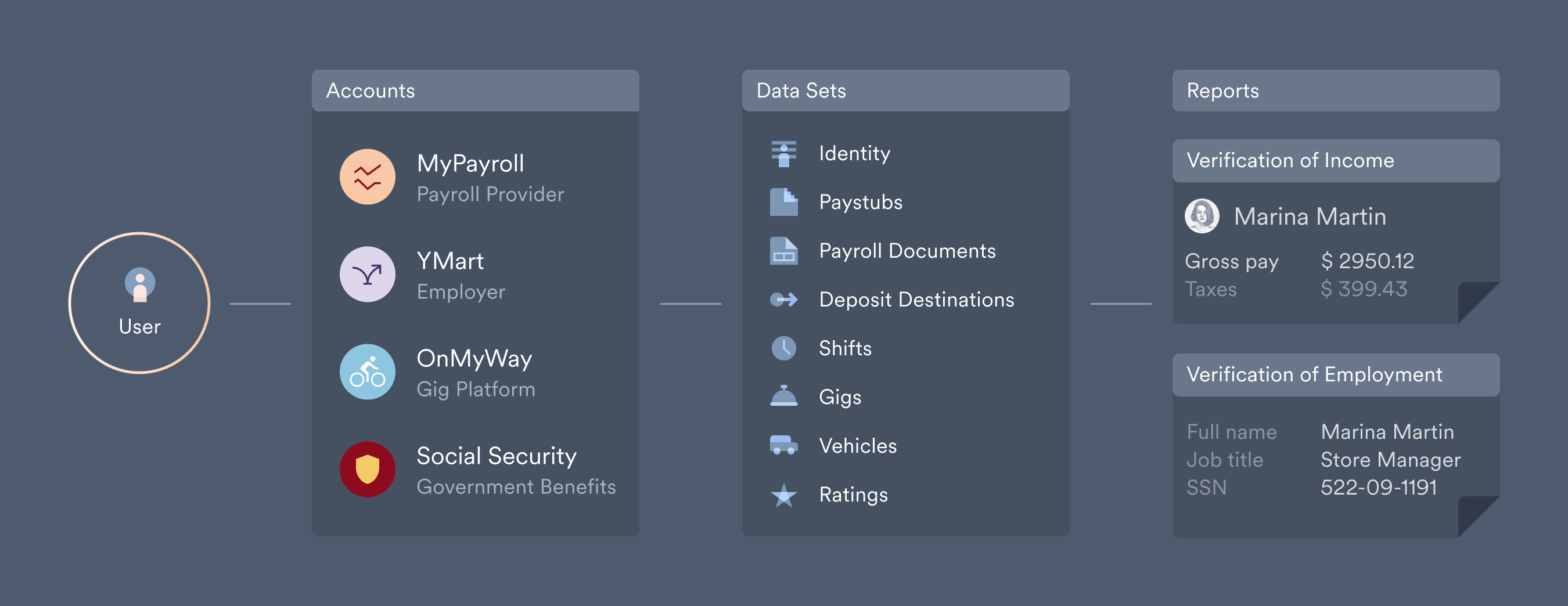 In most contexts "user" is interchangeable with borrower, loan applicant, or employee.
## Connecting new users
There are three ways to direct users to Link, where they can connect their payroll accounts:
1. [Embed Link](/link/initialization) and route new users through your website or application.
2. Invite new users via text or email, using either Console's [send invites](/console/flows/email-sms-templates#sending-invites) feature or the API's [`/invites`](/api-reference/invites) endpoint.
3. Share a [direct URL](/console/flows/shareable-urls) to Argyle's payroll connection experience.
## Returning users
Argyle makes it easy to allow users to return to Link in order to:
* Connect additional payroll accounts
* Re-authorize an existing connection
* Revoke access at any time to a connected account
For more information, visit our dedicated [Reconnecting Accounts](/workflows/reconnecting-accounts) guide.
## Viewing users
### Console
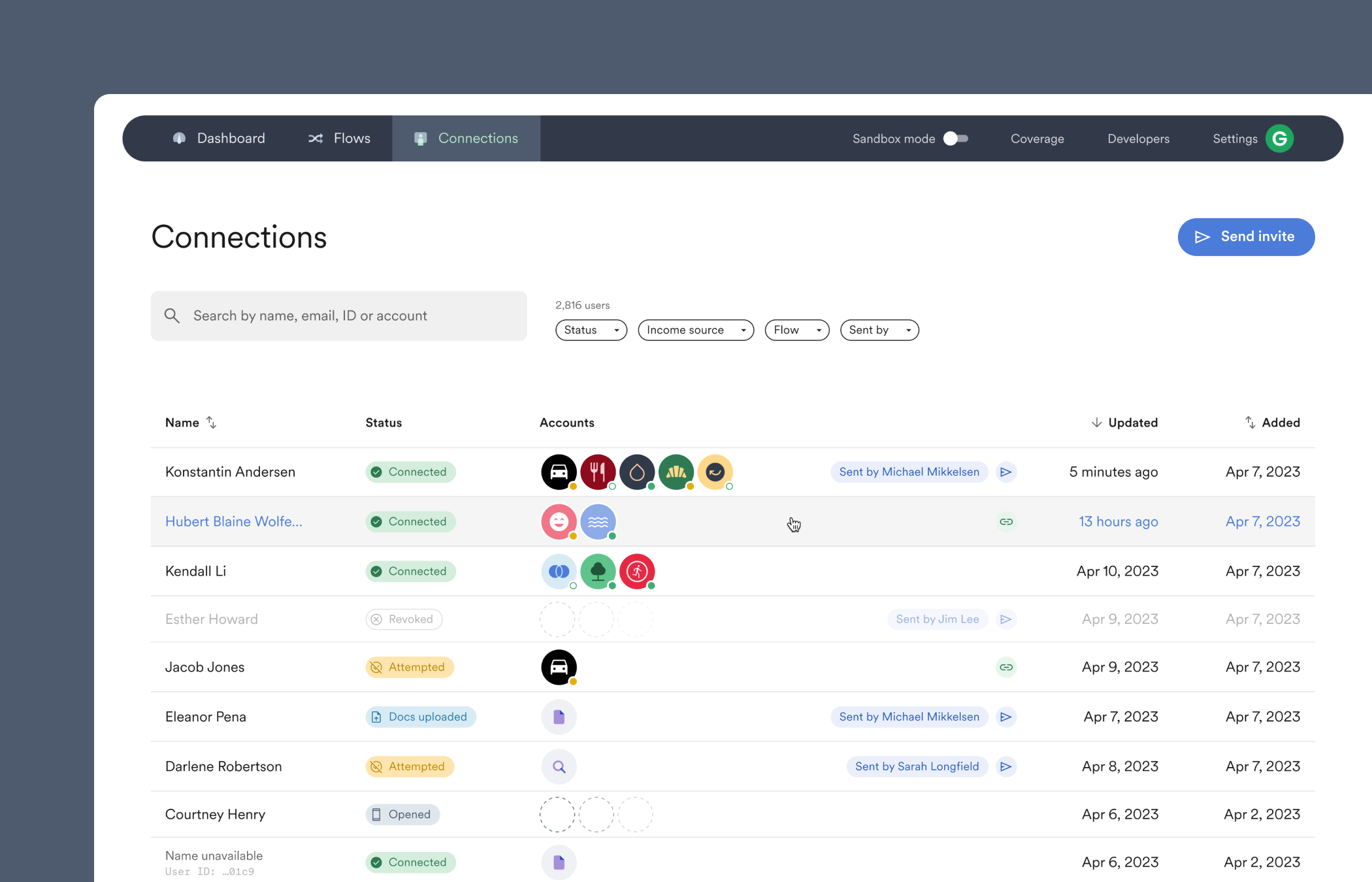
Navigate to the [Connections](https://console.argyle.com/connections) section of Console. From there, you can filter all users or select individual users to display Argyle's [data sets](/overview/data-structure/data-sets) and generate [reports](/overview/data-structure/reports).
In most contexts "user" is interchangeable with borrower, loan applicant, or employee.
## Connecting new users
There are three ways to direct users to Link, where they can connect their payroll accounts:
1. [Embed Link](/link/initialization) and route new users through your website or application.
2. Invite new users via text or email, using either Console's [send invites](/console/flows/email-sms-templates#sending-invites) feature or the API's [`/invites`](/api-reference/invites) endpoint.
3. Share a [direct URL](/console/flows/shareable-urls) to Argyle's payroll connection experience.
## Returning users
Argyle makes it easy to allow users to return to Link in order to:
* Connect additional payroll accounts
* Re-authorize an existing connection
* Revoke access at any time to a connected account
For more information, visit our dedicated [Reconnecting Accounts](/workflows/reconnecting-accounts) guide.
## Viewing users
### Console
Navigate to the [Connections](https://console.argyle.com/connections) section of Console. From there, you can filter all users or select individual users to display Argyle's [data sets](/overview/data-structure/data-sets) and generate [reports](/overview/data-structure/reports).
 ### API
There are two API endpoints related to users:
* [`/users`](/api-reference/users) — retrieve information for a single user, or a list of users.
* [`/invites`](/api-reference/invites) — send invites or retrieve information on sent invites.
### External identifiers
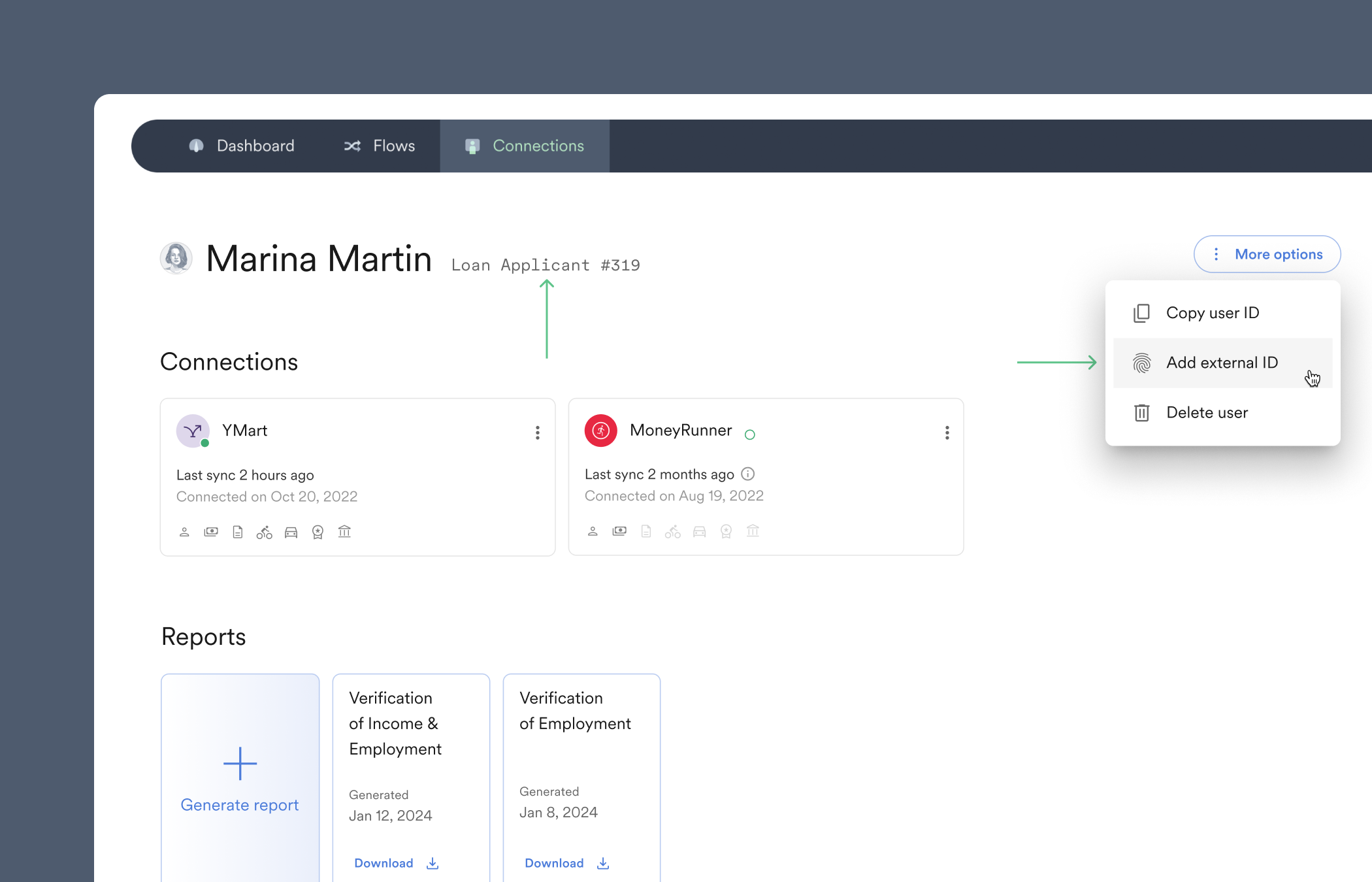
External identifiers such as `Loan Applicant #319` can be attached to users.
You can search or filter users by their external identifier [via the API](/api-reference/users#list) or within the main [Connections table](https://console.argyle.com/connections) of Console, where external identifiers will also appear next to the name of individual users.
### API
There are two API endpoints related to users:
* [`/users`](/api-reference/users) — retrieve information for a single user, or a list of users.
* [`/invites`](/api-reference/invites) — send invites or retrieve information on sent invites.
### External identifiers
External identifiers such as `Loan Applicant #319` can be attached to users.
You can search or filter users by their external identifier [via the API](/api-reference/users#list) or within the main [Connections table](https://console.argyle.com/connections) of Console, where external identifiers will also appear next to the name of individual users.
 How to add external identifiers to users:
#### Console:
* New users — use the *optional* `External id` input field when [sending invites](/console/flows/email-sms-templates#sending-invites).
You can toggle `External id` to be a *required* invite field within [Console settings](https://console.argyle.com/settings/other-settings).
* Existing users — select an individual user within the [Connections](https://console.argyle.com/connections) section of Console, click on the three vertical dots in the upper-right, and select `Add external ID`.
#### API:
* New users — when [creating a new user](/api-reference/users#create).
* Existing users — when [updating an existing user](/api-reference/users#update).
How to add external identifiers to users:
#### Console:
* New users — use the *optional* `External id` input field when [sending invites](/console/flows/email-sms-templates#sending-invites).
You can toggle `External id` to be a *required* invite field within [Console settings](https://console.argyle.com/settings/other-settings).
* Existing users — select an individual user within the [Connections](https://console.argyle.com/connections) section of Console, click on the three vertical dots in the upper-right, and select `Add external ID`.
#### API:
* New users — when [creating a new user](/api-reference/users#create).
* Existing users — when [updating an existing user](/api-reference/users#update).