> ## Documentation Index
> Fetch the complete documentation index at: https://docs.argyle.com/llms.txt
> Use this file to discover all available pages before exploring further.
# User Tokens
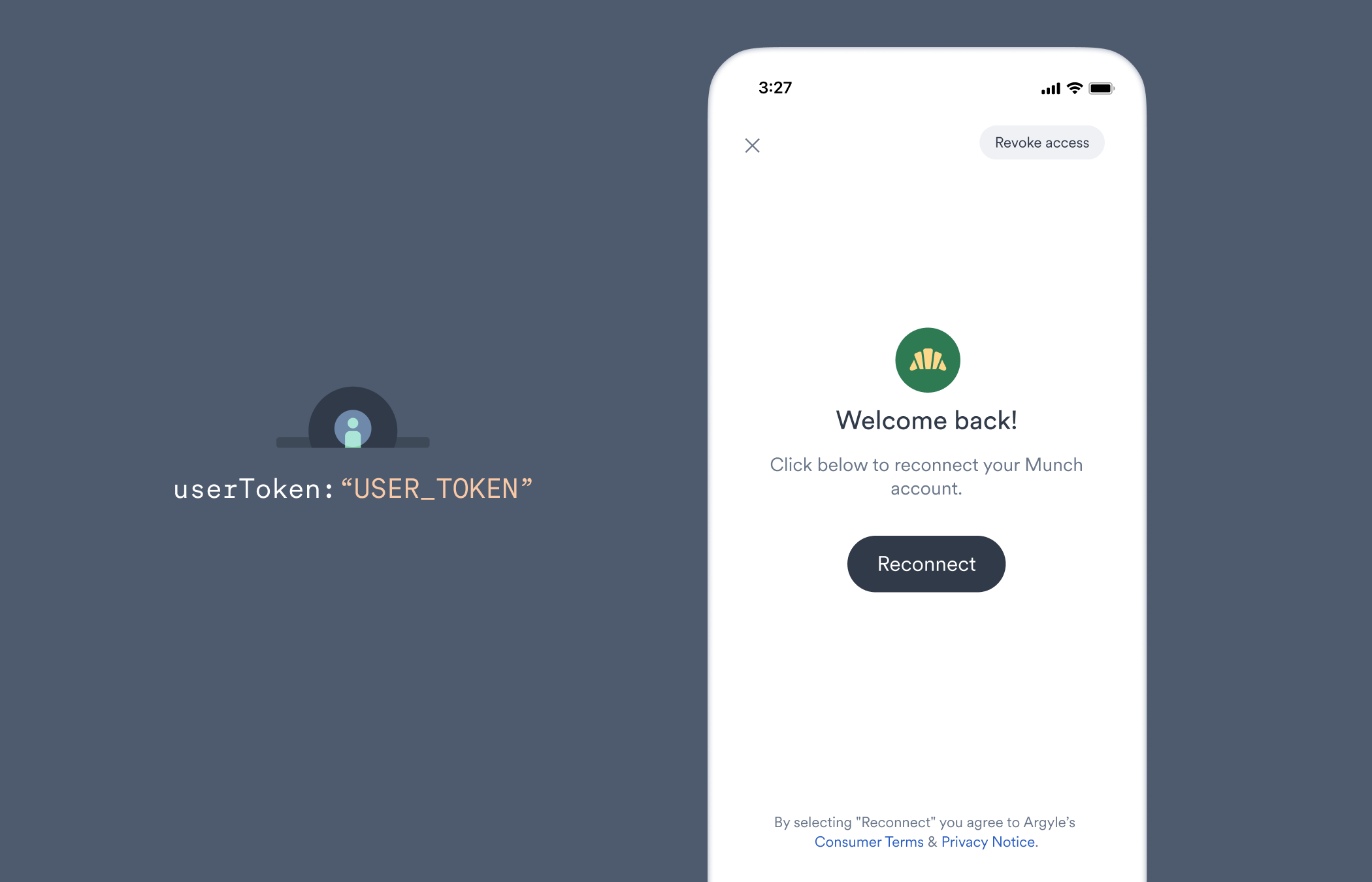
User tokens are required for [embedded Link initializations](/link/initialization) that use the `userToken` parameter.
For [payroll verification workflows](/api-reference/verifications-guide) that create a session, use the returned session `link` as the `connectUrl` parameter for embedded Link, or launch it directly as [Hosted Link](/link/initialization/hosted-link).
## Benefits of user tokens
* [Account reconnections](/workflows/reconnecting-accounts) without the need to re-enter login credentials
* Ability to leave and return to Link from any device
* Preventing duplicates for the same end user
 ## Creating a user token
To prevent your API key and secret from being exposed on the front-end, request user tokens on your server side.
As a best practice, we recommend creating a new user token every time Link is initialized with a `userToken`. Please note the length of user tokens and their [decoded values](/link/user-tokens#decoded-tokens) are subject to change.
### New users
1. Create a new user by sending a **POST** request to the API's [`/users`](/api-reference/users) endpoint.
2. The response payload will include an `id` and `user_token`.
3. Save the `id` for quickly creating user tokens for returning users in the future.
4. Initialize Link by passing the `user_token` as the value for the `userToken` parameter.
### Returning users
1. Send a **POST** request to the API's [`/user-tokens`](/api-reference/user-tokens) endpoint and include the `id` of the user in the request body as a JSON object in the format `{"user": ""}`.
2. A `user_token` will be included in the response payload.
3. Initialize Link by passing the `user_token` as the value for the `userToken` parameter.
## Example Link initializations
```html Web theme={}
```
```swift iOS theme={}
var config = LinkConfig(
userToken: "USER_TOKEN",
sandbox: true // Set to false for production environment.
)
ArgyleLink.start(from: viewController, config: config)
```
```kotlin Android theme={}
val config = LinkConfig(
userToken = "USER_TOKEN",
sandbox = true // Set to false for production environment.
)
ArgyleLink.start(context, config)
```
```js React Native theme={}
import { ArgyleLink } from '@argyleio/argyle-plugin-react-native';
// ...
const config = {
userToken: 'USER_TOKEN',
sandbox: true // Set to false for production environment.
};
ArgyleLink.start(config);
```
```dart Flutter theme={}
import 'package:argyle_link_flutter/link_config.dart';
// ...
final config = LinkConfig (
userToken: 'USER_TOKEN',
sandbox: true // Set to false for production environment.
);
ArgyleLink.start(config);
```
## Returning to connected accounts
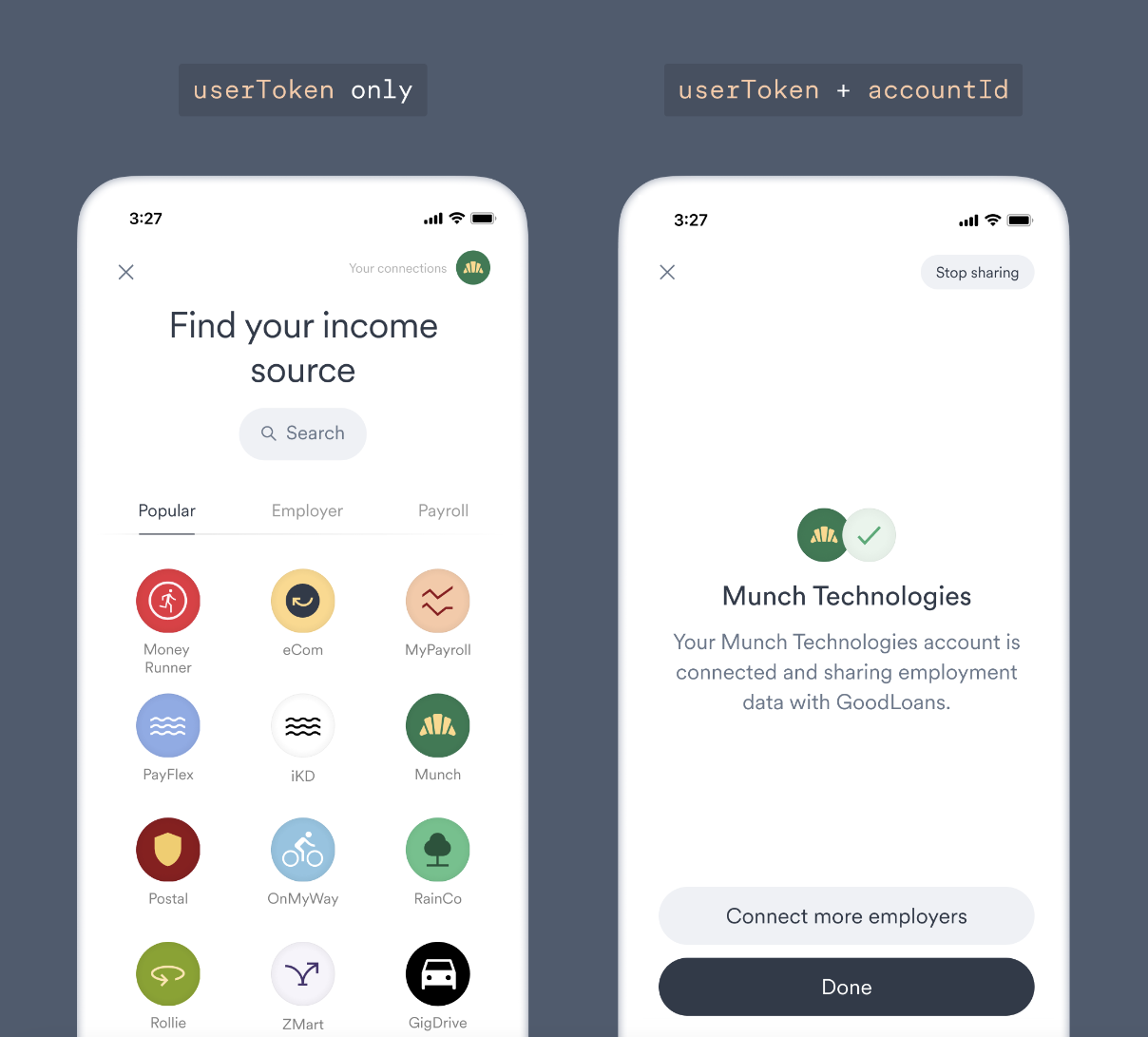
When just a `userToken` is included in your Link initialization, a returning user that has already connected a payroll account will initially arrive at Link's home screen. From there, the user can search for and connect additional accounts, or access their already-connected accounts by selecting "Your connections."
Including both the required `userToken` and optional `accountId` [Link initialization parameters](/link/initialization/overview#optional-initialization-parameters) will instead directly connect the user to the already-connected payroll account that matches the `accountId`. This lets the user skip the step of selecting "Your connections" and can streamline guiding the user to take additional actions such as:
* [Reconnecting](/workflows/reconnecting-accounts) a disconnected account
* [Revoking](/workflows/reconnecting-accounts#revoking-access) account access
## Creating a user token
To prevent your API key and secret from being exposed on the front-end, request user tokens on your server side.
As a best practice, we recommend creating a new user token every time Link is initialized with a `userToken`. Please note the length of user tokens and their [decoded values](/link/user-tokens#decoded-tokens) are subject to change.
### New users
1. Create a new user by sending a **POST** request to the API's [`/users`](/api-reference/users) endpoint.
2. The response payload will include an `id` and `user_token`.
3. Save the `id` for quickly creating user tokens for returning users in the future.
4. Initialize Link by passing the `user_token` as the value for the `userToken` parameter.
### Returning users
1. Send a **POST** request to the API's [`/user-tokens`](/api-reference/user-tokens) endpoint and include the `id` of the user in the request body as a JSON object in the format `{"user": ""}`.
2. A `user_token` will be included in the response payload.
3. Initialize Link by passing the `user_token` as the value for the `userToken` parameter.
## Example Link initializations
```html Web theme={}
```
```swift iOS theme={}
var config = LinkConfig(
userToken: "USER_TOKEN",
sandbox: true // Set to false for production environment.
)
ArgyleLink.start(from: viewController, config: config)
```
```kotlin Android theme={}
val config = LinkConfig(
userToken = "USER_TOKEN",
sandbox = true // Set to false for production environment.
)
ArgyleLink.start(context, config)
```
```js React Native theme={}
import { ArgyleLink } from '@argyleio/argyle-plugin-react-native';
// ...
const config = {
userToken: 'USER_TOKEN',
sandbox: true // Set to false for production environment.
};
ArgyleLink.start(config);
```
```dart Flutter theme={}
import 'package:argyle_link_flutter/link_config.dart';
// ...
final config = LinkConfig (
userToken: 'USER_TOKEN',
sandbox: true // Set to false for production environment.
);
ArgyleLink.start(config);
```
## Returning to connected accounts
When just a `userToken` is included in your Link initialization, a returning user that has already connected a payroll account will initially arrive at Link's home screen. From there, the user can search for and connect additional accounts, or access their already-connected accounts by selecting "Your connections."
Including both the required `userToken` and optional `accountId` [Link initialization parameters](/link/initialization/overview#optional-initialization-parameters) will instead directly connect the user to the already-connected payroll account that matches the `accountId`. This lets the user skip the step of selecting "Your connections" and can streamline guiding the user to take additional actions such as:
* [Reconnecting](/workflows/reconnecting-accounts) a disconnected account
* [Revoking](/workflows/reconnecting-accounts#revoking-access) account access
 ## Decoded tokens
Argyle utilizes [JWT tokens](https://jwt.io/) for user tokens.
For troubleshooting, JWT tokens can be decoded. However, we do not recommend monitoring individual token fields such as expiry date, and instead recommend creating a new user token every time Link is initialized with a `userToken` as a best practice.
Decoded JWT token payload
```json theme={}
{
"client_id": "0d9b5bf3-97fa-4757-a136-b2a03d171414",
"exp": 1652481485,
"iat": 1649889485,
"iss": "argyle-core-auth-prod",
"jti": "00097a26-2f2a-4aa0-8eca-95ebe56d57a8",
"sub": "017f8978-bbfd-ff64-18ce-d59f99bf51c2",
"user_id": "017f8978-bbfd-ff64-18ce-d59f99bf51c2"
}
```
## Decoded tokens
Argyle utilizes [JWT tokens](https://jwt.io/) for user tokens.
For troubleshooting, JWT tokens can be decoded. However, we do not recommend monitoring individual token fields such as expiry date, and instead recommend creating a new user token every time Link is initialized with a `userToken` as a best practice.
Decoded JWT token payload
```json theme={}
{
"client_id": "0d9b5bf3-97fa-4757-a136-b2a03d171414",
"exp": 1652481485,
"iat": 1649889485,
"iss": "argyle-core-auth-prod",
"jti": "00097a26-2f2a-4aa0-8eca-95ebe56d57a8",
"sub": "017f8978-bbfd-ff64-18ce-d59f99bf51c2",
"user_id": "017f8978-bbfd-ff64-18ce-d59f99bf51c2"
}
```