> ## Documentation Index
> Fetch the complete documentation index at: https://docs.argyle.com/llms.txt
> Use this file to discover all available pages before exploring further.
# nCino
> Securely retrieve income, assets, and employment history with direct borrower connections in nCino.
nCino streamlines the mortgage process by providing a centralized platform for loan origination, processing, and underwriting, as well as collaboration, tracking, and real-time information exchange tools for loan originators, processors, underwriters, and borrowers.
## Admin setup
1. Reach out to an Argyle representative to begin the setup process.
2. Argyle will provide the following nCino integration credentials:
* `Argyle API Key` and `Argyle API Secret`
* `Argyle Partner Client ID`
* `Argyle Flow ID` — Determines the borrower's payroll connection experience.
* `Argyle Experience ID` — Determines the borrower's banking connection experience.
3. Contact your nCino representative to complete the set-up process. More information can be found by visiting nCino's implementation portal.
## Employment & Income
### Overview
Integrating Argyle direct payroll with nCino creates a seamless and automated workflow:
1. Borrowers are able to connect their payroll accounts through Argyle within nCino.
2. Argyle delivers paystubs, W2s, and an income & employment verification report PDF to nCino.
3. All payroll documents and verification reports are viewable in nCino and \[optional] Encompass.
### Borrower experience
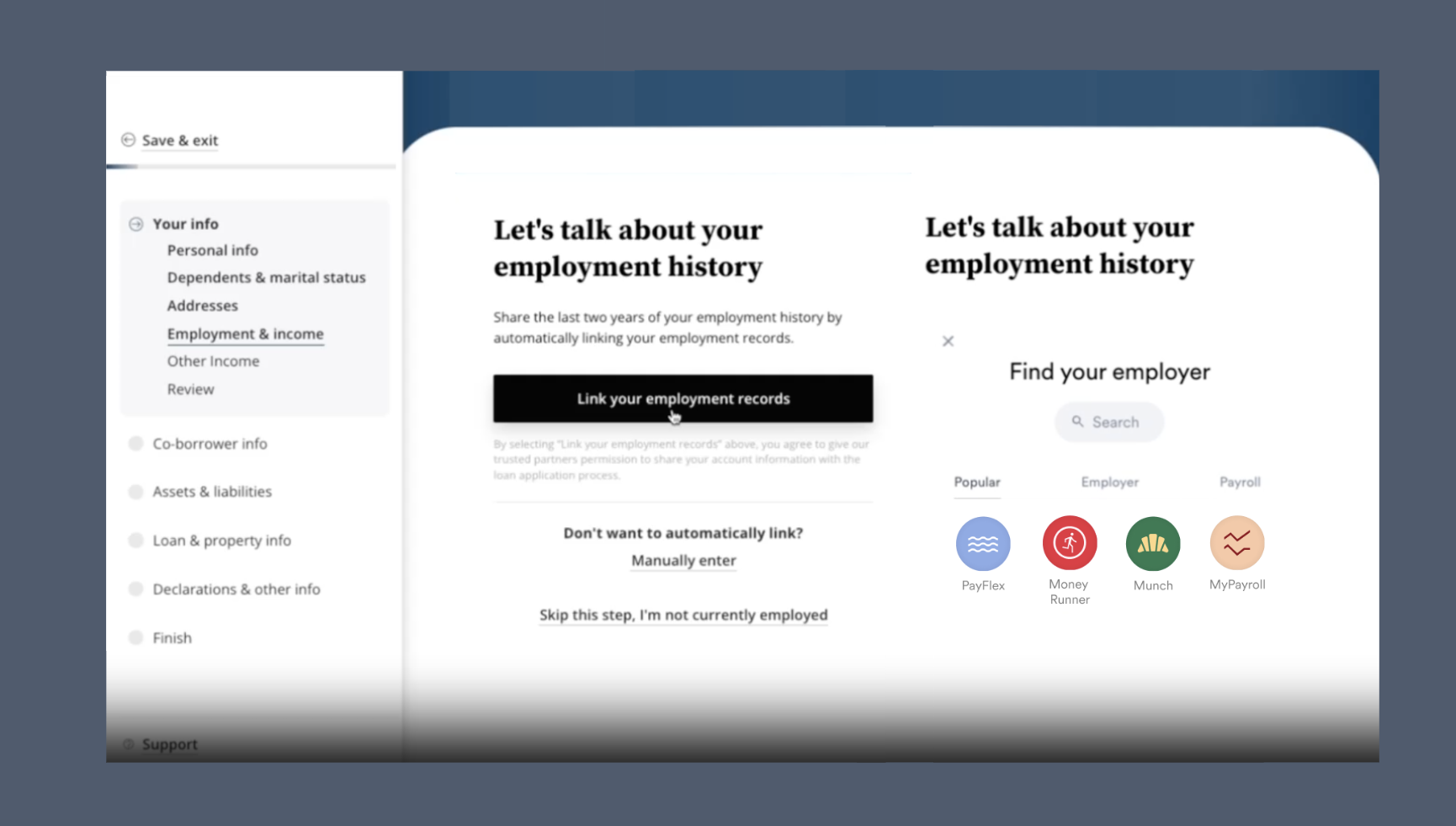
1. After the Argyle integration is enabled, borrowers will be able to connect their payroll accounts within nCino by selecting their source(s) of income.
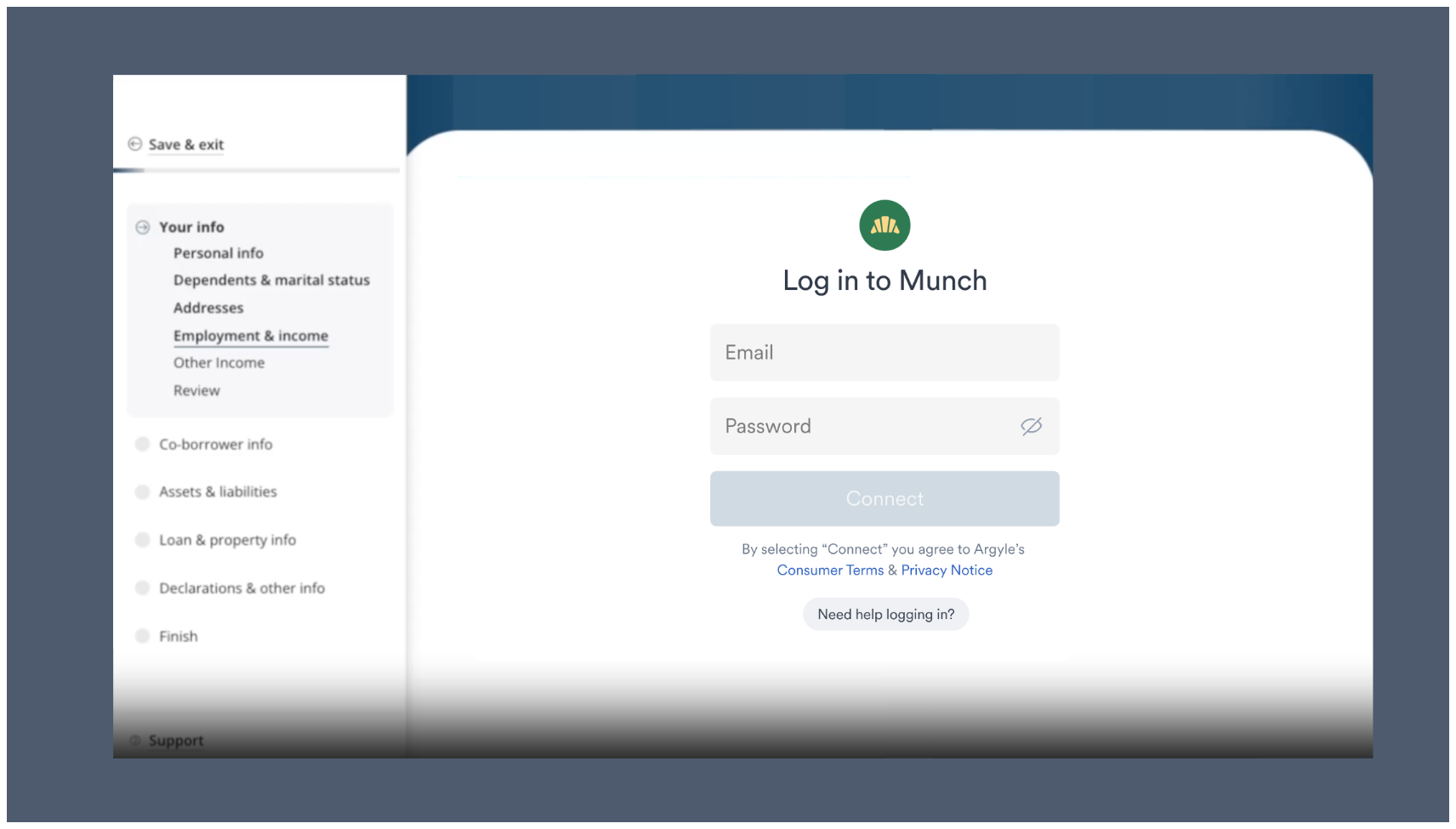
 2. Borrowers enter their login credentials for the employer or payroll system they selected. These are the same login credentials they would use to manually retrieve copies of their paystubs and tax documents.
 ### Verification reports and payroll documents
After each payroll account is connected, Argyle will deliver the following PDF documents to nCino:
* All paystubs from the past 30 days
* The two most recent Form W-2 tax documents available
* A Verification of Income and Employment (VOIE) report (sample report)
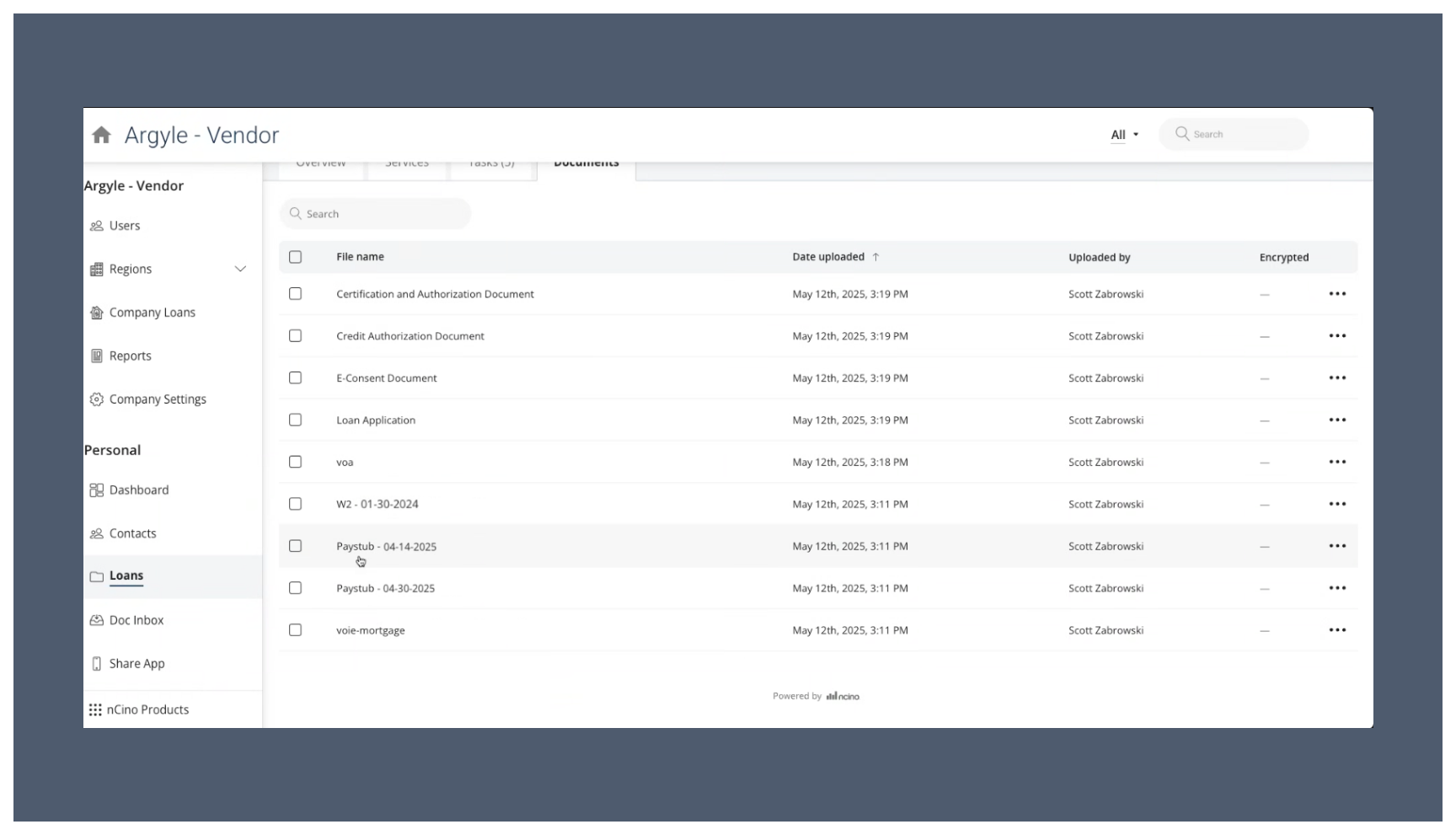
The payroll documents and VOIE report can be accessed within the **Documents** section of your **Loans** dashboard:
### Verification reports and payroll documents
After each payroll account is connected, Argyle will deliver the following PDF documents to nCino:
* All paystubs from the past 30 days
* The two most recent Form W-2 tax documents available
* A Verification of Income and Employment (VOIE) report (sample report)
The payroll documents and VOIE report can be accessed within the **Documents** section of your **Loans** dashboard:
 ### Testing profiles
1. Use Argyle's [sample user credentials](/overview/sandbox-testing#connect-sample-users) to log in to:
* Any employer or payroll provider (if testing in Argyle's Sandbox testing environment)
* `Platformtronic` or `Employertronic` as the employer (if testing in Argyle's Production environment)
2. For specific scenario testing, the following sample users are also available:
| | Homer Loanseeker | Suzi Builder | Andy Freddie |
| ------------------ | ----------------------------------------- | ------------------------------------- | ---------------------------------------- |
| Email | homer\_loanseeker@argyle.com | suzi\_builder@argyle.com | andy\_freddie@argyle.com |
| Username | homer\_loanseeker | suzi\_builder | andy\_freddie |
| Password | passgood | passgood | passgood |
| Verification code | 9081 | 9084 | 9088 |
| Phone number | (800) 900-0101 | (800) 900-0104 | (800) 900-0108 |
| Driver's license # | D1230101 | D1230104 | D1230108 |
| **Returns** | **1 active employment** | **2 active employments** | **1 active and 1 terminated employment** |
### Importing to Encompass®
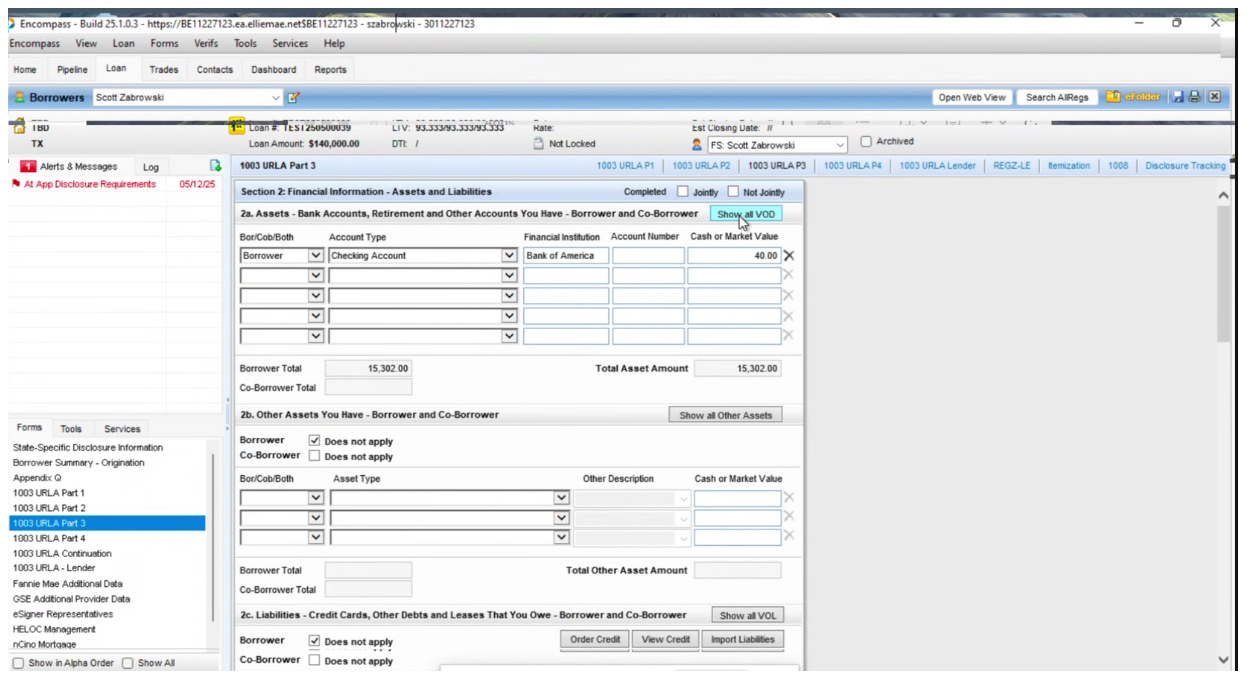
If you use [Encompass®](/integrations/pos-los/encompass/verifications) as your LOS alongside nCino as your POS, the PDF documents and verification reports requested in nCino can be made viewable within Argyle's Encompass® integration.
Reach out to your Argyle customer success manager to enable nCino and Encompass compatibility.
## Financial accounts
### Overview
1. Argyle's nCino banking integration allows borrowers to connect their financial accounts during the application process.
2. Asset verification reports are made available within nCino, with the option to import the reports into Encompass® and automatically populate asset data in the 1003 URLA and report identifiers required by GSEs within the Encompass® loan file.
### Testing profiles
1. Use Argyle's [sample user credentials](/overview/sandbox-testing#connect-sample-users) to log in to:
* Any employer or payroll provider (if testing in Argyle's Sandbox testing environment)
* `Platformtronic` or `Employertronic` as the employer (if testing in Argyle's Production environment)
2. For specific scenario testing, the following sample users are also available:
| | Homer Loanseeker | Suzi Builder | Andy Freddie |
| ------------------ | ----------------------------------------- | ------------------------------------- | ---------------------------------------- |
| Email | homer\_loanseeker@argyle.com | suzi\_builder@argyle.com | andy\_freddie@argyle.com |
| Username | homer\_loanseeker | suzi\_builder | andy\_freddie |
| Password | passgood | passgood | passgood |
| Verification code | 9081 | 9084 | 9088 |
| Phone number | (800) 900-0101 | (800) 900-0104 | (800) 900-0108 |
| Driver's license # | D1230101 | D1230104 | D1230108 |
| **Returns** | **1 active employment** | **2 active employments** | **1 active and 1 terminated employment** |
### Importing to Encompass®
If you use [Encompass®](/integrations/pos-los/encompass/verifications) as your LOS alongside nCino as your POS, the PDF documents and verification reports requested in nCino can be made viewable within Argyle's Encompass® integration.
Reach out to your Argyle customer success manager to enable nCino and Encompass compatibility.
## Financial accounts
### Overview
1. Argyle's nCino banking integration allows borrowers to connect their financial accounts during the application process.
2. Asset verification reports are made available within nCino, with the option to import the reports into Encompass® and automatically populate asset data in the 1003 URLA and report identifiers required by GSEs within the Encompass® loan file.
 ### Borrower experience
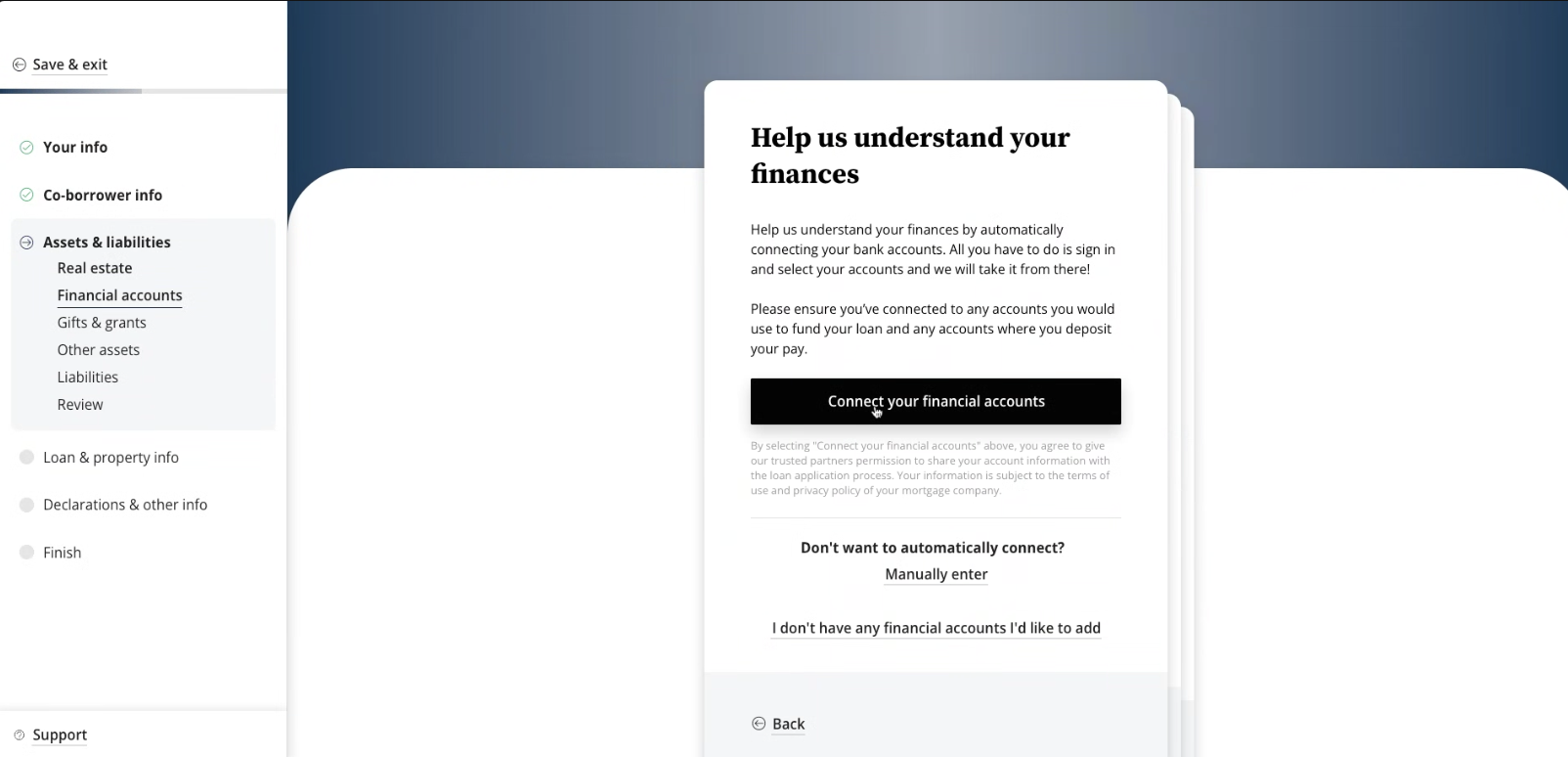
1. In the **Assets & liabilities** section, the borrower can search for and connect their financial accounts using their login credentials.
### Borrower experience
1. In the **Assets & liabilities** section, the borrower can search for and connect their financial accounts using their login credentials.
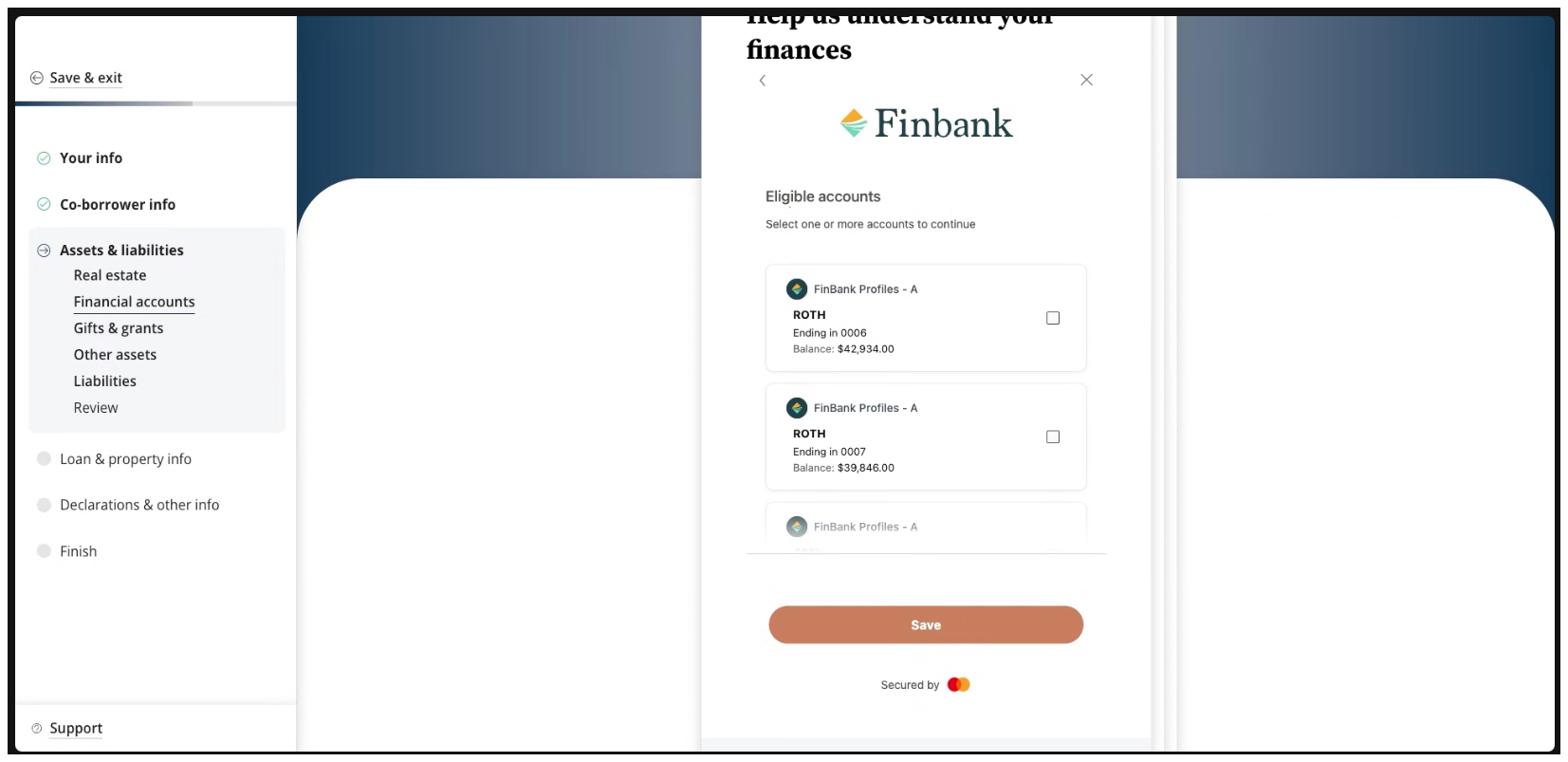
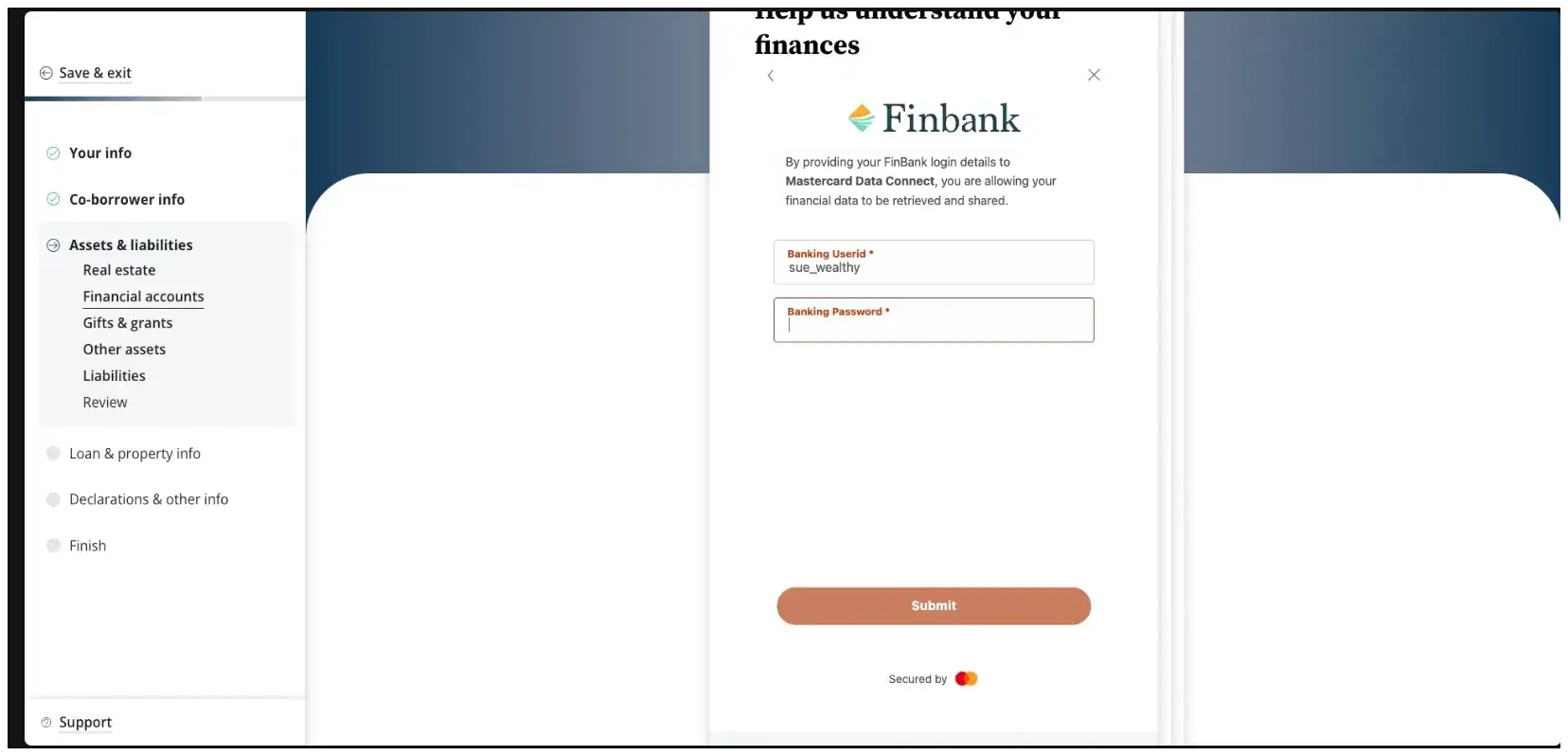 2. When the borrower has finished connecting their financial institutions, they can save and exit to the remainder of their nCino application.
 ### Asset reports
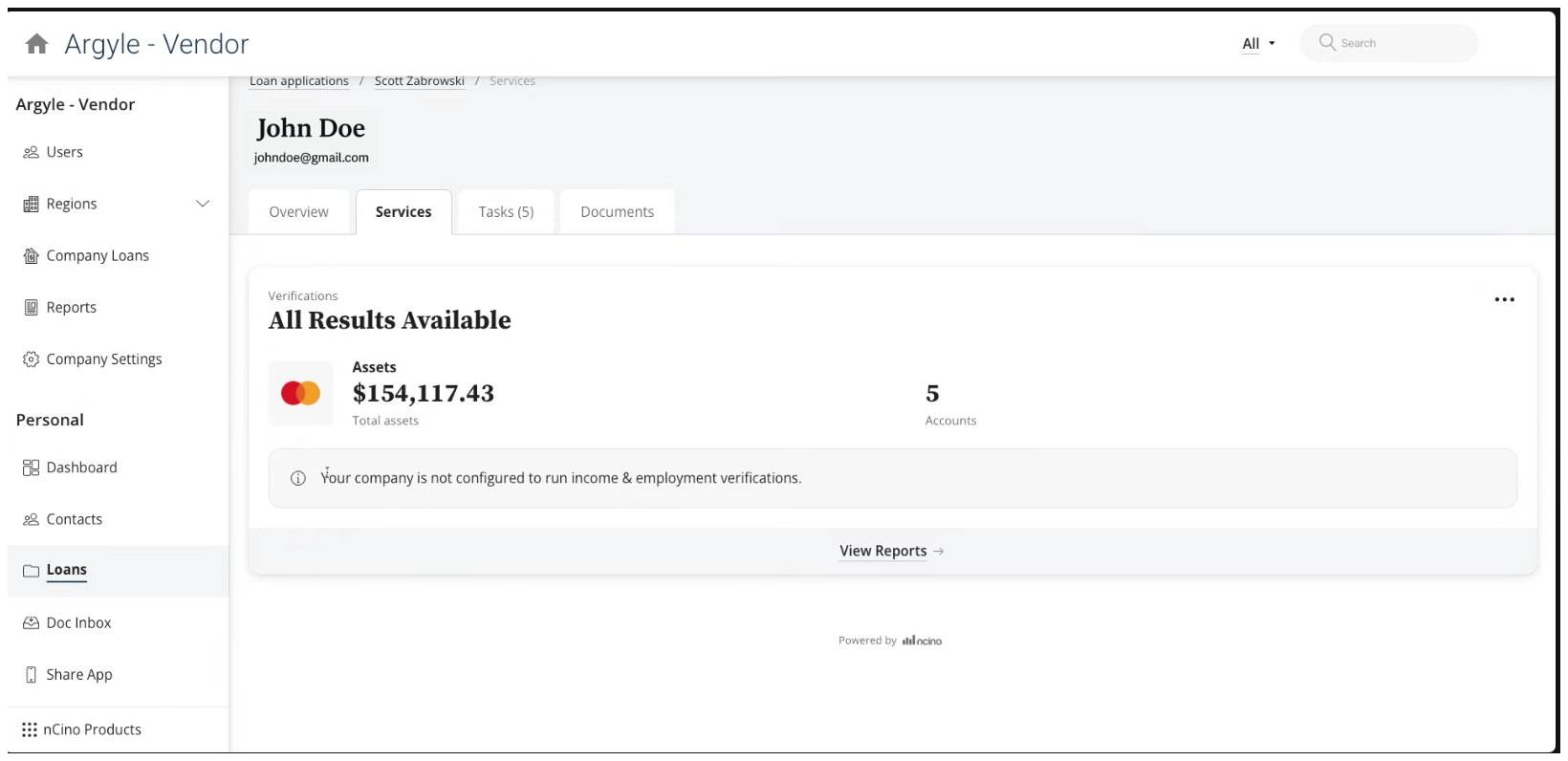
After the borrower connects their financial accounts, Argyle will deliver a Verification of Assets (VOA) report (sample report) or Verification of Assets & Income (VOAI) report (sample report) to nCino. The report type can be configured during [admin setup](/integrations/pos-los/ncino#admin-setup). The report can be accessed within the **Services** section of your **Loans** dashboard by selecting **View Reports**.
### Asset reports
After the borrower connects their financial accounts, Argyle will deliver a Verification of Assets (VOA) report (sample report) or Verification of Assets & Income (VOAI) report (sample report) to nCino. The report type can be configured during [admin setup](/integrations/pos-los/ncino#admin-setup). The report can be accessed within the **Services** section of your **Loans** dashboard by selecting **View Reports**.
 ### Testing profiles
1. Use sample banking credentials to log into either the `FinBank Billable` or `FinBank Oauth Billable` financial institutions for testing.
2. For specific scenario testing, the following sample users are also available:
| | Sue Wealthy | River Paycheck | Alex Student |
| ----------- | ------------------------------------------------------------------------------------------------------------------------------------------------------------------------------------------------------------------------------------------------------------------------------------------------------- | ------------------------------------------------------------------------------------------------------------------------------------------------------------------------------------------------------------------------------------------------------------------------- | ---------------------------------------------------------------------------------------------------------------------------------------------------------------------------------------------------------------------------------------------------------------------------------------------------------------------------------------------- |
| Username | sue\_wealthy | river\_paycheck | alex\_student |
| Password | profile\_700 | profile\_703 | profile\_704 |
| Description | Sue is working as a Product Manager with a good steady income, a mortgage, and multiple investment accounts. She has a loan account and leases a car. Sue travels a few times a year. She has typical expenses like groceries, clothes, entertainment, gym membership, car expenses, and she has a pet. | River works in construction. He rents an apartment and has typical expenses like groceries, clothes, entertainment, household and car expenses. He has some savings but no investments, no loans and no credit cards. In some months, River's expenses exceed his income. | Alex is working full-time with a good salary but she is still paying off her student loan. She makes regular monthly repayments, but she still has over \$30,000 to pay off. Alex has typical expenses like groceries, clothes, entertainment, household, and car expenses. She has limited savings and she has started an investment account. |
### Importing to Encompass®
If you use [Encompass®](/integrations/pos-los/encompass/verifications) as your LOS alongside nCino as your POS:
* Asset reports in nCino can be imported to the Encompass® eFolder.
* Asset data will automatically populate the 1003 URLA section of the Encompass® loan file.
* Argyle will automatically populate the Finicity GSE field within the Encompass® loan file.
The GSE field will automatically be updated after a refreshed report.
### Testing profiles
1. Use sample banking credentials to log into either the `FinBank Billable` or `FinBank Oauth Billable` financial institutions for testing.
2. For specific scenario testing, the following sample users are also available:
| | Sue Wealthy | River Paycheck | Alex Student |
| ----------- | ------------------------------------------------------------------------------------------------------------------------------------------------------------------------------------------------------------------------------------------------------------------------------------------------------- | ------------------------------------------------------------------------------------------------------------------------------------------------------------------------------------------------------------------------------------------------------------------------- | ---------------------------------------------------------------------------------------------------------------------------------------------------------------------------------------------------------------------------------------------------------------------------------------------------------------------------------------------- |
| Username | sue\_wealthy | river\_paycheck | alex\_student |
| Password | profile\_700 | profile\_703 | profile\_704 |
| Description | Sue is working as a Product Manager with a good steady income, a mortgage, and multiple investment accounts. She has a loan account and leases a car. Sue travels a few times a year. She has typical expenses like groceries, clothes, entertainment, gym membership, car expenses, and she has a pet. | River works in construction. He rents an apartment and has typical expenses like groceries, clothes, entertainment, household and car expenses. He has some savings but no investments, no loans and no credit cards. In some months, River's expenses exceed his income. | Alex is working full-time with a good salary but she is still paying off her student loan. She makes regular monthly repayments, but she still has over \$30,000 to pay off. Alex has typical expenses like groceries, clothes, entertainment, household, and car expenses. She has limited savings and she has started an investment account. |
### Importing to Encompass®
If you use [Encompass®](/integrations/pos-los/encompass/verifications) as your LOS alongside nCino as your POS:
* Asset reports in nCino can be imported to the Encompass® eFolder.
* Asset data will automatically populate the 1003 URLA section of the Encompass® loan file.
* Argyle will automatically populate the Finicity GSE field within the Encompass® loan file.
The GSE field will automatically be updated after a refreshed report.