> ## Documentation Index
> Fetch the complete documentation index at: https://docs.argyle.com/llms.txt
> Use this file to discover all available pages before exploring further.
# Banking Verifications
> Verify assets within the Encompass® by ICE Mortgage Technology® platform.
## Overview
Verify assets inside the Encompass® by ICE Mortgage Technology® platform with direct connections to financial institutions.
* Generate **Verification of Assets (VOA)** and **Verification of Assets & Income (VOAI)** reports.
* Generate closing **Verifications of Employment (VOE)**.
 ## How it works
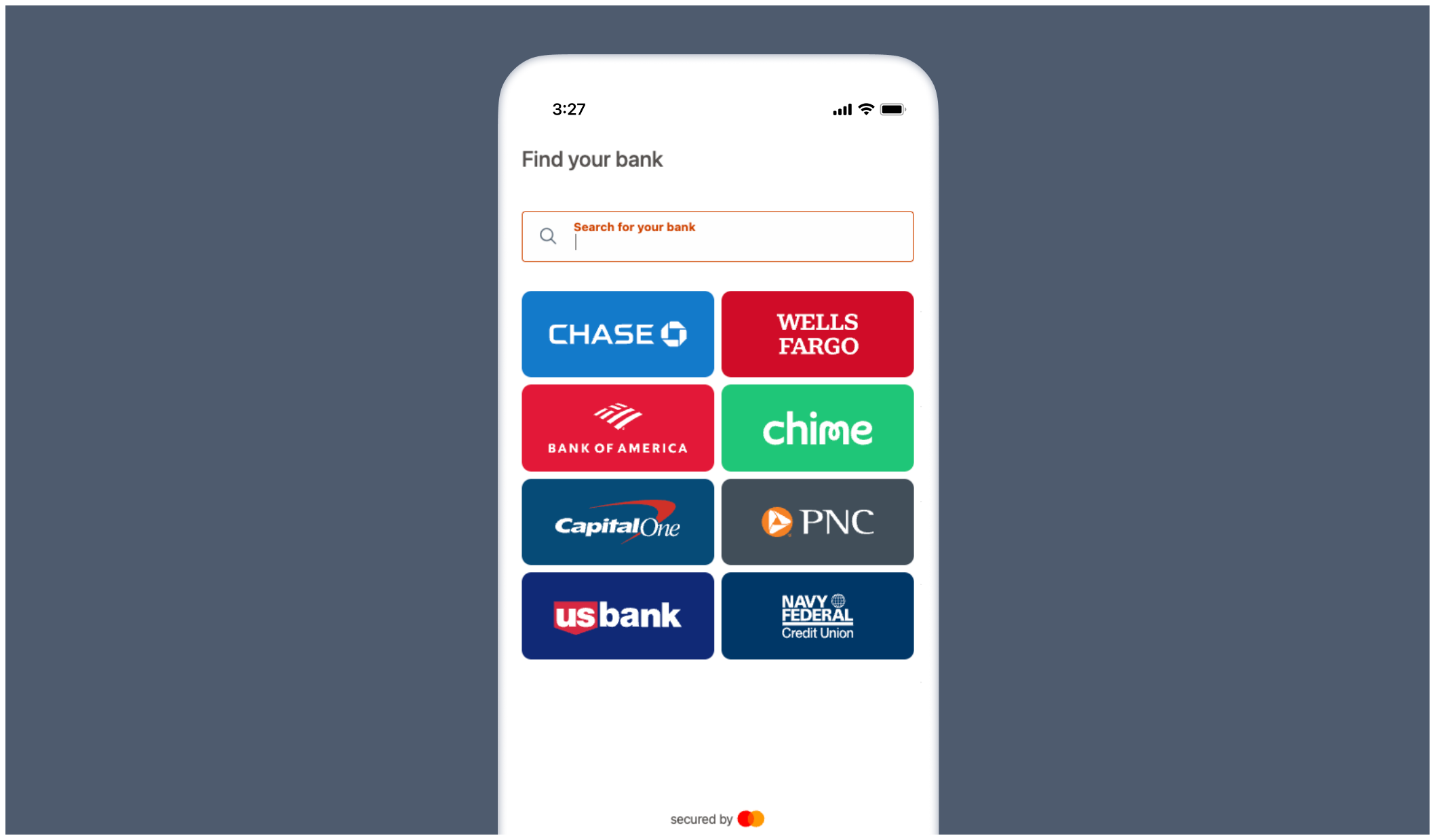
1. Borrowers are invited to securely connect their financial accounts.
2. An asset verification report is automatically generated and added to the Encompass® eFolder.
3. Additional asset reports and closing verification reports can be ordered within Encompass®.
## Ordering verifications
### Select asset verification service
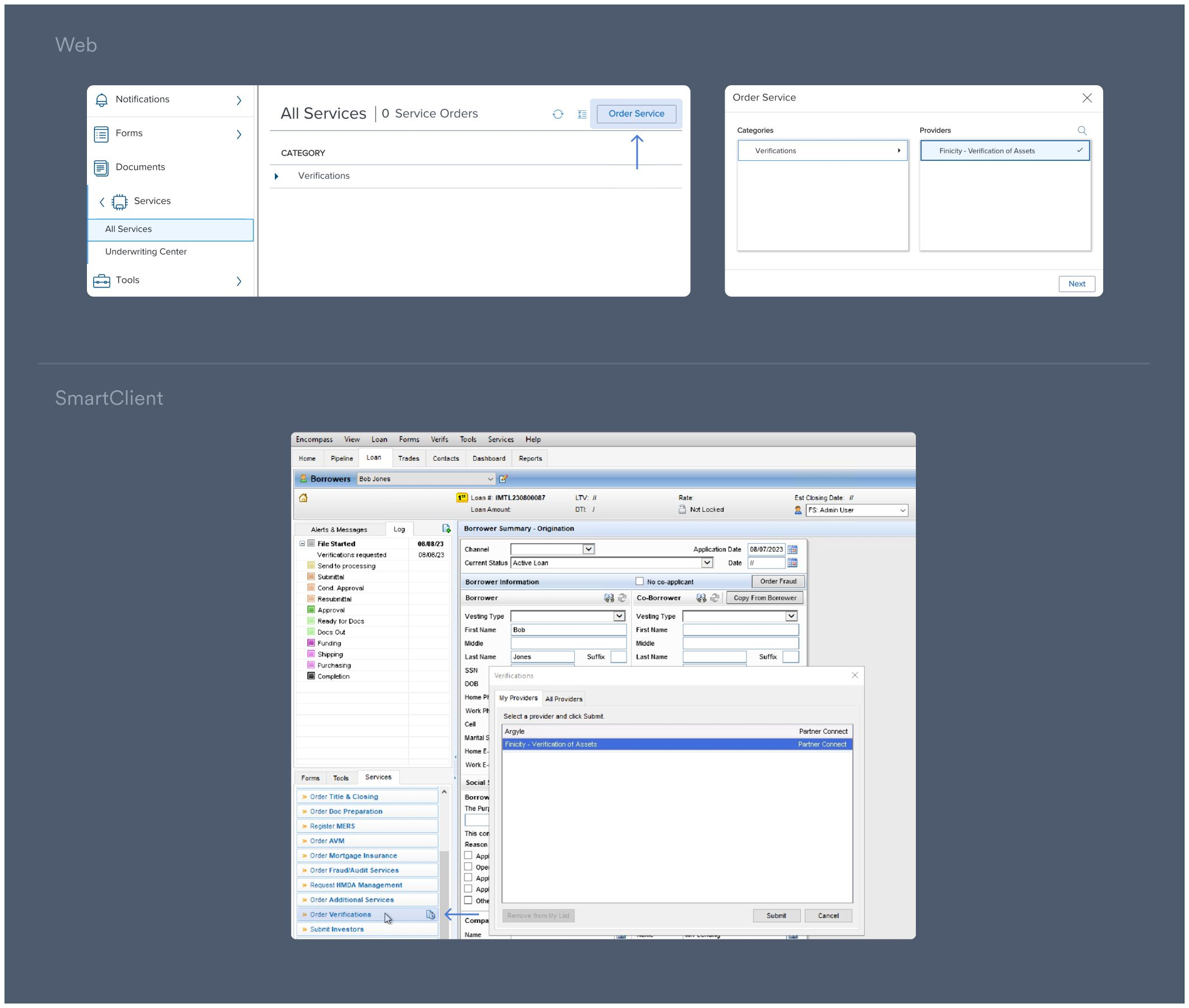
1. Select a loan in Encompass®.
2. Under **Services**:
* \[Web] Select **All Services** and then **Order Service**. In the pop-up, click
**Verifications** under Categories.
* \[SmartClient] Select **Order Verifications**.
3. In the pop-up, select **Finicity - Verification of Assets** under Providers.
Then click **Next/Submit**.
## How it works
1. Borrowers are invited to securely connect their financial accounts.
2. An asset verification report is automatically generated and added to the Encompass® eFolder.
3. Additional asset reports and closing verification reports can be ordered within Encompass®.
## Ordering verifications
### Select asset verification service
1. Select a loan in Encompass®.
2. Under **Services**:
* \[Web] Select **All Services** and then **Order Service**. In the pop-up, click
**Verifications** under Categories.
* \[SmartClient] Select **Order Verifications**.
3. In the pop-up, select **Finicity - Verification of Assets** under Providers.
Then click **Next/Submit**.
 ### Ordering initial verification reports
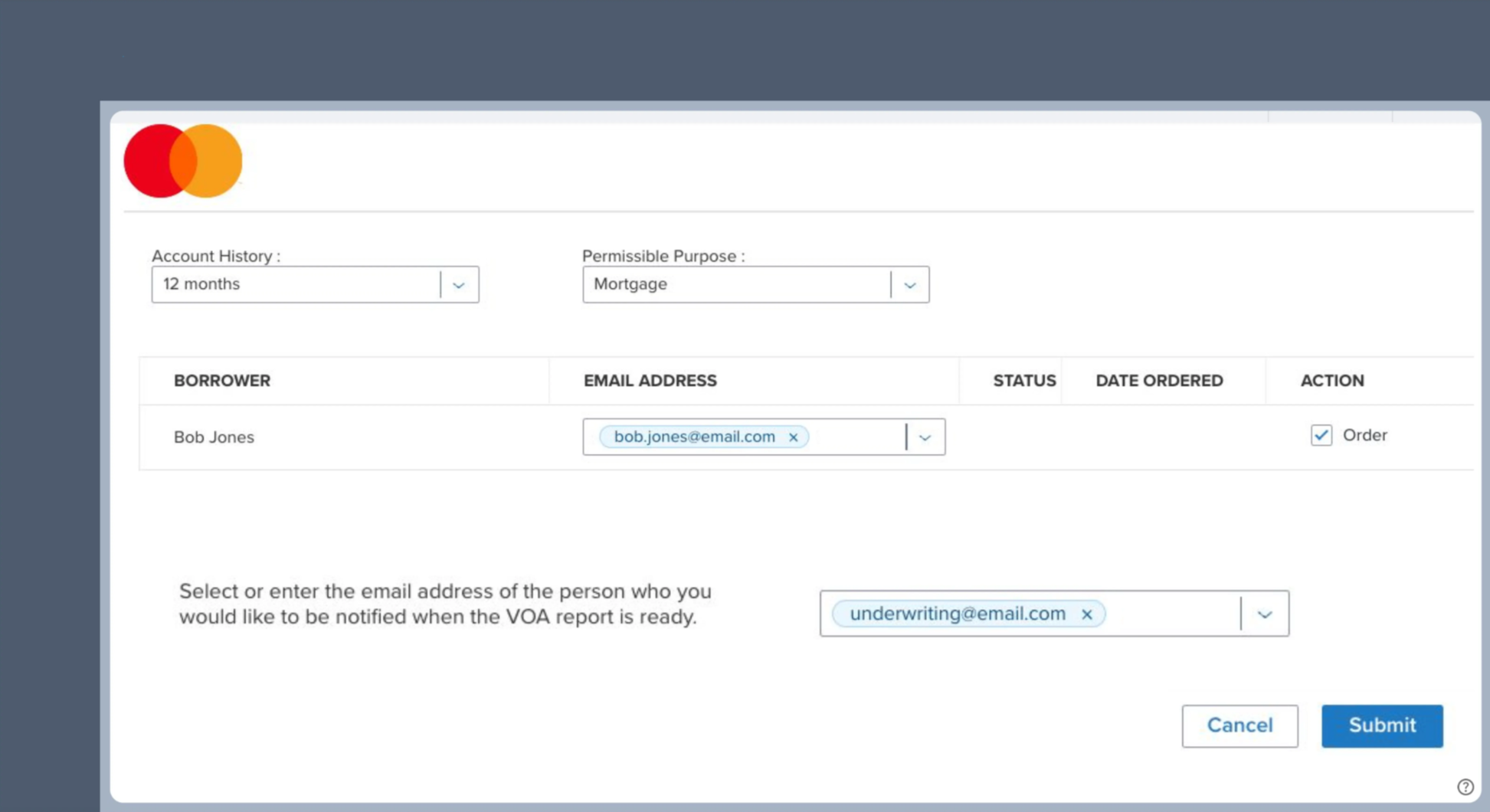
1. Make a selection within the **Account History** and **Permissible Purpose** dropdowns.
2. Enter the email address of the borrower and toggle the **Order** button ON.
3. Enter the email address(es) you want notified when an asset verification report is ready.
The initial report type is determined by the `Company Experience ID` provided during [Admin Setup](/integrations/pos-los/encompass/setup-guide#add-credentials).
* **Verification of Assets (VOA)** is the default initial report type.
* Reach out to your Argyle customer success manager if you prefer **Verification of Assets & Income (VOAI)** as the default initial report type.
4. Click **Submit** to order the report.
### Ordering initial verification reports
1. Make a selection within the **Account History** and **Permissible Purpose** dropdowns.
2. Enter the email address of the borrower and toggle the **Order** button ON.
3. Enter the email address(es) you want notified when an asset verification report is ready.
The initial report type is determined by the `Company Experience ID` provided during [Admin Setup](/integrations/pos-los/encompass/setup-guide#add-credentials).
* **Verification of Assets (VOA)** is the default initial report type.
* Reach out to your Argyle customer success manager if you prefer **Verification of Assets & Income (VOAI)** as the default initial report type.
4. Click **Submit** to order the report.
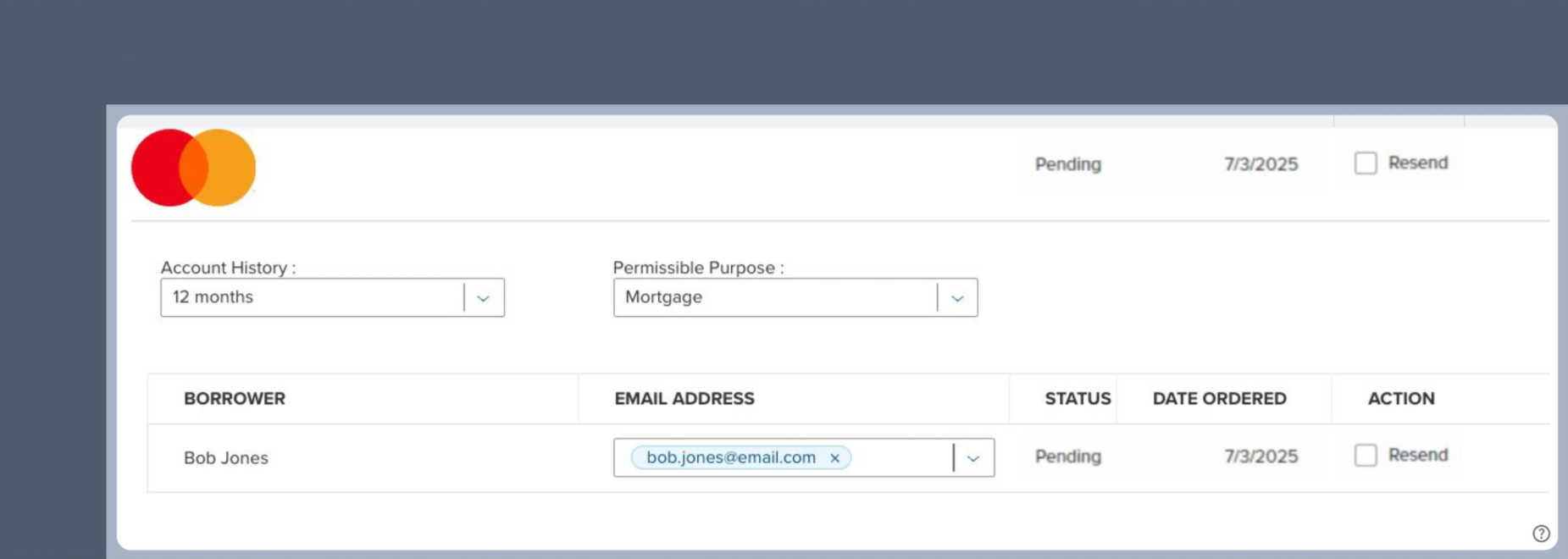
 5. Submitted orders will initially appear with a **Pending** status.
* Once the order is submitted, borrowers are sent an email asking them to connect their financial accounts.
* You can select the **Resend** action to send another email to the borrower if needed.
* Verification reports will automatically be pushed to eFolder when the order is **Completed**.
5. Submitted orders will initially appear with a **Pending** status.
* Once the order is submitted, borrowers are sent an email asking them to connect their financial accounts.
* You can select the **Resend** action to send another email to the borrower if needed.
* Verification reports will automatically be pushed to eFolder when the order is **Completed**.
 ### Retrieving reports
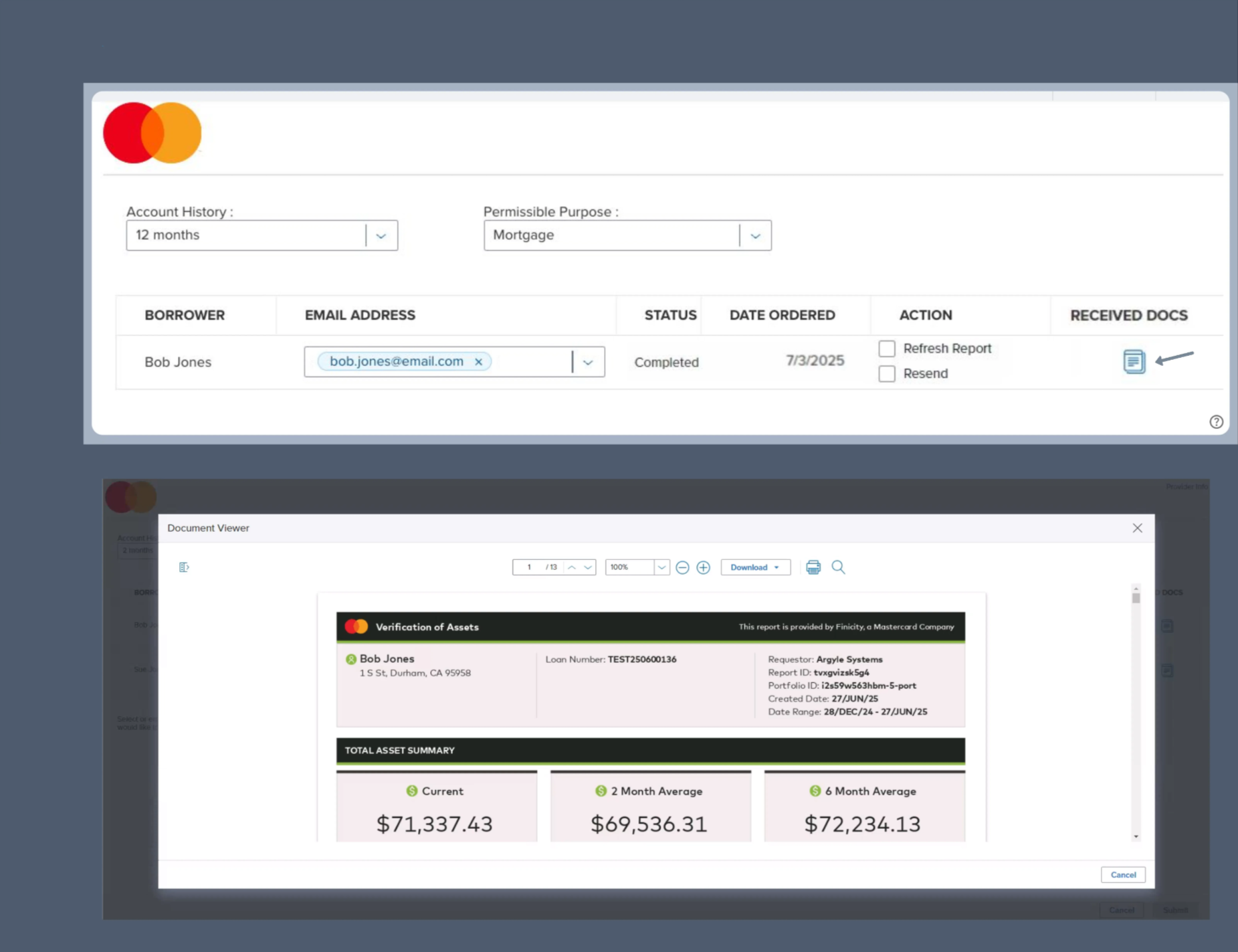
1. Click on `icon` under **Received Docs** after the order is **Completed**.
2. View and download the report from the **Document Viewer** window.
### Retrieving reports
1. Click on `icon` under **Received Docs** after the order is **Completed**.
2. View and download the report from the **Document Viewer** window.
 ### Ordering additional/closing reports
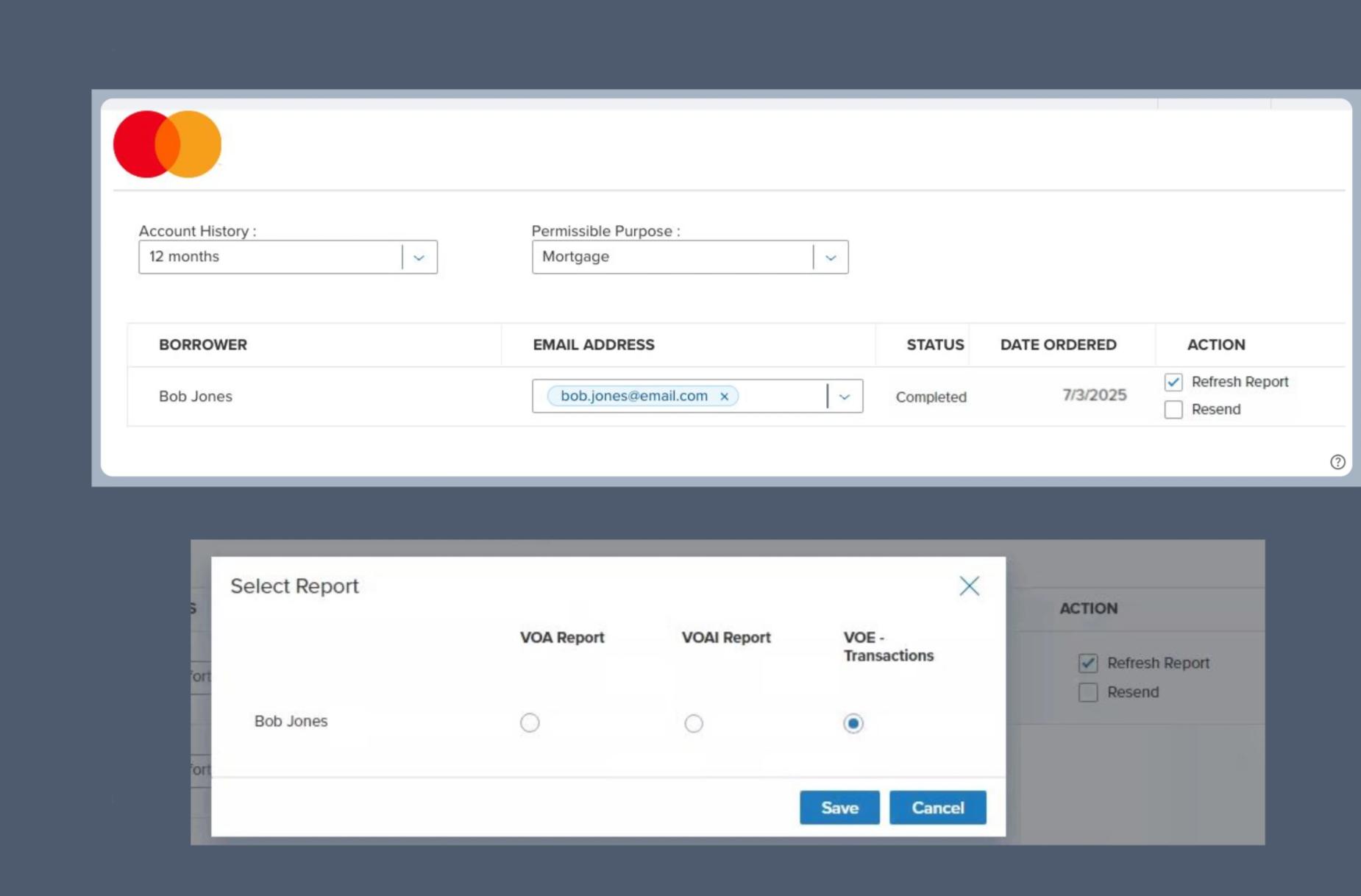
1. Toggle the **Refresh Report** button ON after the order is **Completed**.
2. In the pop-up, select your preferred report type:
* Verification of Assets (VOA)
* Verification of Assets & Income (VOAI)
* Verification of Employment (VOE) — used for closing
### Ordering additional/closing reports
1. Toggle the **Refresh Report** button ON after the order is **Completed**.
2. In the pop-up, select your preferred report type:
* Verification of Assets (VOA)
* Verification of Assets & Income (VOAI)
* Verification of Employment (VOE) — used for closing
 ## Borrower experience
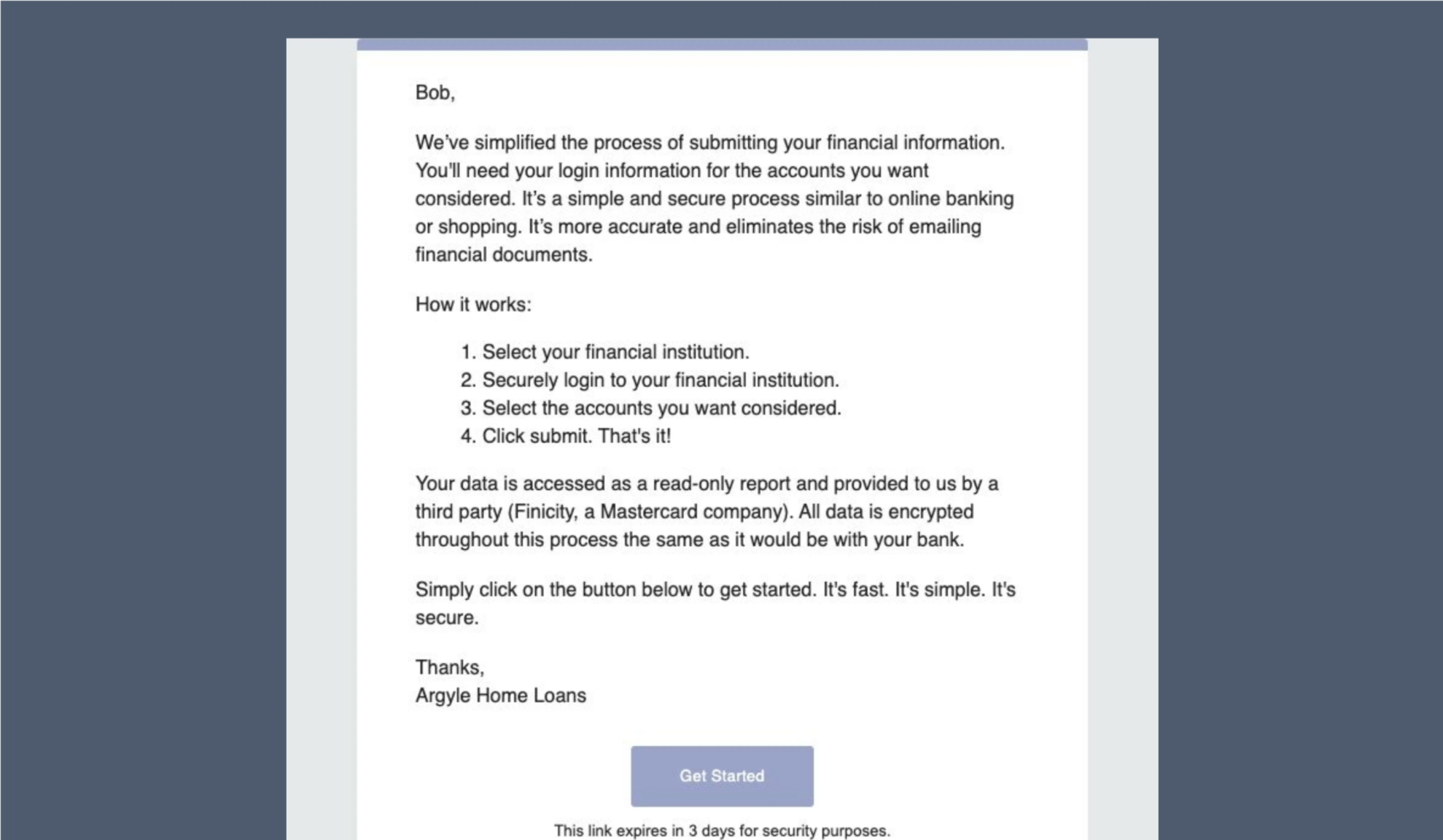
1. The borrower will receive an email asking them to securely connect their financial institutions after an initial verification report is ordered.
## Borrower experience
1. The borrower will receive an email asking them to securely connect their financial institutions after an initial verification report is ordered.
 2. The borrower will then be guided through the process of logging in to their financial institutions to establish a data connection.
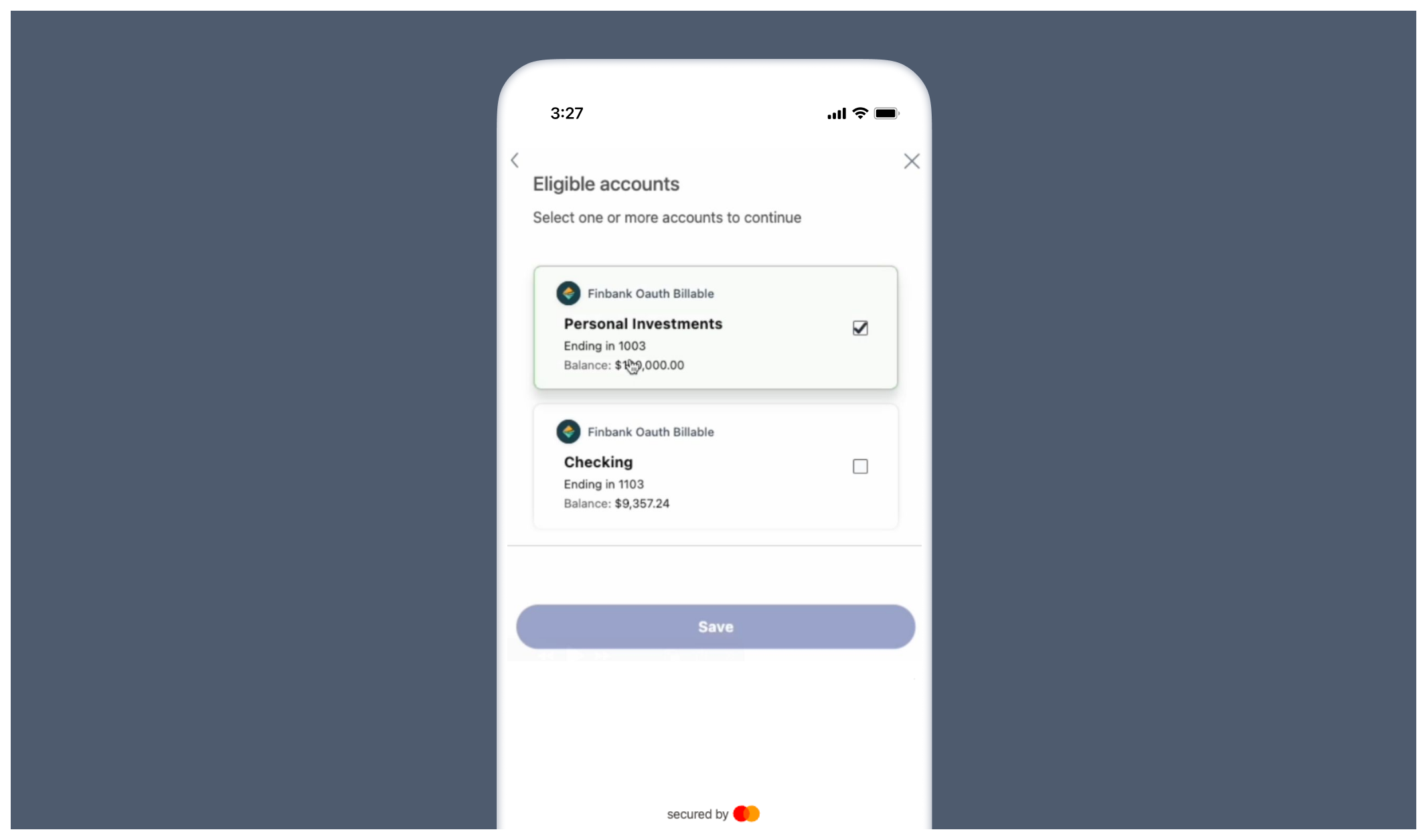
3. For each financial institution, the borrower will select which associated accounts to connect.
2. The borrower will then be guided through the process of logging in to their financial institutions to establish a data connection.
3. For each financial institution, the borrower will select which associated accounts to connect.
 ## Test profiles
1. To test borrower connections, use sample banking credentials to log into either the `FinBank Billable` or `FinBank Oauth Billable` financial institutions.
2. For specific scenario testing, the following sample users are also available:
| | Sue Wealthy | River Paycheck | Alex Student |
| ----------- | ------------------------------------------------------------------------------------------------------------------------------------------------------------------------------------------------------------------------------------------------------------------------------------------------------- | ------------------------------------------------------------------------------------------------------------------------------------------------------------------------------------------------------------------------------------------------------------------------- | ---------------------------------------------------------------------------------------------------------------------------------------------------------------------------------------------------------------------------------------------------------------------------------------------------------------------------------------------- |
| Username | sue\_wealthy | river\_paycheck | alex\_student |
| Password | profile\_700 | profile\_703 | profile\_704 |
| Description | Sue is working as a Product Manager with a good steady income, a mortgage, and multiple investment accounts. She has a loan account and leases a car. Sue travels a few times a year. She has typical expenses like groceries, clothes, entertainment, gym membership, car expenses, and she has a pet. | River works in construction. He rents an apartment and has typical expenses like groceries, clothes, entertainment, household and car expenses. He has some savings but no investments, no loans and no credit cards. In some months, River's expenses exceed his income. | Alex is working full-time with a good salary but she is still paying off her student loan. She makes regular monthly repayments, but she still has over \$30,000 to pay off. Alex has typical expenses like groceries, clothes, entertainment, household, and car expenses. She has limited savings and she has started an investment account. |
## Test profiles
1. To test borrower connections, use sample banking credentials to log into either the `FinBank Billable` or `FinBank Oauth Billable` financial institutions.
2. For specific scenario testing, the following sample users are also available:
| | Sue Wealthy | River Paycheck | Alex Student |
| ----------- | ------------------------------------------------------------------------------------------------------------------------------------------------------------------------------------------------------------------------------------------------------------------------------------------------------- | ------------------------------------------------------------------------------------------------------------------------------------------------------------------------------------------------------------------------------------------------------------------------- | ---------------------------------------------------------------------------------------------------------------------------------------------------------------------------------------------------------------------------------------------------------------------------------------------------------------------------------------------- |
| Username | sue\_wealthy | river\_paycheck | alex\_student |
| Password | profile\_700 | profile\_703 | profile\_704 |
| Description | Sue is working as a Product Manager with a good steady income, a mortgage, and multiple investment accounts. She has a loan account and leases a car. Sue travels a few times a year. She has typical expenses like groceries, clothes, entertainment, gym membership, car expenses, and she has a pet. | River works in construction. He rents an apartment and has typical expenses like groceries, clothes, entertainment, household and car expenses. He has some savings but no investments, no loans and no credit cards. In some months, River's expenses exceed his income. | Alex is working full-time with a good salary but she is still paying off her student loan. She makes regular monthly repayments, but she still has over \$30,000 to pay off. Alex has typical expenses like groceries, clothes, entertainment, household, and car expenses. She has limited savings and she has started an investment account. |
*For further assistance or specific feature requests, please reach out to [support@argyle.com](mailto:support@argyle.com) or your Customer Success Manager.*