> ## Documentation Index
> Fetch the complete documentation index at: https://docs.argyle.com/llms.txt
> Use this file to discover all available pages before exploring further.
# Webhooks
> Subscribe to event notifications through Console.
* Visit the [API Reference](/api-reference/users-webhooks/fully-synced) for a full list of available webhooks and their descriptions.
* Visit the [API Webhooks Guide](/api-guide/webhooks) to learn more about subscribing to webhooks via the API.
## Overview
Webhooks notify you in real-time when important events occur, such as:
* A new payroll connection is attempted.
* Data retrieval from a recently connected account has completed.
* New data was found during [ongoing refresh](/overview/ongoing-refresh) of a previously connected account.
Webhooks are not specific to individual accounts. The [`ratings.added`](/api-reference/ratings-webhooks/added) webhook for example is sent every time a new rating is available for any connected account.
## Subscribing to webhooks
Each [environment](/api-guide/overview#environments) (Sandbox and Production) requires its own webhook subscriptions. Subscriptions do not transfer between environments.
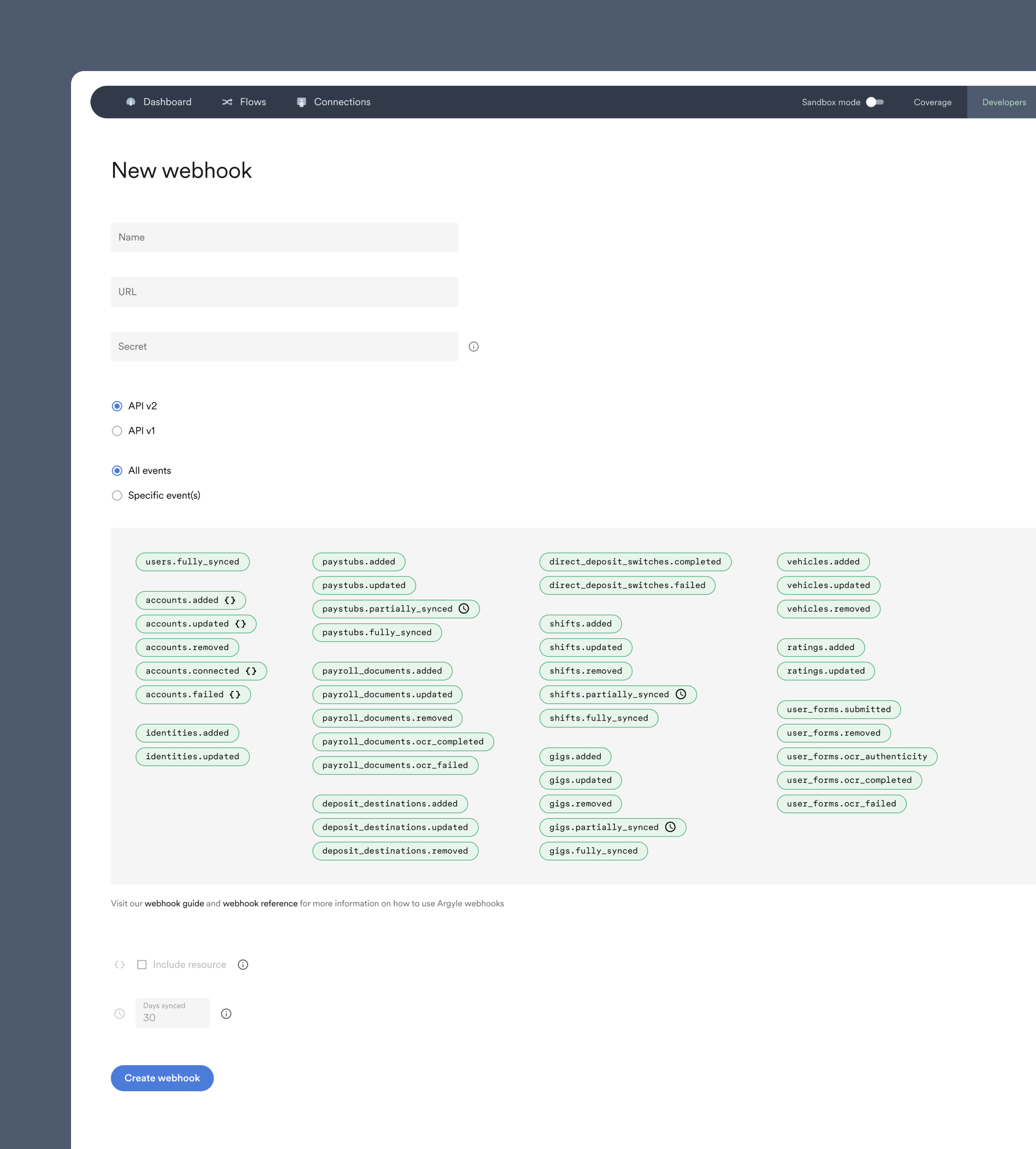
1. Navigate to the [Webhooks section of Console](https://console.argyle.com/webhooks) under **Developers**.
2. Select "Create a new webhook".
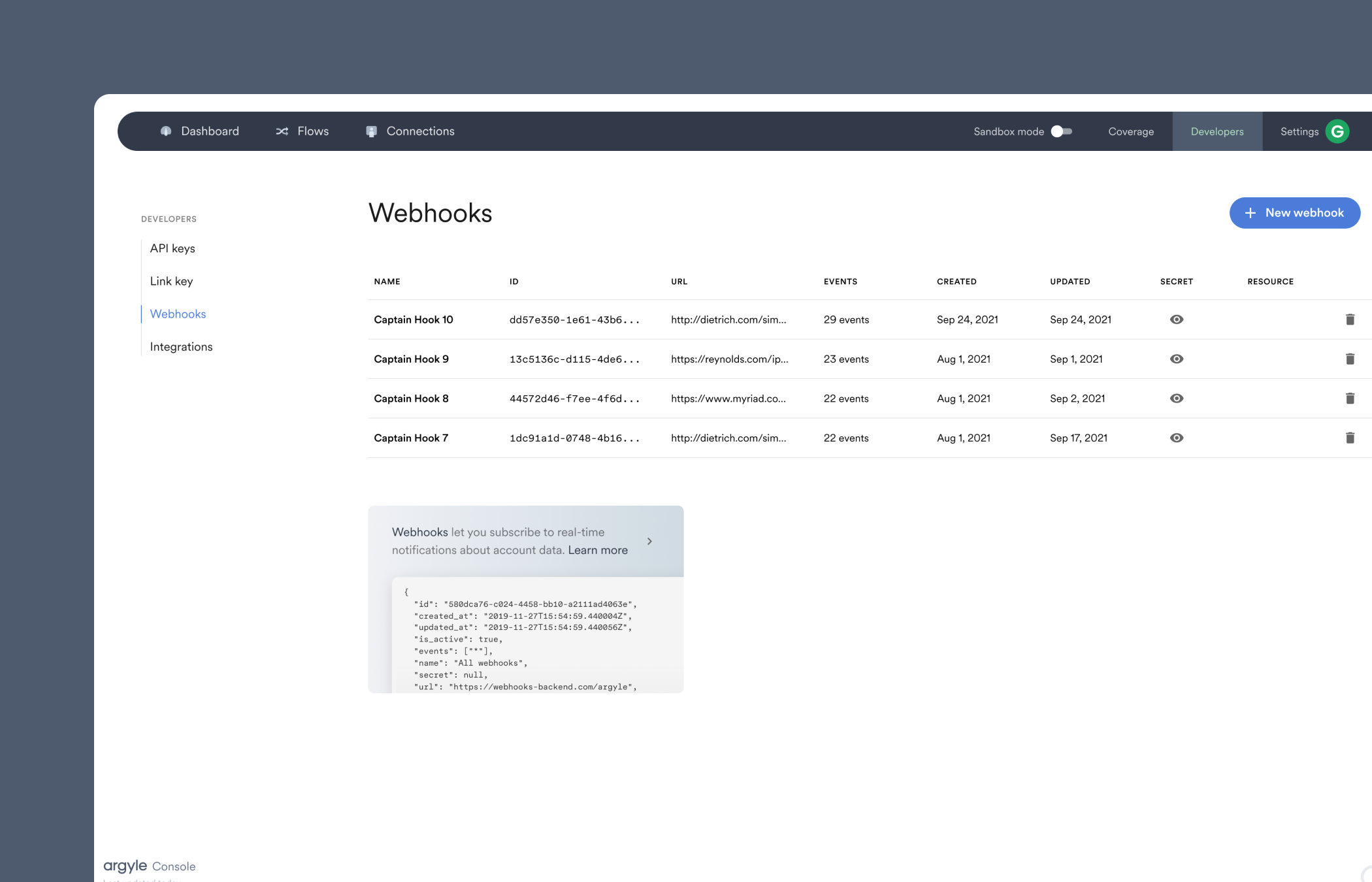 3. Fill in the following fields:
* **Name** — Your name for this particular set of webhook subscriptions.
* **URL** — Where you want webhooks to be sent. This can be either a backend URL that you manage, or a URL provided by a webhook management service.
Argyle delivers webhooks from four static IP addresses:
* `34.27.251.226`
* `34.122.50.253`
* `35.188.163.115`
* `35.226.53.251`
* **Secret** — (Optional) A secret word or phrase that can be used to [authenticate webhooks](/api-guide/webhooks#verifying-webhooks) you receive.
4. Choose your desired set of webhooks.
* `partially_synced` webhooks require you to input how many days of data must be synced during the initial data retrieval process of a newly connected account before the webhook is sent.
* Webhooks with `{}` following their names, when selected individually ("Specific event(s)"), return additional account information in the webhook payload if the "include resource" box is checked (found below the list of webhooks).
3. Fill in the following fields:
* **Name** — Your name for this particular set of webhook subscriptions.
* **URL** — Where you want webhooks to be sent. This can be either a backend URL that you manage, or a URL provided by a webhook management service.
Argyle delivers webhooks from four static IP addresses:
* `34.27.251.226`
* `34.122.50.253`
* `35.188.163.115`
* `35.226.53.251`
* **Secret** — (Optional) A secret word or phrase that can be used to [authenticate webhooks](/api-guide/webhooks#verifying-webhooks) you receive.
4. Choose your desired set of webhooks.
* `partially_synced` webhooks require you to input how many days of data must be synced during the initial data retrieval process of a newly connected account before the webhook is sent.
* Webhooks with `{}` following their names, when selected individually ("Specific event(s)"), return additional account information in the webhook payload if the "include resource" box is checked (found below the list of webhooks).