 Link 5.9 is now available, and includes the following updates:
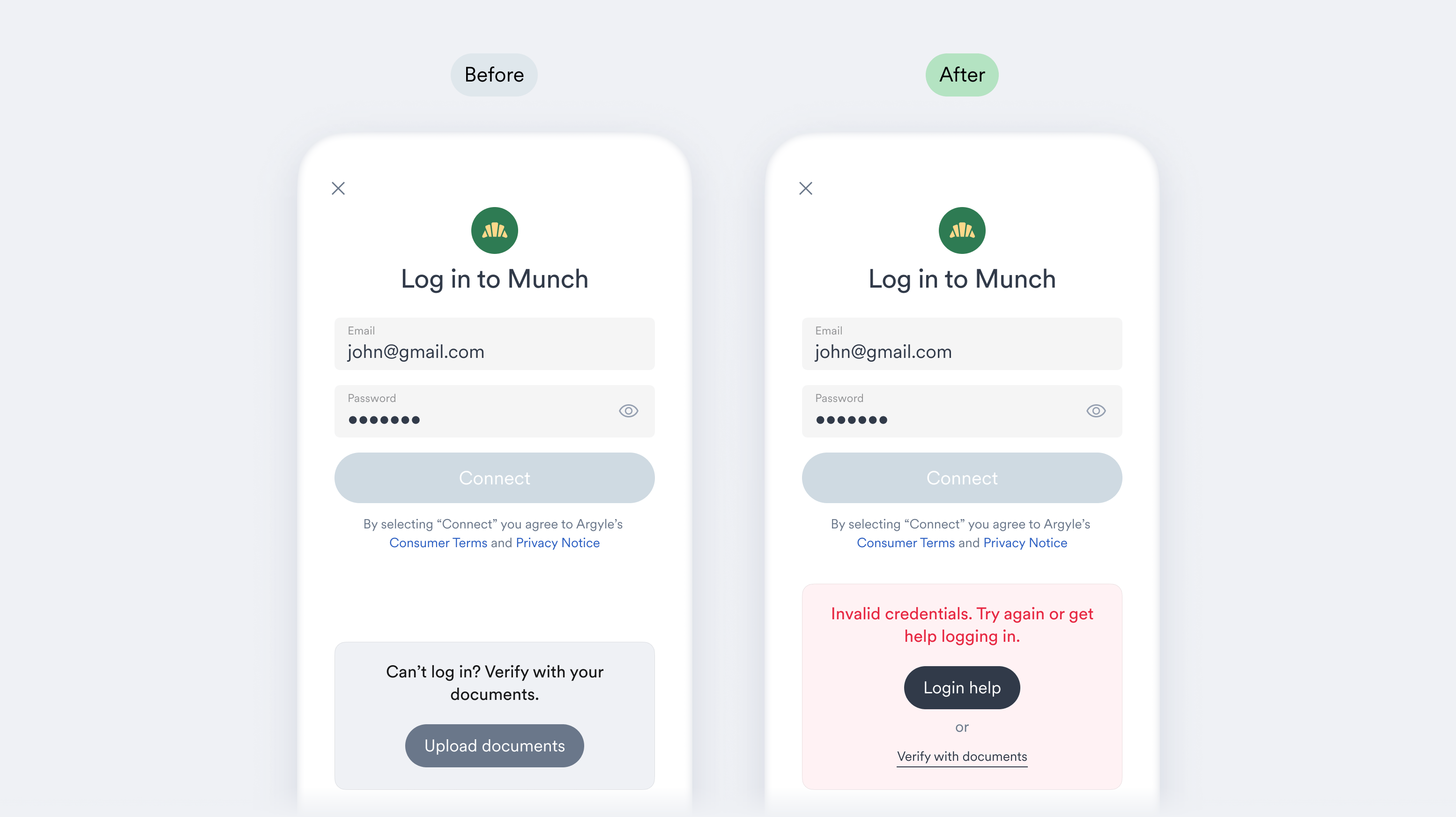
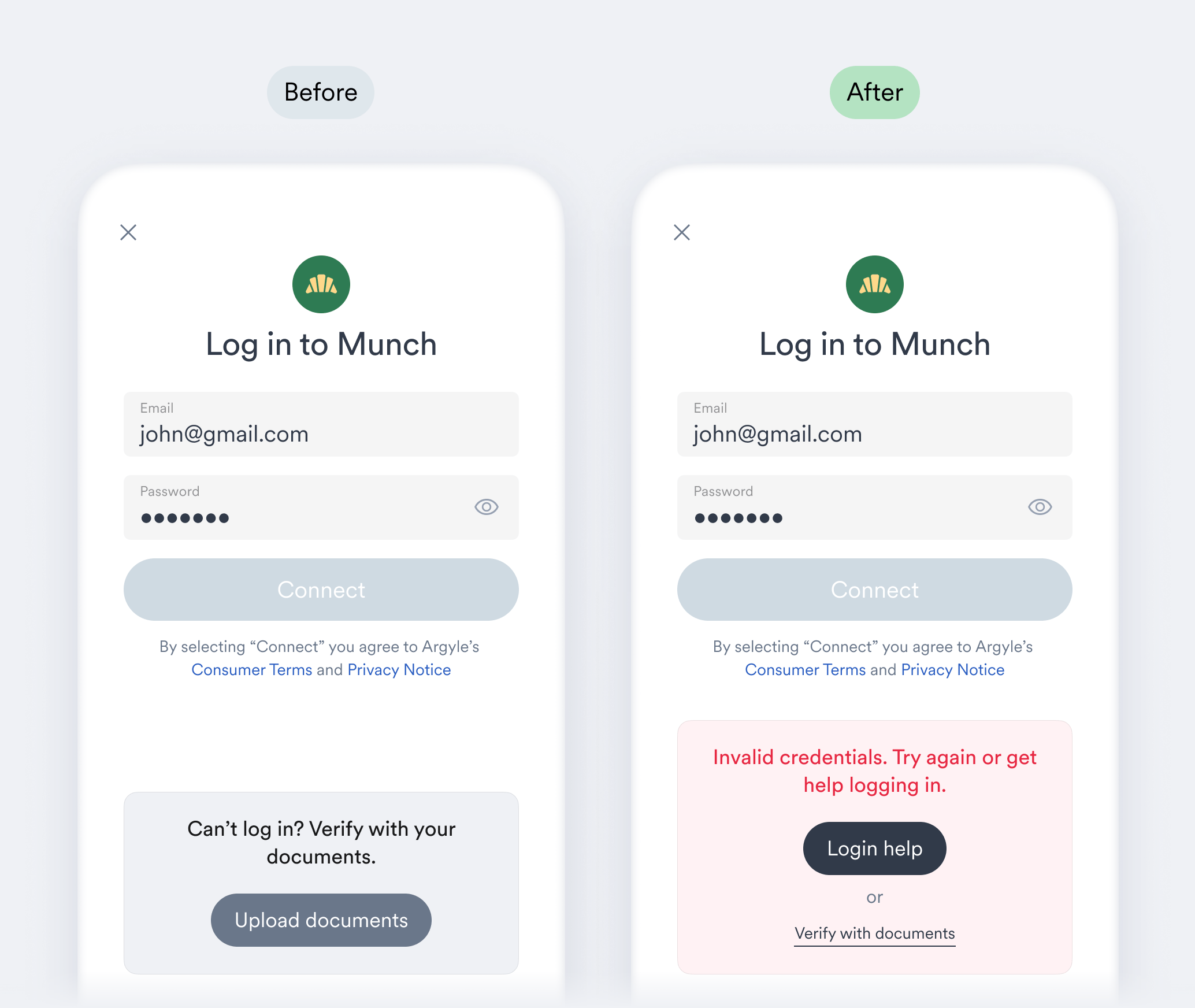
* Login help is now shown more prominently after invalid credentials are entered on Link’s login screen, making it easier for users to natively reset their usernames and passwords and try logging in again.
Link 5.9 is now available, and includes the following updates:
* Login help is now shown more prominently after invalid credentials are entered on Link’s login screen, making it easier for users to natively reset their usernames and passwords and try logging in again.
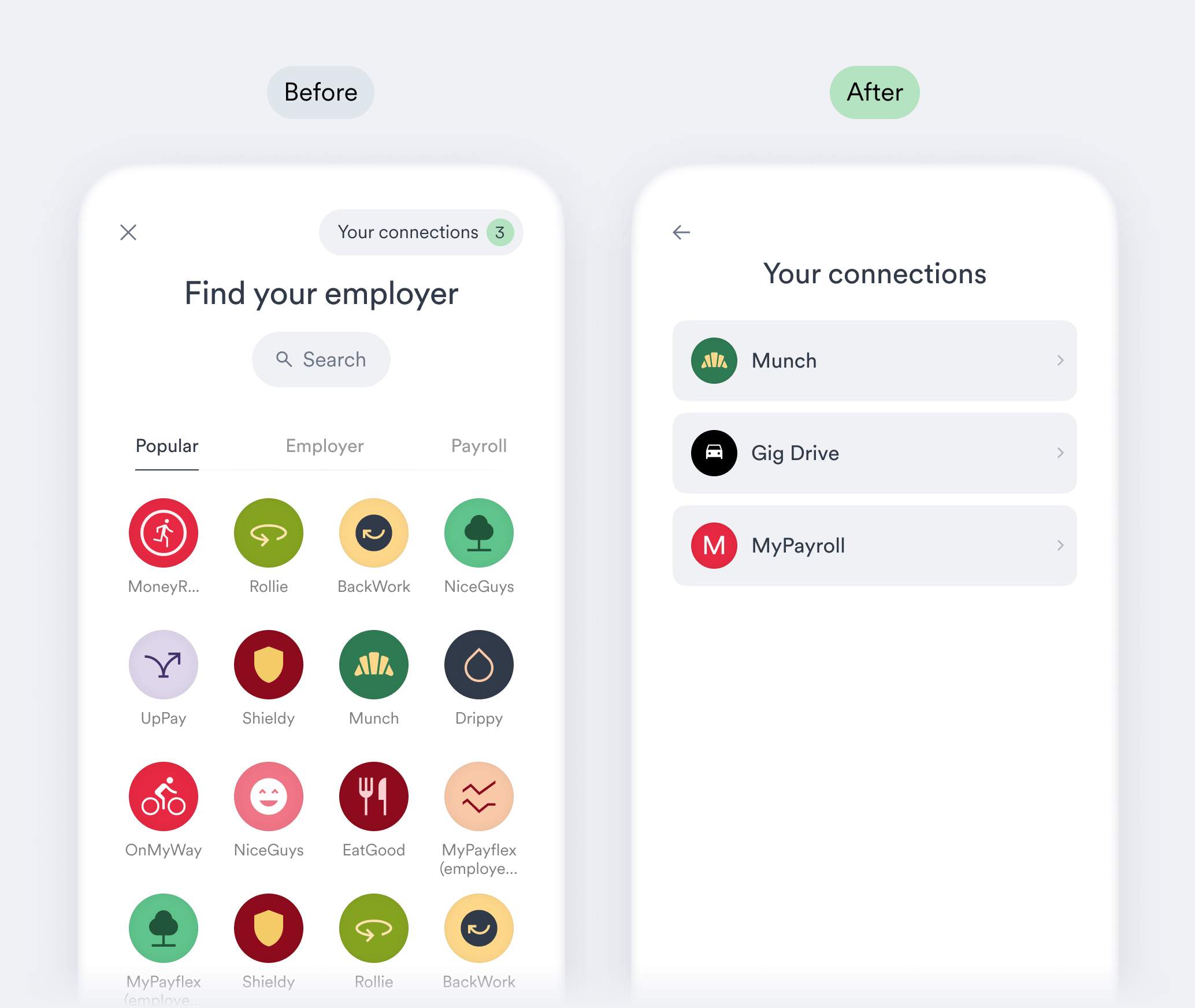
 * (Web only) The initial screen shown to [returning users](https://docs.argyle.com/workflows/reconnecting-accounts#adjusting-links-initial-screen) can now be set to the “Your connections” screen, which displays the user's previous connections. This can be enabled in the “General settings” area of your [Flow settings](https://console.argyle.com/flows).
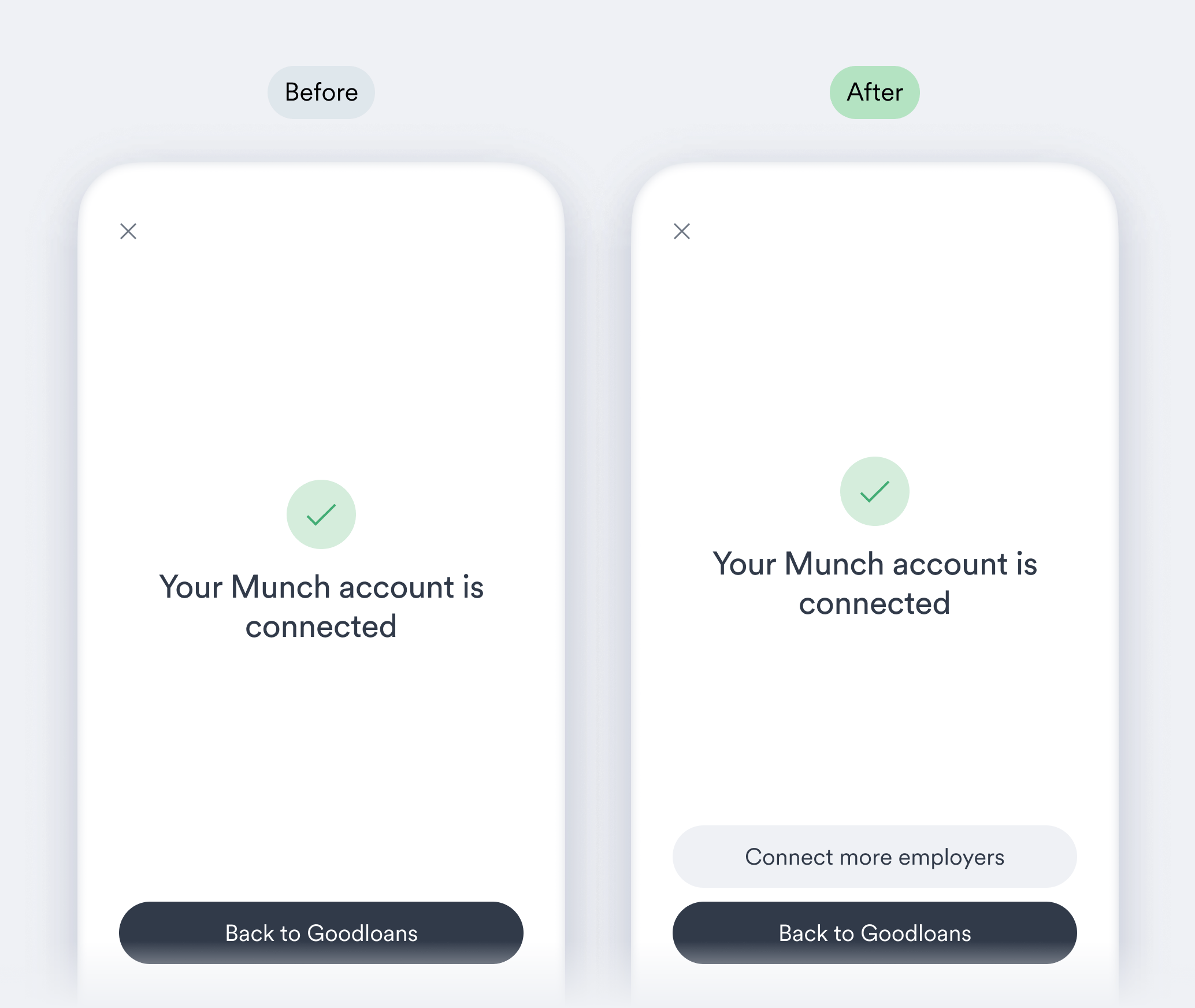
 * On Link’s success screen, the “**Connect more employers**” button can now be optionally toggled ON in your [Flow settings](https://console.argyle.com/flows) for [direct login](https://docs.argyle.com/workflows/account-connections#direct-login) experiences.
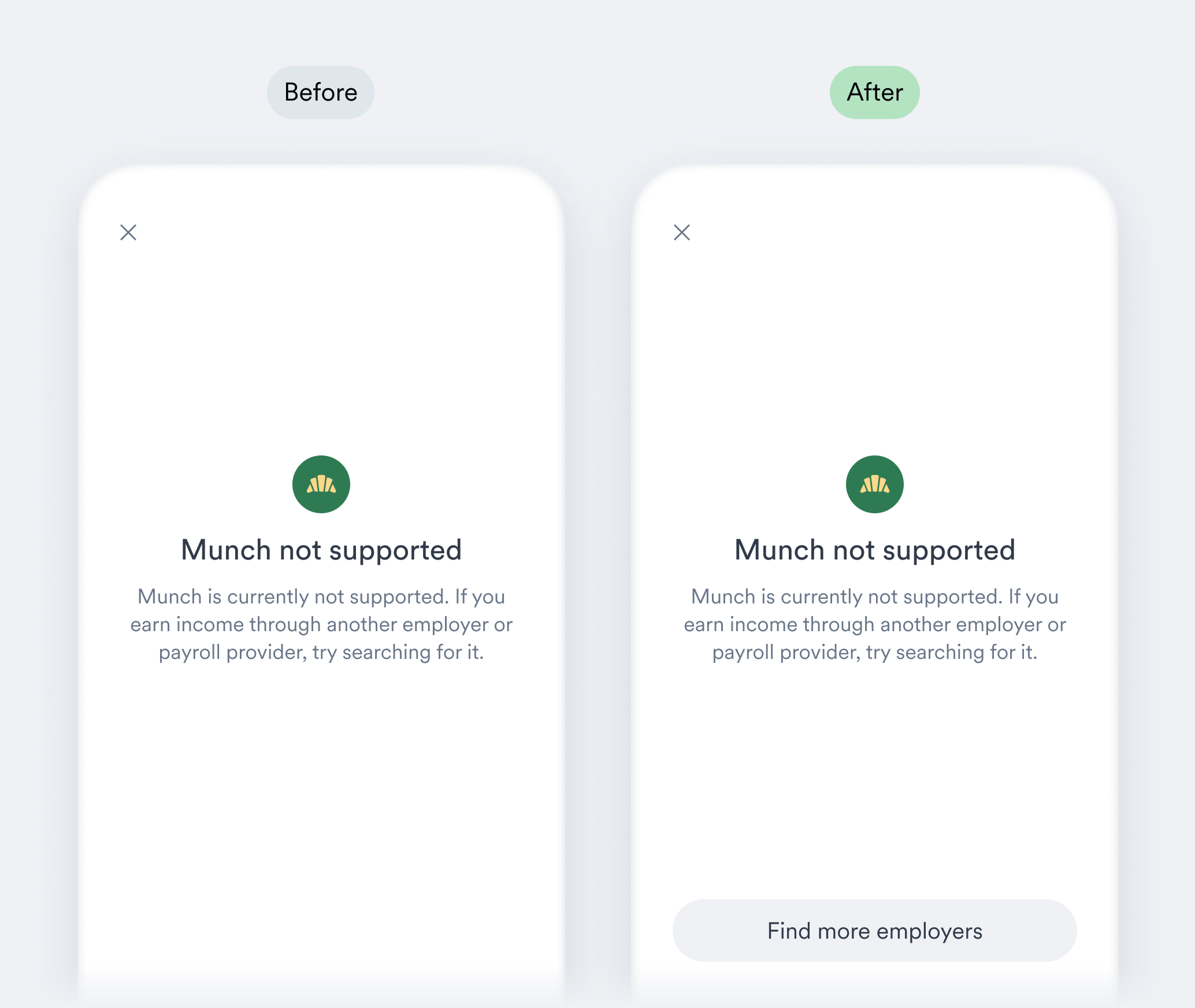
 * A new “**Find more employers**” button can now be shown when users are sent via [direct login](https://docs.argyle.com/workflows/account-connections#direct-login) to an unsupported employer or payroll platform (adjustable via [Flow settings](https://console.argyle.com/flows)).
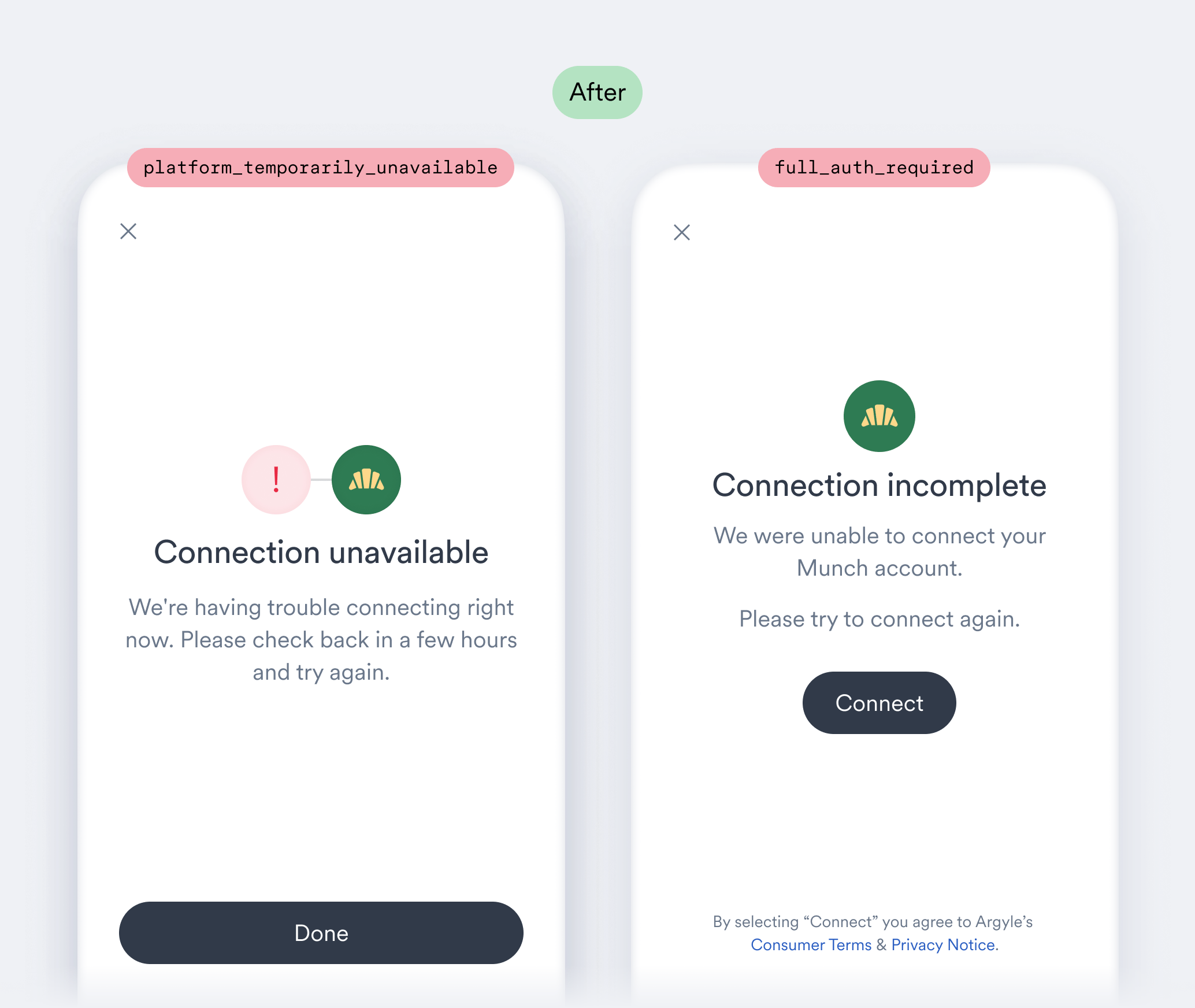
 * Accounts that experience a `platform_temporarily_unavailable` [error](https://docs.argyle.com/api-reference/account-connection-errors#platformtemporarilyunavailable) will now automatically transition to the `full_auth_required` [error](https://docs.argyle.com/api-reference/account-connection-errors#fullauthrequired) when the ability to connect to the underlying payroll platform has been restored. The corresponding error screens in Link have been updated accordingly.
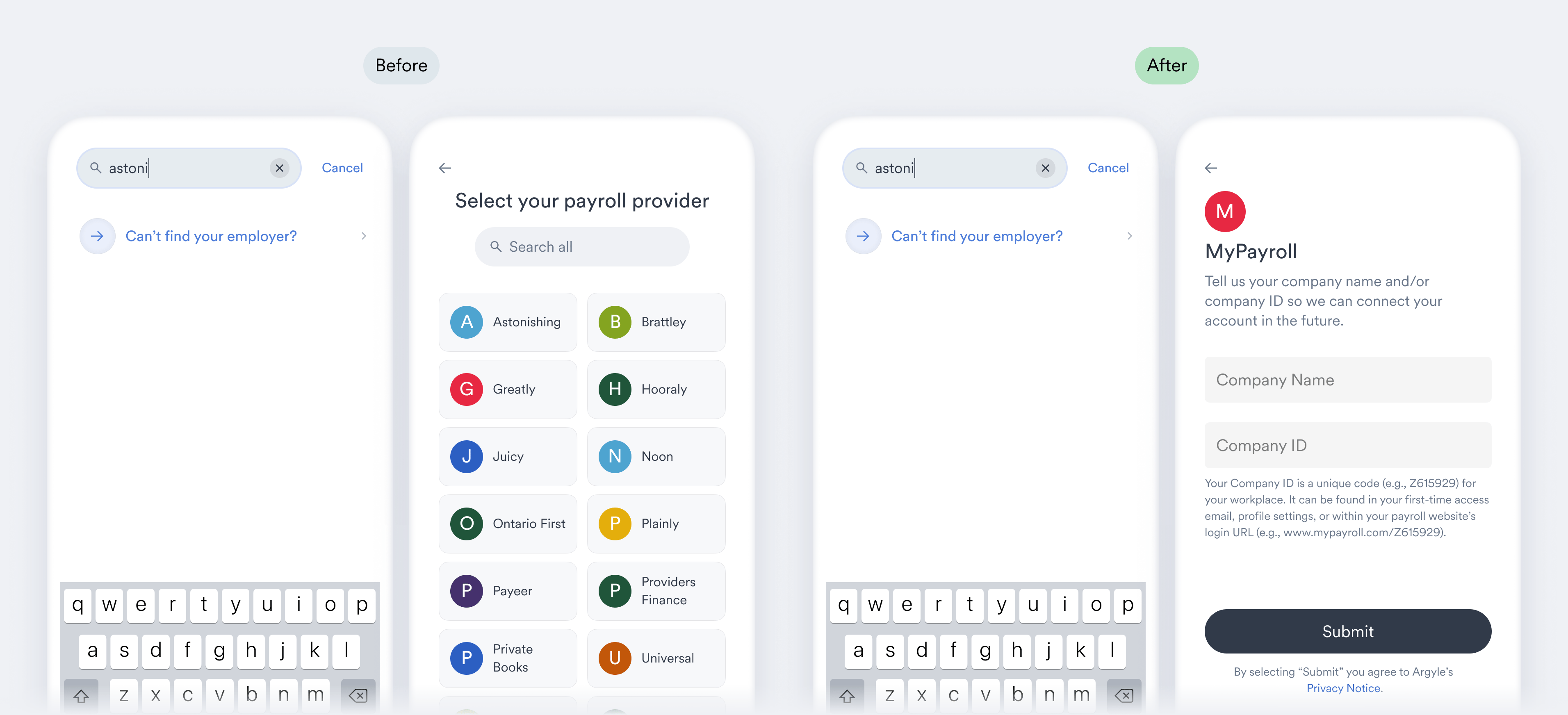
 * After users select a payroll provider and are asked for their employer, if they select “Can’t find your employer?” they will no longer be directed back to the redundant payroll provider selection screen.
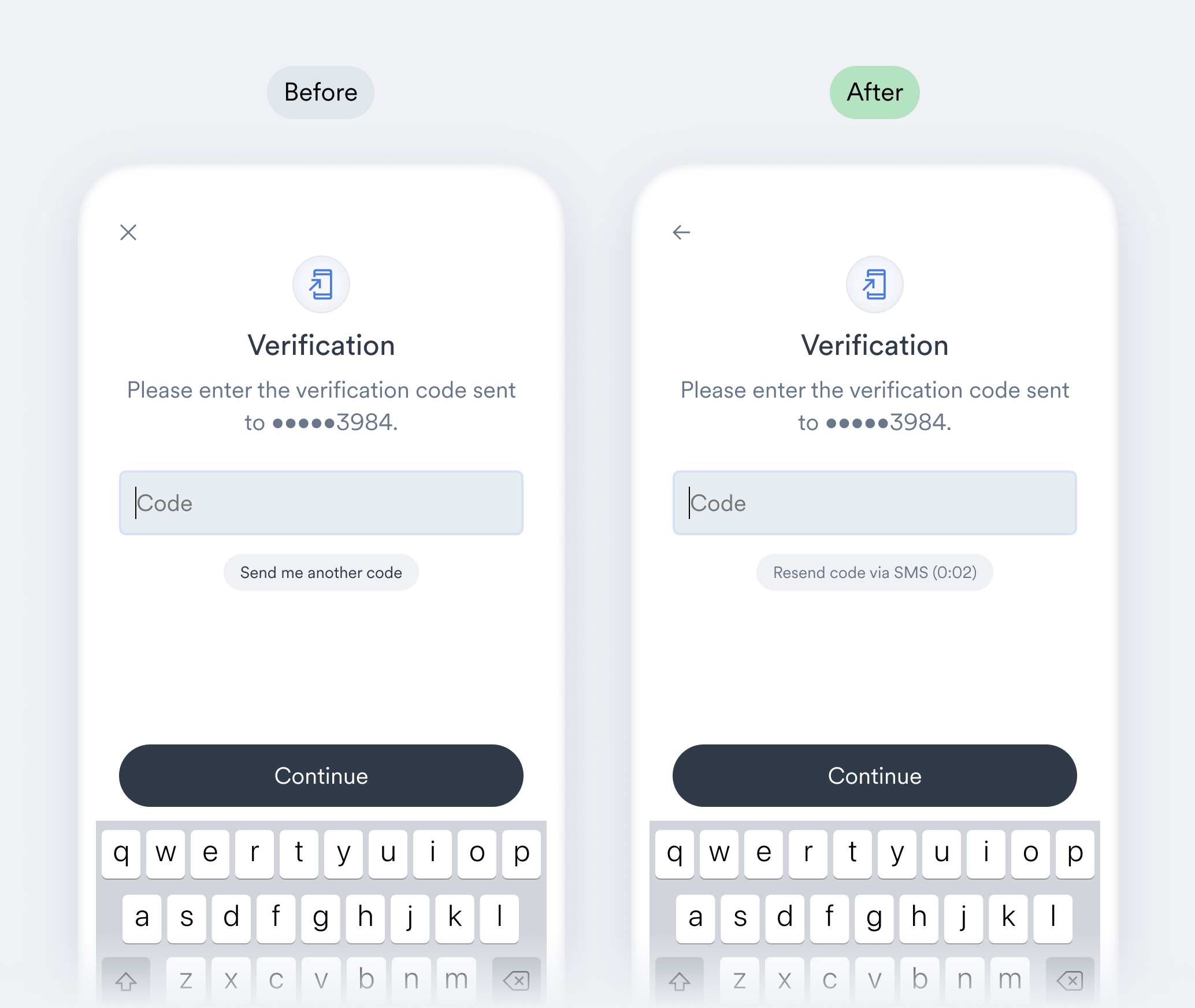
 * An improvement to Link’s exit navigation now ensures that users can re-attempt MFA submissions after an incorrect submission without losing their progress.
 * After successful document uploads, the “Done” button now closes Link.
* Single-sign on (SSO) login hints are now larger.
* (Web) UX compatibility adjustments were made for wide-screen resolutions.
Web instances of Link 5 will automatically be upgraded to Link 5.9 and receive these latest features. Visit the following pages in our documentation to upgrade your respective Link SDK:
* [iOS 5.9](https://argyle.com/docs/link/upgrade#ios)
* [Android 5.9](https://argyle.com/docs/link/upgrade#android)
* [React Native 5.9](https://argyle.com/docs/link/upgrade#react-native)
* [Flutter 5.9](https://argyle.com/docs/link/upgrade#flutter)
* After successful document uploads, the “Done” button now closes Link.
* Single-sign on (SSO) login hints are now larger.
* (Web) UX compatibility adjustments were made for wide-screen resolutions.
Web instances of Link 5 will automatically be upgraded to Link 5.9 and receive these latest features. Visit the following pages in our documentation to upgrade your respective Link SDK:
* [iOS 5.9](https://argyle.com/docs/link/upgrade#ios)
* [Android 5.9](https://argyle.com/docs/link/upgrade#android)
* [React Native 5.9](https://argyle.com/docs/link/upgrade#react-native)
* [Flutter 5.9](https://argyle.com/docs/link/upgrade#flutter)