> ## Documentation Index
> Fetch the complete documentation index at: https://docs.argyle.com/llms.txt
> Use this file to discover all available pages before exploring further.
# Postman
The quickest way to test the Argyle API.
Copy our public Postman collection to get started testing each endpoint:
 ## How to copy the collection
1. Click the button above.
2. Create or retrieve your Argyle API keys [from Console](https://console.argyle.com/api-keys).
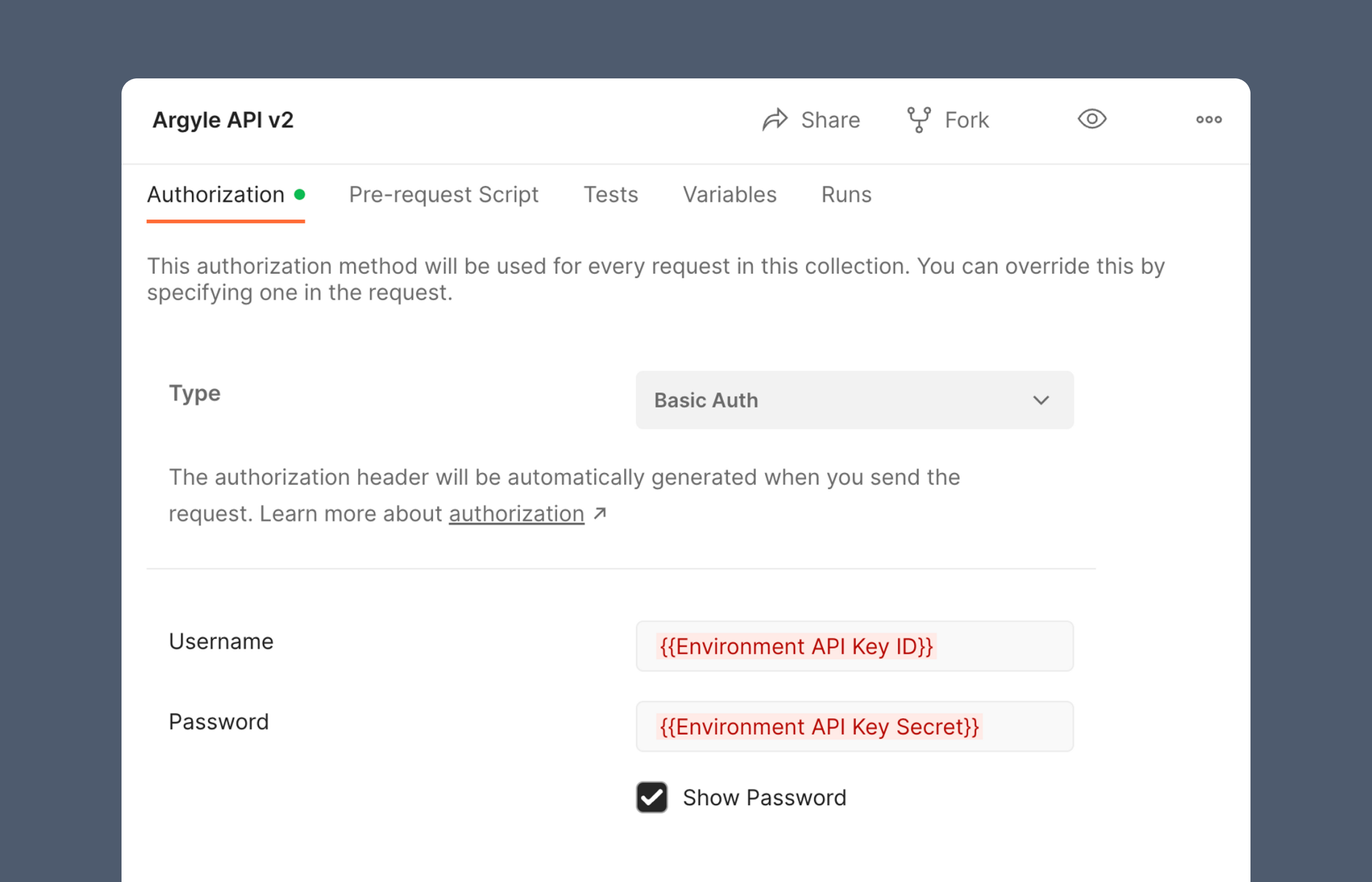
3. Replace the username field on Postman's authorization page with your `Sandbox API Key ID`.
4. Replace the password field on Postman's authorization page with your `Sandbox API key SECRET`.
## How to copy the collection
1. Click the button above.
2. Create or retrieve your Argyle API keys [from Console](https://console.argyle.com/api-keys).
3. Replace the username field on Postman's authorization page with your `Sandbox API Key ID`.
4. Replace the password field on Postman's authorization page with your `Sandbox API key SECRET`.
 ## Setting environment variables
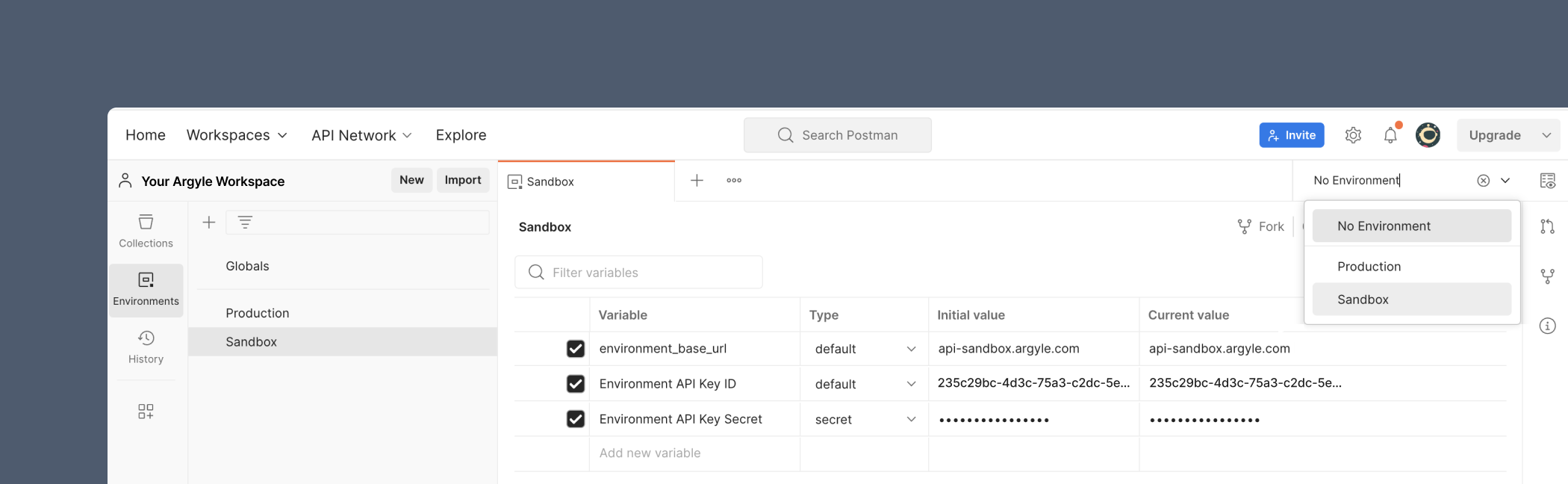
We recommend creating a Sandbox and Production environment via Postman's sidebar, where you can store `{{variable values}}` such as your [API keys](/api-guide/overview#authentication) or [base URLs](/api-guide/overview#environments). This lets you quickly switch between Sandbox and Production when making API calls using the dropdown in the upper right.
## Setting environment variables
We recommend creating a Sandbox and Production environment via Postman's sidebar, where you can store `{{variable values}}` such as your [API keys](/api-guide/overview#authentication) or [base URLs](/api-guide/overview#environments). This lets you quickly switch between Sandbox and Production when making API calls using the dropdown in the upper right.
 Argyle provides two environments:
| Environment | Purpose | Base URL |
| ----------- | ---------------- | ----------------------------------- |
| Sandbox | Testing | `https://api-sandbox.argyle.com/v2` |
| Production | Real connections | `https://api.argyle.com/v2` |
## Documentation in Postman
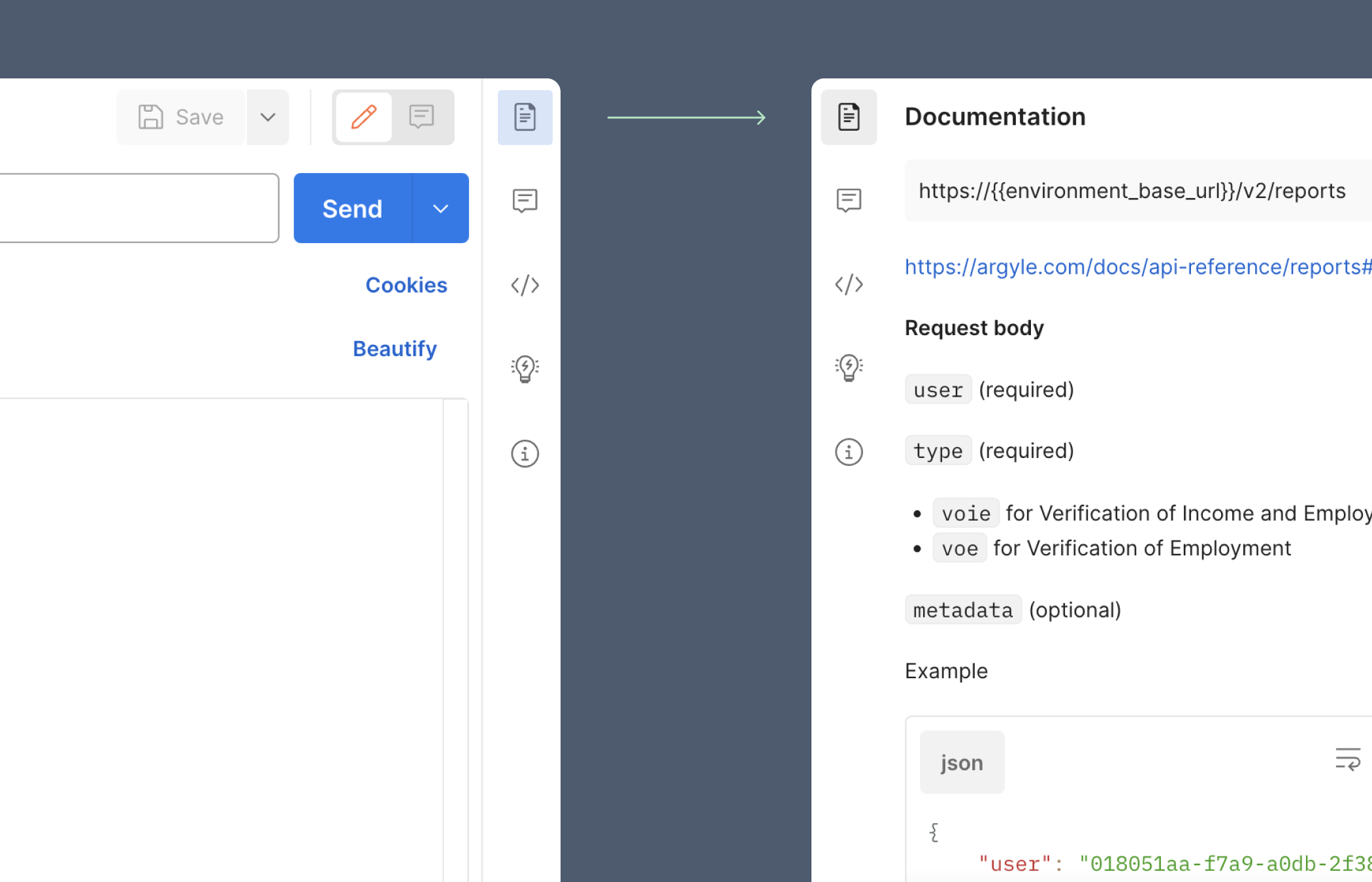
Clicking on the **Documentation** icon in the upper-right corner will display additional details for each endpoint.
Argyle provides two environments:
| Environment | Purpose | Base URL |
| ----------- | ---------------- | ----------------------------------- |
| Sandbox | Testing | `https://api-sandbox.argyle.com/v2` |
| Production | Real connections | `https://api.argyle.com/v2` |
## Documentation in Postman
Clicking on the **Documentation** icon in the upper-right corner will display additional details for each endpoint.
 [API Reference](/api-reference/users#object)